Template details
AstroRainbow
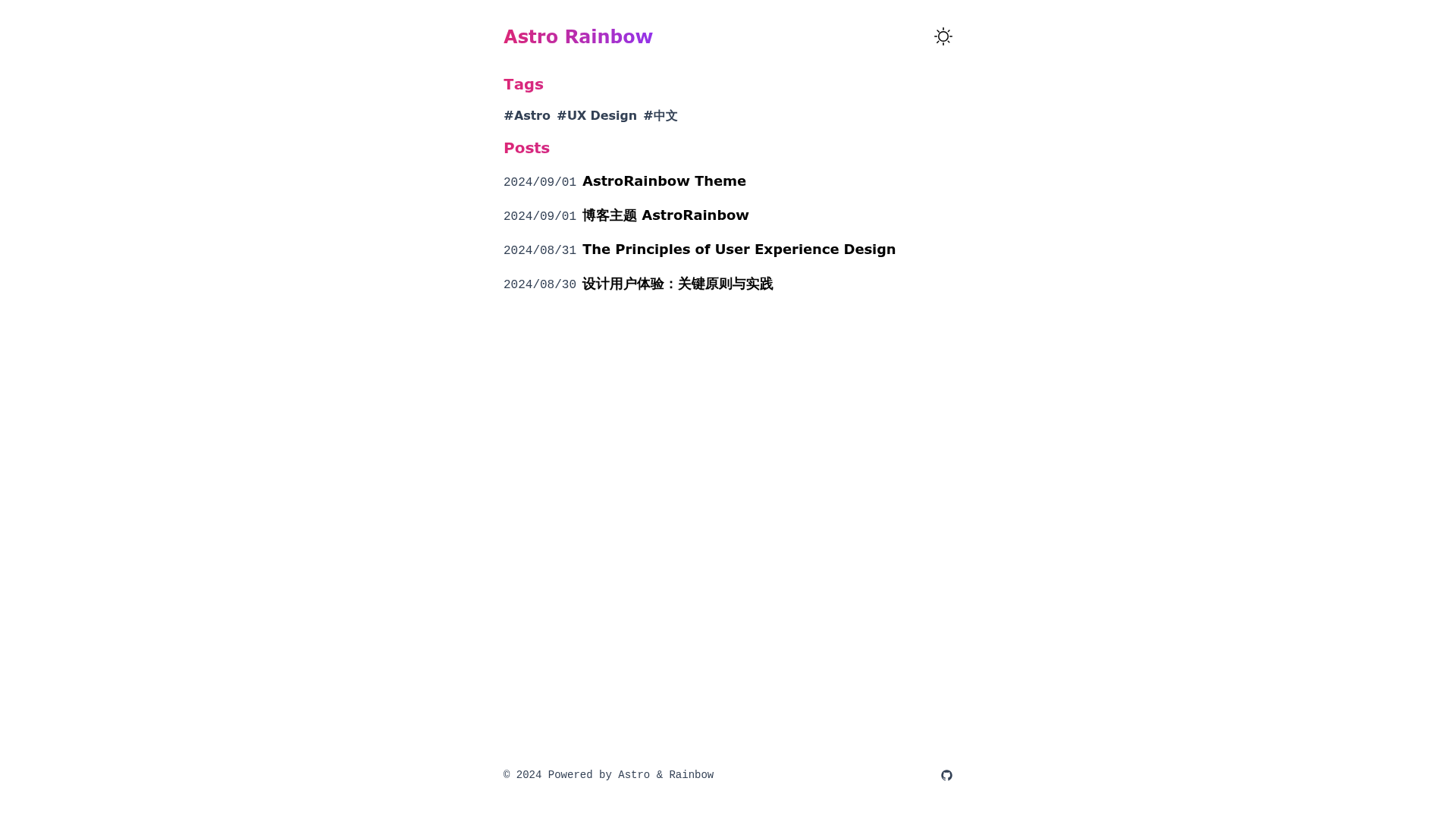
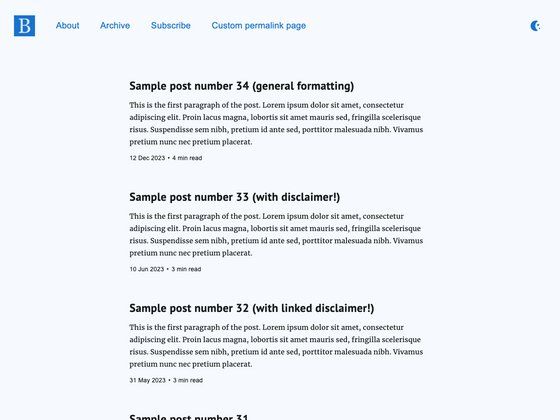
🌈 AstroRainbow is a clean and simple Astro theme designed for blogs.
About this template
AstroRainbow is a free, open-source Astro theme for building clean, minimalist blogs, and it relies exclusively on Astro and Tailwind CSS with no extra packages. Designed as a starter theme by GitHub user w4n9hu1, it gives you a responsive, light/dark-mode blog out of the box, and it generates a fully static site from Markdown posts.
What is AstroRainbow?
AstroRainbow is an Astro theme specifically for blog sites. It takes Markdown files as your blog post content and a src/config.json file for site configuration, and it outputs a static, production-ready blog website. The theme runs entirely on Astro's static site generation and uses Tailwind CSS for styling, so the final site has no JavaScript framework overhead beyond what Astro generates. The project is maintained on GitHub under the MIT License.
Key Features
- Simple & elegant design — A minimalist layout that puts the focus on the written content, with no heavy graphics or distractions.
- Light & dark modes — Users can switch between light and dark themes, controlled through the included theme toggle.
- Responsive design — The layout adapts to mobile, tablet, and desktop screen sizes without custom CSS.
- Draft support — You can save blog posts as drafts and publish them later, keeping unfinished content out of the public site.
- Blog post creation — A
npm run new "post title"command scaffolds a new Markdown post file in the correct location, so you don't have to create files by hand. - Astro & Tailwind CSS only — The template includes no additional packages or frameworks, which keeps the setup simple and the resulting site fast.
- One-click deployment — Vercel and Netlify deploy buttons are included in the README, so you can publish the blog to either hosting service without leaving the repository.
Who is it for?
AstroRainbow is suited for developers, writers, and anyone who wants a clean, fast blog without configuring a full-featured CMS. Software developers can use it as a starter for a personal blog or documentation site. Writers who prefer Markdown can focus on content creation using the built-in post-generation command. Astro newcomers can study the template to see how Astro and Tailwind CSS work together in a minimal project.
What can you do with AstroRainbow?
- Personal blogging: Write and publish Markdown posts, toggle between light and dark modes, and let the responsive layout reach readers on any device.
- Quick prototyping: Spin up a static blog project locally with
npm create astroand the template flag, then deploy to Netlify or Vercel with the one-click buttons. - Learning Astro and Tailwind: Use the small codebase as a reference for structuring an Astro blog, configuring Tailwind utility classes, and organizing Markdown collections.
How does AstroRainbow work?
To get started, you clone the template with the command npm create astro@latest -- --template w4n9hu1/astro-rainbow, then run npm install to install dependencies. After that, npm run dev starts the local development server, and npm run new "post title" creates a new Markdown post. Site configuration is done by editing src/config.json.
License and support
The theme is licensed under the MIT License, so you can use, modify, and redistribute it freely. The repository's author accepts bug reports and feature requests via GitHub issues.