Template details
Basics
A minimal Hugo theme for simple, content-focused websites with high contrast and readability.
About this template
Basics is a minimal Hugo theme for content-focused static websites, built on the Elephants theme and available from the official Hugo theme site.
What is Basics?
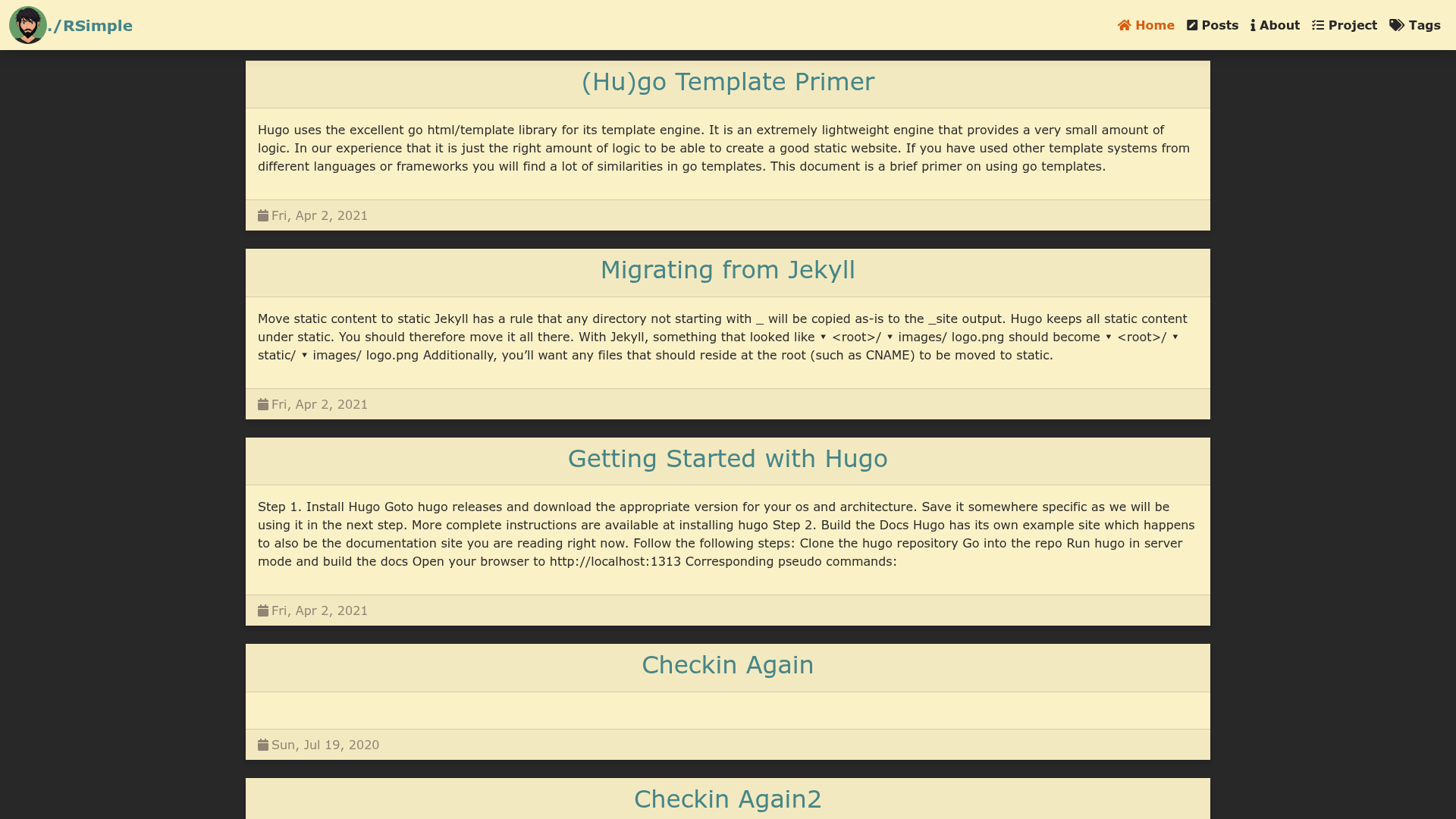
Basics is a Hugo theme that turns Markdown content into a responsive, high-contrast static site with an emphasis on readability. It takes posts written in Markdown (stored in the content/post directory) and an about page (content/about.md) as input, and produces a fully static website as output. The theme is developed by GitHub user arjunkrishnababu96 and is released under the MIT License.
Key Features
- Responsive layout — the theme adapts to different screen sizes, though no specific framework is mentioned.
- High contrast design — strong color contrast for better readability.
- Content-first focus — minimal decoration so text stands out.
- Simple installation — add via
git submodule add https://github.com/arjunkrishnababu96/basics.git themes/basics. - Configurable author name — set
.Site.Params.authorin config.toml to display an author. - Optional GitHub and GitLab links — set
.Site.Params.githuband.Site.Params.gitlabto show links in the top navigation bar; leaving them blank hides the links. - MIT License — free to use, modify, and redistribute.
Who is it for?
- Bloggers and writers who want a clean, distraction-free home for their posts.
- Developers who need a minimal personal site or project blog with a fast static output.
- Minimalists who prefer simple, no-frills design over complex themes with many widgets.
What can you do with Basics?
- Bloggers: place each Markdown post in the content/post folder and the homepage will list them automatically.
- Personal site owners: add an about page at content/about.md for a short bio or introduction.
- Developers: link your GitHub and GitLab profiles from the top navigation to show your work.
How does Basics work?
Install the theme as a git submodule, create a content/post directory for blog posts and an about.md page, then configure the author, GitHub, and GitLab parameters in config.toml. The homepage pulls any posts found in content/post; to change this behavior, edit themes/basics/layouts/_default/list.html.
FAQ
Is Basics free?
Yes, Basics is released under the MIT License, which permits free use, modification, and redistribution.
How do I add a blog post?
Create a new Markdown file inside the content/post directory. Any files placed there are automatically listed on the homepage, so no extra configuration is needed.
How do I show GitHub and GitLab links?
Add your usernames to the site parameters in config.toml as github = "username" and gitlab = "username". The links appear in the top navigation bar. If the values are blank or absent, the links disappear.
Can I change which posts show on the homepage?
Yes, the theme's list layout is at themes/basics/layouts/_default/list.html. You can modify that file to change how posts are selected and displayed.