Template details
Journal
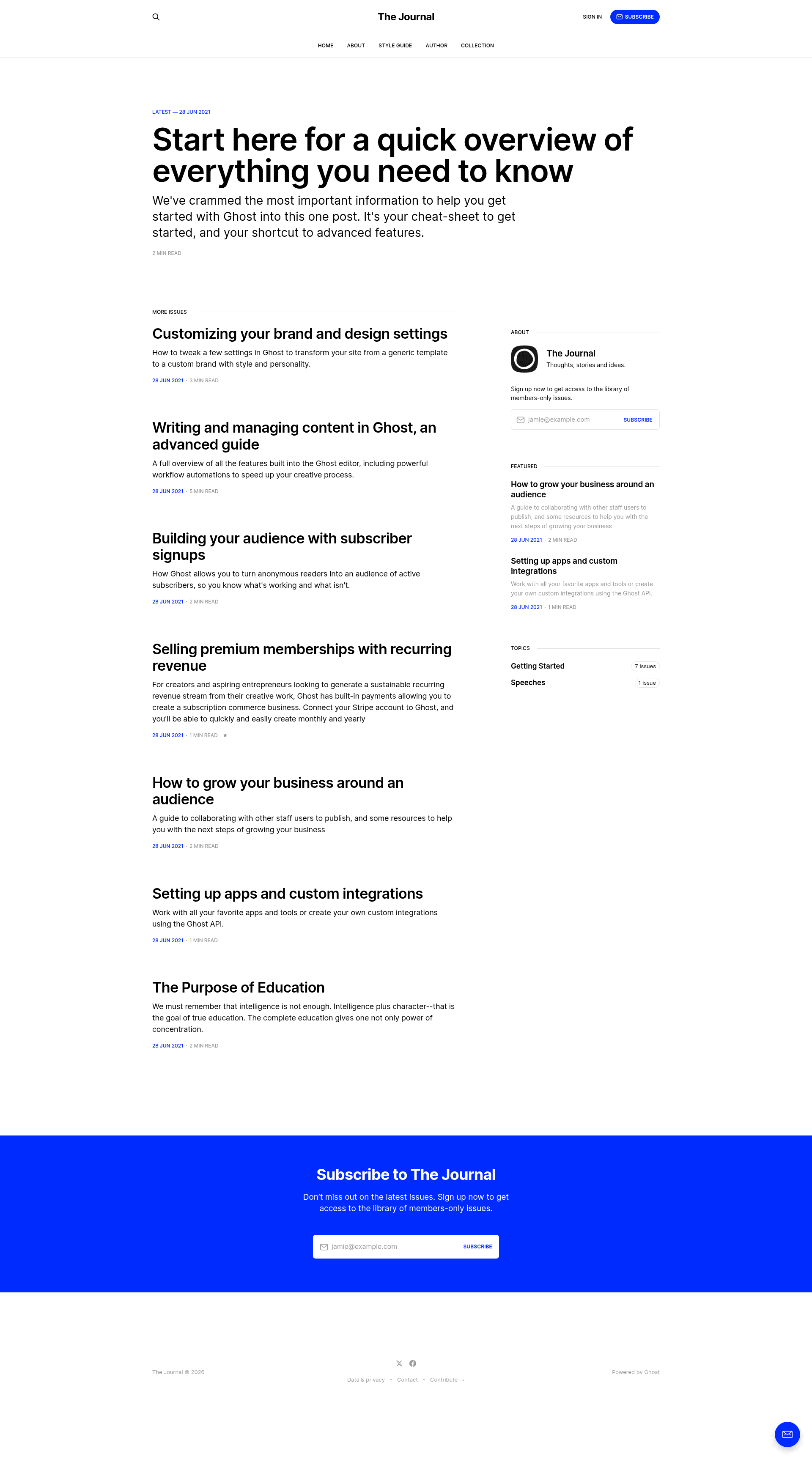
A minimal, typography-heavy newsletter theme for Ghost, free and open source.
About this template
Journal is a minimal, typography-heavy newsletter theme for the Ghost publishing platform, built to give a Ghost site a clean, text-first reading experience.
What is Journal?
Journal is a free, open-source Ghost theme designed specifically for newsletter-style publishing. It runs on Ghost, the Node.js-based CMS, and it takes a Ghost site's pages and posts and renders them in a minimal, typography-first layout. Journal is developed and maintained by the Ghost Foundation and synced automatically from the TryGhost/Themes monorepo, which is also where issues and contributions are managed. The theme is released under the MIT license, and a live demo is at journal.ghost.io.
What makes Journal stand out?
Journal distinguishes itself with a sparse, readable design that puts the writing first, and with official support from the Ghost team. It also ships with a developer-friendly CSS build pipeline and simple packaging.
- Minimal typography-heavy layout — The theme centers on text readability, with a clean layout for long-form and newsletter writing.
- Ghost platform integration — Works as a standard Ghost theme, rendering posts and pages through Ghost's template system.
- Gulp/PostCSS build pipeline — Styles are authored in /assets/css/ using future CSS specs and compiled automatically to /assets/built/.
- Local development workflow — Uses pnpm and Gulp; run pnpm dev to build the theme and watch for CSS changes.
- One-command packaging — Running pnpm zip creates dist/journal.zip, ready to upload to a Ghost site.
- Theme translations — Contributors can edit or add translations through the TryGhost/Themes repository.
- Open source licensing — Released under the MIT license, so it can be used and modified freely.
Who is Journal for?
Journal is for newsletter writers who want a text-focused presentation for their Ghost publication. It is also for Ghost site owners who want an official, minimal theme they can install by uploading a single zip file. Developers and designers will appreciate the Gulp/PostCSS setup, which allows them to edit CSS and rebuild quickly.
What can you do with Journal?
Journal supports a few concrete tasks: publishing a newsletter, installing the theme, and developing custom styles.
- Newsletter writers: Publish editions on a Ghost site with a focused reading layout, and use Ghost's membership features to manage subscribers.
- Ghost site owners: Replace the default theme by uploading dist/journal.zip in the Design settings area of Ghost.
- Theme developers: Edit the CSS in /assets/css/, run pnpm dev to watch and compile, then package a production-ready theme with pnpm zip.
How does Journal work?
Installation takes two steps: download the theme zip, then log into Ghost, go to Design settings, and upload it. For development, you need Node, pnpm, and Gulp; from the theme root, run pnpm install and pnpm dev to build and watch CSS changes. The compiled assets go to /assets/built/, and running pnpm zip creates dist/journal.zip for distribution.
Pricing
Journal is completely free. It is published under the MIT license, so there is no cost to download, use, or modify it.
FAQ
Is Journal free?
Yes. Journal is released under the MIT license and is part of the official Ghost Themes repository, so you can download and use it at no cost.
How do I install Journal on my Ghost site?
Download the zip from the GitHub repository, then log into your Ghost admin area, open Design settings, and upload the zip file. Ghost activates the theme immediately.
How do I customize the theme's styles?
Edit the CSS files under /assets/css/ and run pnpm dev to compile them to /assets/built/. The Gulp watcher rebuilds the CSS automatically whenever you save changes.
Is there a live demo?
Yes, you can preview Journal at journal.ghost.io, where the theme runs with sample content.
Can I contribute translations?
Yes, translations are managed in the TryGhost/Themes monorepo. Follow the instructions in the theme-translations README to edit or add translations.