Template details
BCMS Personal Starter for Astro.js
Astro.js starter kit for BCMS headless CMS, built for personal portfolio websites.
About this template
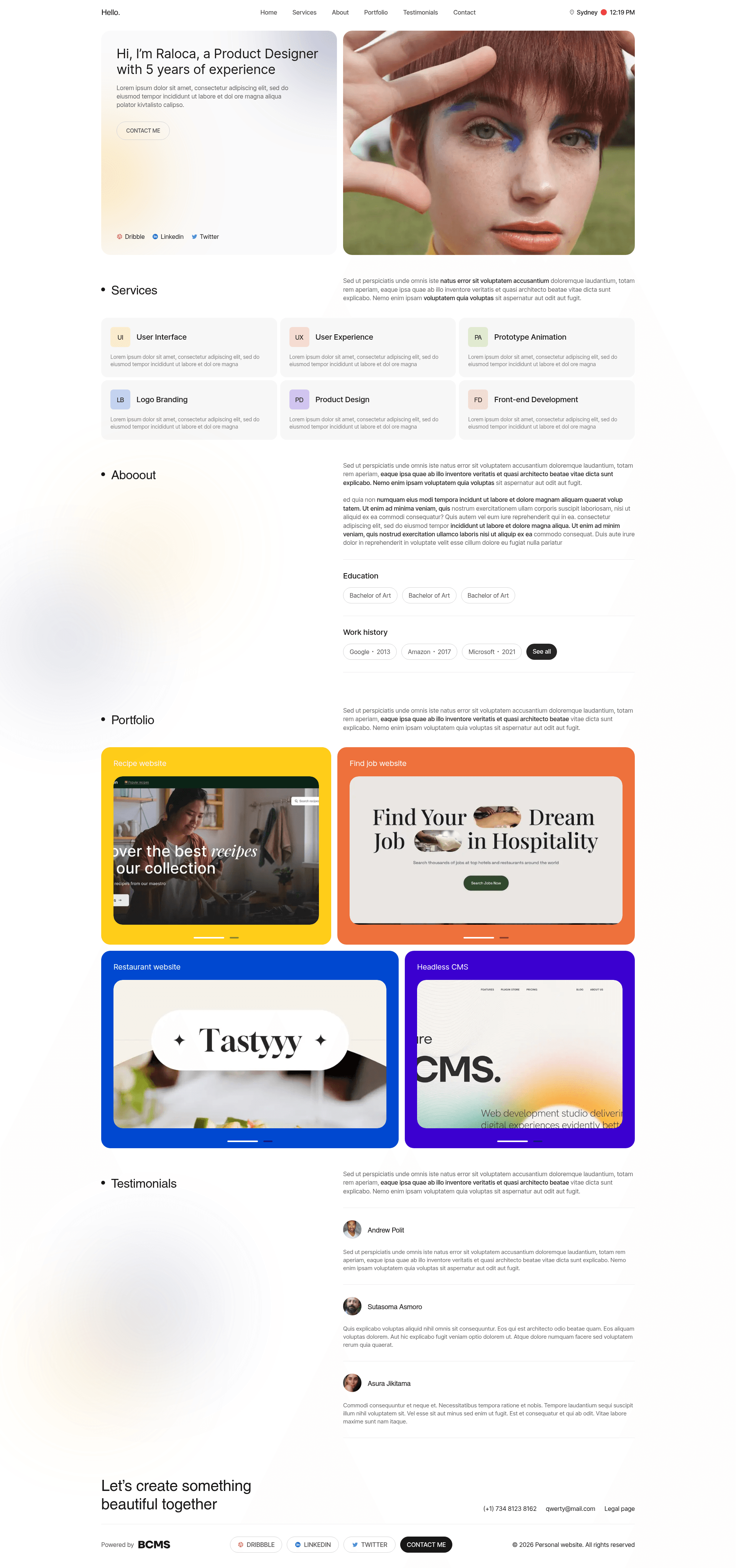
BCMS Personal Starter for Astro.js is an open-source starter kit that pairs Astro.js with the BCMS headless CMS to create personal portfolio websites. It scaffolds a new Astro project that is directly integrated with a BCMS project, giving you a minimal but clean codebase to extend. The starter is maintained by the BCMS team and distributed through the @thebcms/cli package.
What is the BCMS Personal Starter for Astro.js?
This starter is a project template that combines Astro.js 6 with BCMS, a headless content management system, to produce a personal portfolio website. It takes a BCMS project as its content source and outputs an Astro site that you can deploy as a static or server-rendered site. The codebase is intentionally minimal, with a clean structure, so it is easy to extend. Running it requires Node.js 22.x or newer, npm 10.x or newer, and Astro 6.x.
Key Features
The starter includes a focused set of features that cover the essentials for building a portfolio with Astro and BCMS.
- Astro 6 foundation — Built and tested against Astro 6.x, so you start on the latest major version of the framework.
- BCMS content integration — The starter hooks directly into your BCMS project as the content source, meaning content is managed in BCMS and rendered by Astro.
- Tailwind CSS styling — The repository metadata lists Tailwind CSS as part of the stack, providing utility-first styling out of the box.
- Single-command setup — Scaffold the project by running
npx @thebcms/cli create astro starter personaland following the prompts. - Accessible and high-performance — The project description emphasizes building accessible, high-performance websites, and this starter follows that goal.
- Extensible architecture — The clean codebase is meant to be extended with additional pages, components, and features.
Who is it for?
This starter is aimed at developers and individuals who want a portfolio website that uses a headless CMS without building everything from scratch.
- Personal website owners wanting a portfolio with a CMS-backed admin interface for managing content.
- Astro developers looking for a pre-configured reference or starting point for an Astro + BCMS project.
- Freelancers and creatives such as photographers, designers, and writers who need a clean portfolio site with easy content updates.
What can you do with it?
Here are common ways the starter is used to build real sites:
- Create a portfolio site: Manage your projects, about page, and other content through BCMS, and have them rendered on an Astro site.
- Client portfolio websites: Freelancers and agencies can scaffold a clean site for a client and hand over content management to them via BCMS.
- Learn Astro with a CMS: Understand how a real-world starter wires Astro to a headless CMS, then adapt it for your own projects.
How does it work?
Setting up the starter takes one command: npx @thebcms/cli create astro starter personal. After answering the prompts, the CLI creates a new Astro project configured to connect to your BCMS project. You then run the Astro dev server for local development, and build the site for deployment. Content you edit in BCMS is reflected on the site through the starter's integration.
For more details, refer to the BCMS documentation on the BCMS website, including the Astro integration guide.