Template details
WarpPortfolio
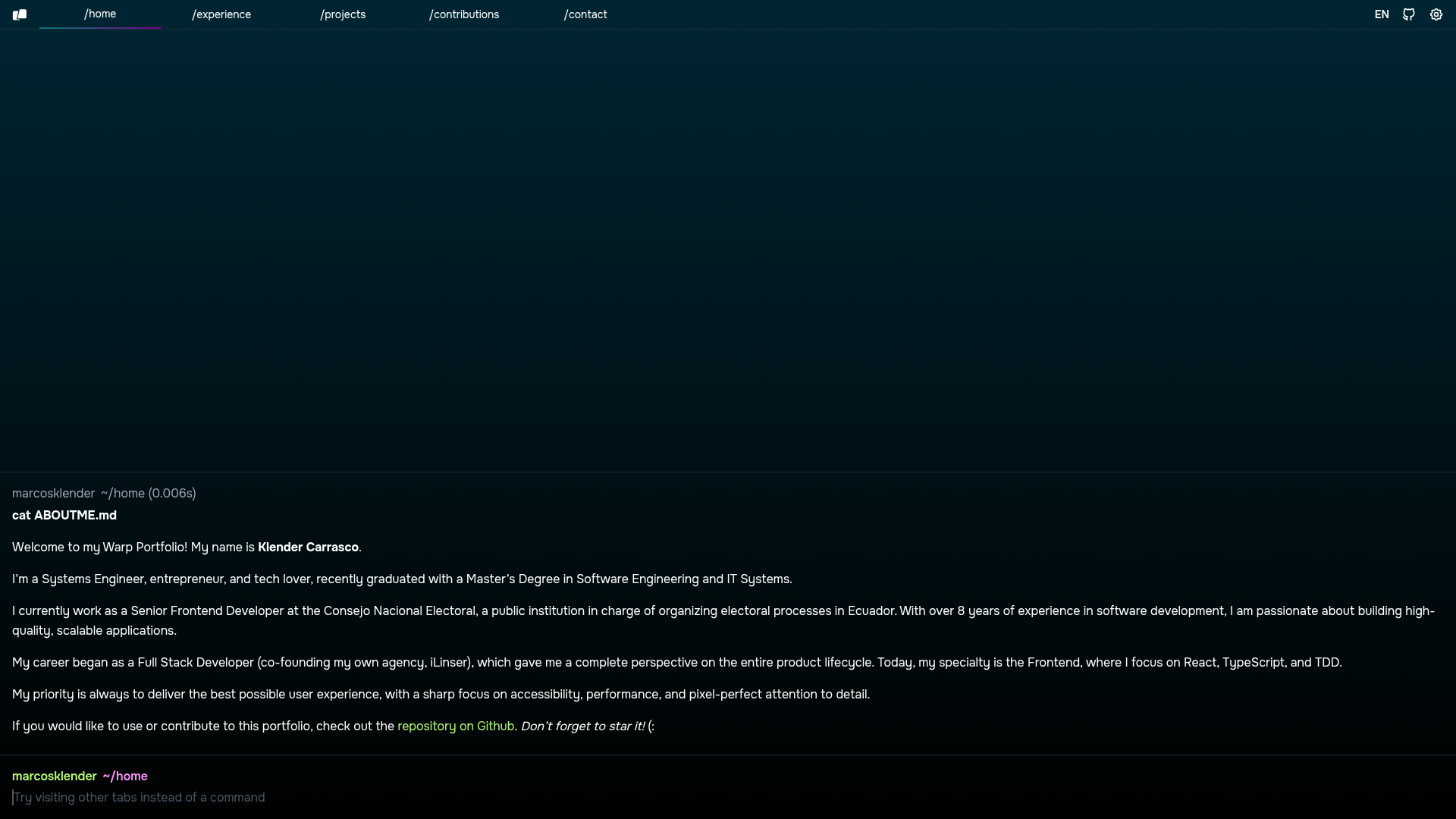
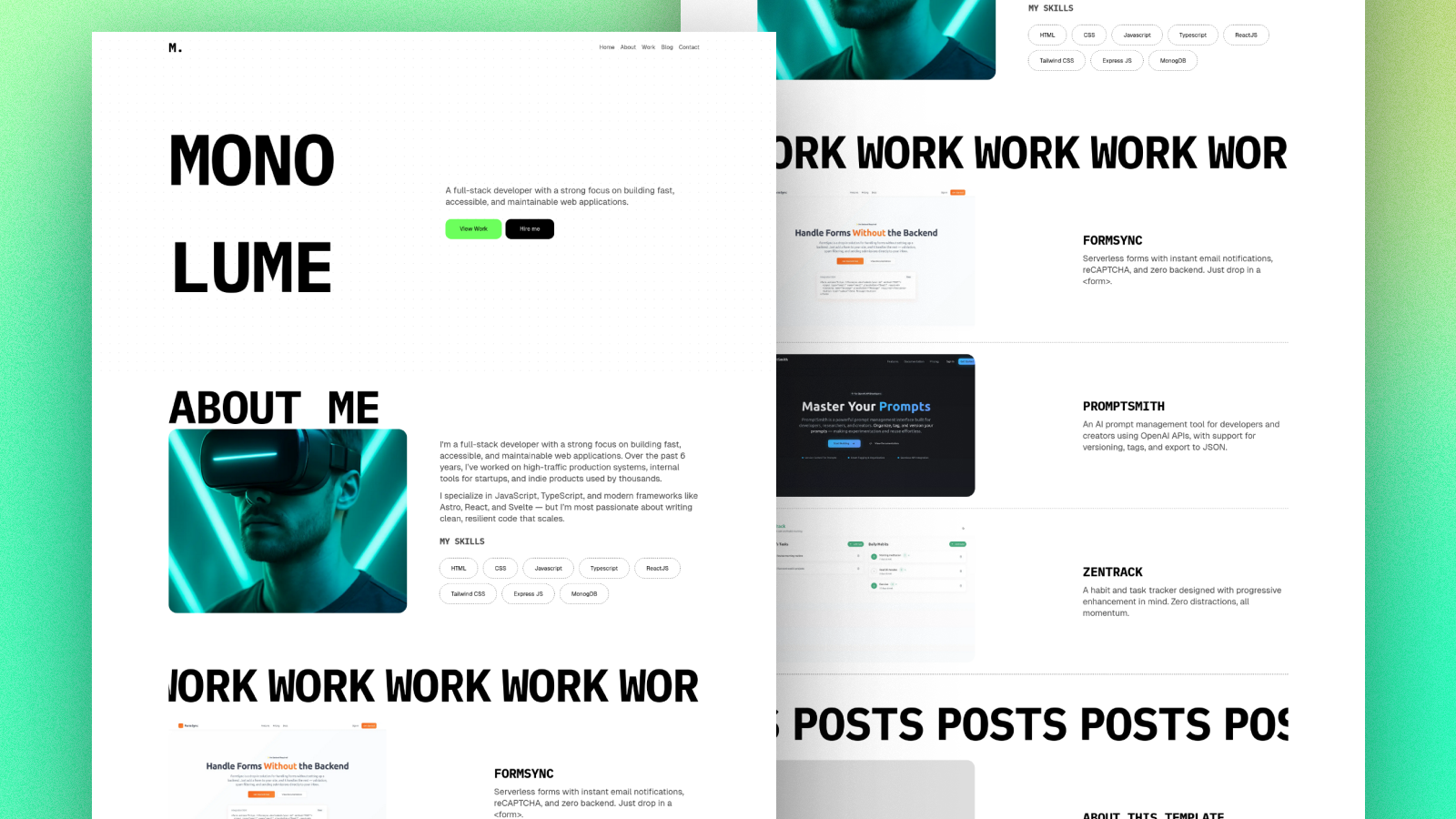
Open source web portfolio, inspired by Warp Terminal. Made with Astro 5.
About this template
WarpPortfolio is an open-source web portfolio template built with Astro 5 and Tailwind CSS, inspired by the visual style of Warp Terminal.
What is WarpPortfolio?
WarpPortfolio is a static-site template that turns personal content into a portfolio website with a dark, terminal-inspired interface. It accepts content structured through Astro's file-based routing and outputs a deployable static site. The project is maintained by Marcos Klender, listed on the Astro Themes directory, and hosted on GitHub under the name WarpPortfolio.
What makes WarpPortfolio stand out?
- Astro 5 framework — Built on Astro 5, which generates static HTML and reduces client-side JavaScript by default.
- Tailwind CSS styling — Uses Tailwind CSS for utility-first design, so colors, spacing, and typography are customizable via config files.
- Terminal-inspired design — The layout draws directly from Warp Terminal's look, giving portfolios a distinctive developer aesthetic.
- Internationalization (i18n) — Ships with i18n support, allowing the portfolio to be presented in multiple languages for global audiences.
- MIT open-source license — Distributed under the MIT License, permitting free use, modification, and redistribution in personal or commercial work.
- Netlify-ready — The README's badges highlight Netlify as a deployment target, and the static output fits typical Netlify hosting.
Who is it for?
- Developers who want a portfolio that matches their coding identity, with a terminal-inspired theme and project showcase layout.
- Designers who need a clean, modern portfolio page and prefer a dark color palette over typical light templates.
- Freelancers who want a professional personal site up quickly and can deploy it to a static host at no cost.
What can you do with WarpPortfolio?
- Job seekers: Create a personal portfolio site that presents projects, skills, and contact links, then deploy it to Netlify.
- Open-source contributors: Fork the WarpPortfolio repository, customize it for your own profile, and contribute improvements through pull requests — contributions are welcomed in the README.
- Designers: Adjust the Tailwind theme to match a personal brand while keeping the terminal-inspired visual foundation.
How do you set up WarpPortfolio?
The README provides a three-step setup: clone the repository, install dependencies with pnpm install (or npm), and run pnpm dev to start the local development server. It also notes that Node.js v18.17.1, v20.3.0, v22.0.0 or higher is required, and recommends the official Astro extension for Visual Studio Code.
Is WarpPortfolio free?
Yes. WarpPortfolio is open source under the MIT License, so there are no licensing fees. You can clone the repository from GitHub and use it for personal or commercial portfolios, as long as you retain the license notice.