Template details
Beginner Html Site Styled
A minimal one-page HTML/CSS starter for beginners, with styling explained in MDN's CSS basics tutorial.
About this template
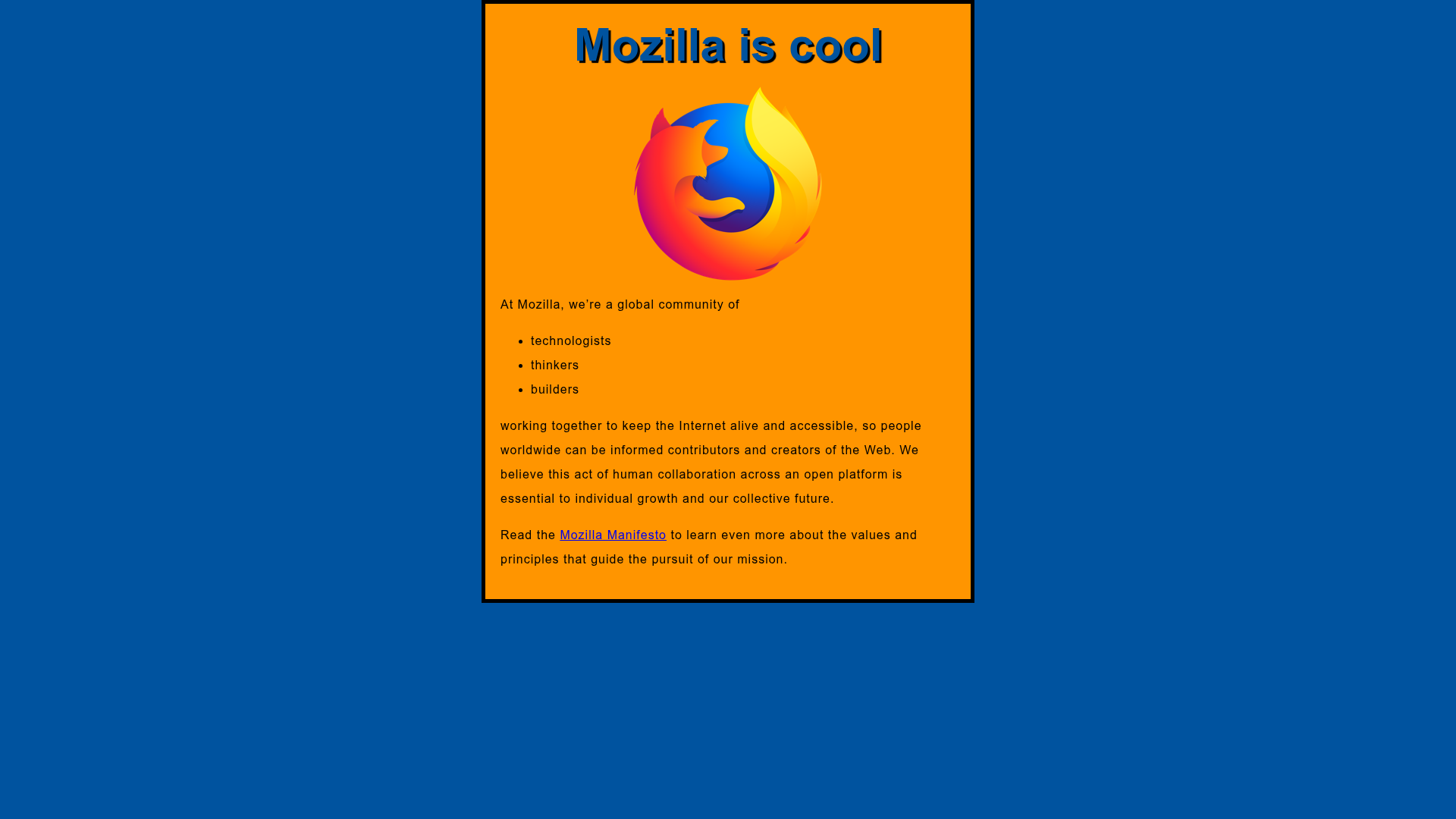
beginner-html-site-styled is a minimal one-page website created by the Mozilla Developer Network (MDN) to teach complete beginners the basics of HTML and CSS. The repository provides a simple, styled HTML page whose CSS is explained step-by-step in MDN's CSS basics tutorial, making it a hands-on companion for that course.
What is beginner-html-site-styled?
beginner-html-site-styled is a GitHub repository containing a single HTML page that has been styled with CSS to help beginners learn web fundamentals. It takes no input and produces a static webpage that can be opened directly in a browser. The project is maintained by MDN, the same team behind the MDN Web Docs learning area, and its live version is hosted at http://mdn.github.io/beginner-html-site-styled/ (accessible via the "Run the example live" link in the repo). The repository description explains that the styling is explained over the course of MDN's Getting started with the web's CSS basics article.
Key Features
- Single page structure — The repository contains a simple one-page website, ideal for understanding the minimal anatomy of an HTML document without navigation complexity.
- Plain HTML — Uses basic HTML markup (headings, paragraphs, and other foundational elements) appropriate for absolute beginners; no JavaScript or build tools are involved.
- Plain CSS styling — The page includes hand-written CSS rules (selectors, properties, and values) that beginners can read and modify directly, with every rule explained in the linked MDN CSS basics tutorial.
- Live demo — A hosted example is provided at http://mdn.github.io/beginner-html-site-styled/ so learners can see the finished page immediately and compare it with their own local copy.
- Open-source learning resource — The repository is available on GitHub (currently about 265 stars) and is part of MDN's educational materials, meaning it is free to clone, fork, and experiment with.
Who is it for?
- Complete beginners — People with zero prior experience in HTML or CSS can clone the repo, open the files, and follow along with MDN's CSS basics tutorial to see exactly how each style rule affects the page.
- Self-taught learners — Those working through MDN's "Getting started with the web" learning path can use this styled page as a reference implementation and editing playground.
- Coding instructors and workshop leaders — Teachers running introductory web development sessions can distribute this template to students as a starting point for exercises, with the live demo serving as the expected outcome.
- Hobbyists exploring web development — Anyone curious about how HTML and CSS work together can inspect the small codebase and tinker with the styling to build intuition in a low-stakes environment.
What can you do with beginner-html-site-styled?
- Follow the CSS basics tutorial — Open the page alongside MDN's CSS basics article and edit the stylesheet to see how changing selector, property, or value alters the rendered page.
- Practice modifying HTML — Experiment with adding new headings, paragraphs, and elements to the single page, then adjust the CSS to style them, reinforcing both markup and presentation skills.
- Fork the repository — Use the GitHub fork feature to create your own copy and turn the learning template into the foundation for a small personal site or a coding exercise.
The project's focus is educational: it deliberately avoids frameworks, build steps, and advanced features so that the underlying HTML and CSS remain transparent to beginners. Because the associated MDN tutorial covers the exact stylesheet used in the repo, learners have a complete narrative from reading an explanation to seeing and editing the real code.