Template details
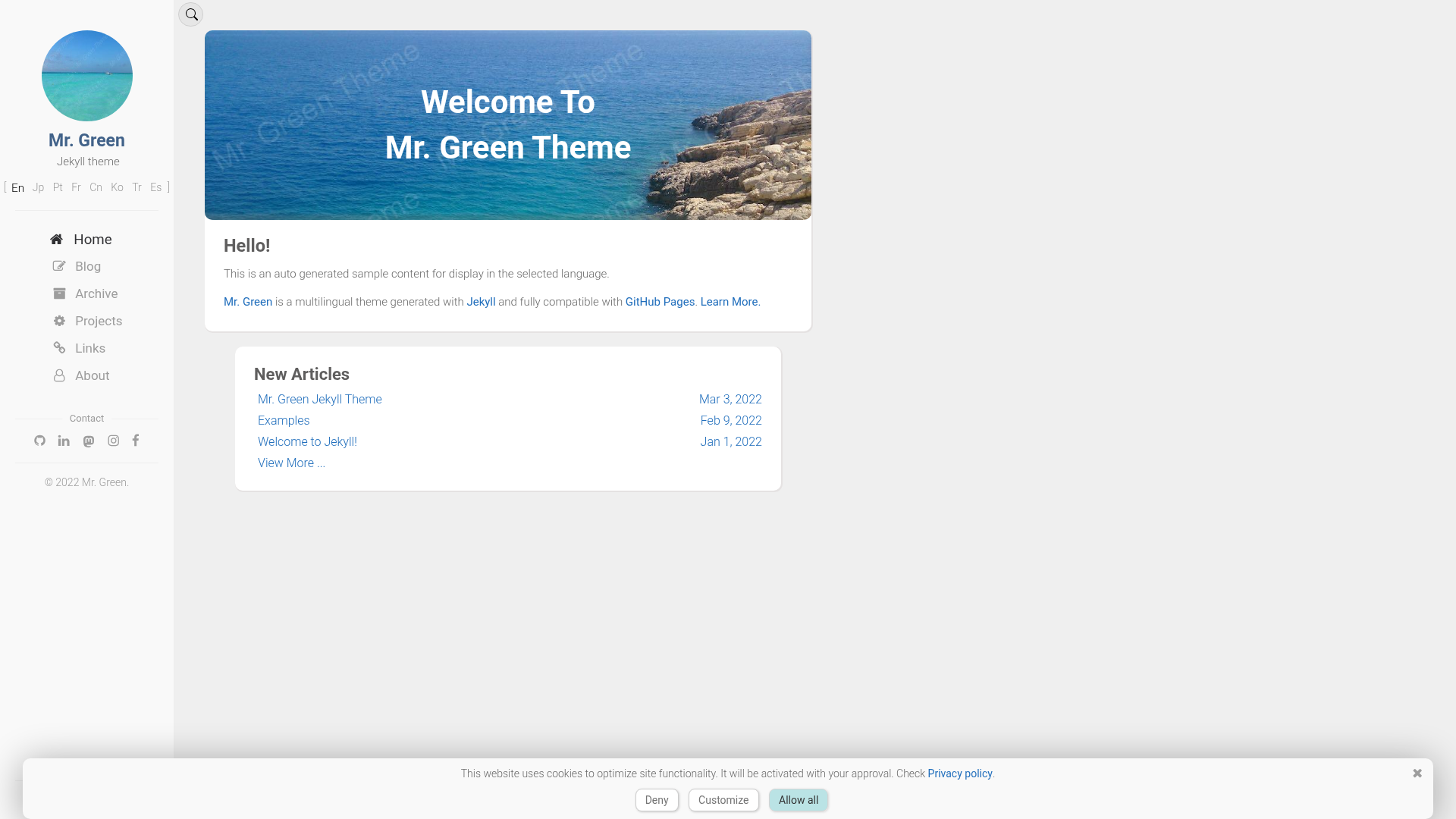
Mr. Green Jekyll Theme
A multilingual Jekyll blog theme compatible with GitHub Pages, with 8 language translations, SEO, comments, and site search.
About this template
Mr. Green Jekyll Theme is a free, open-source multilingual blog theme built on Jekyll and fully compatible with GitHub Pages, designed for developers who want a multi-language site with built-in SEO, comments, and search.
What is Mr. Green Jekyll Theme?
Mr. Green Jekyll Theme is a Jekyll-based static site template developed by Mr. Green's Workshop. It takes a standard Jekyll project with Markdown posts and a _config.yml configuration file, then produces a static multilingual website ready to host on GitHub Pages. The theme includes layouts for Home, About, Archives, Post-list, Links, Projects, and other page types, and is fully compatible with GitHub Pages' build environment.
Key Features
Mr. Green Jekyll Theme bundles features for multilingual publishing, SEO, comments, search, and pagination, all managed through Jekyll's configuration.
- Multilingual support — Ships with translations for eight languages: English (default), Japanese, Brazilian Portuguese, French, Chinese (Simplified), Korean, Turkish, and Mexican Spanish. A recommended-language feature suggests the visitor's preferred language based on browser settings.
- Comment integrations — Supports both Giscus and Disqus, so you can enable either comment system per site configuration.
- SEO and metadata — Includes Schema Markup, Open Graph tags, Twitter Card tags, and a sitemap feature.
- Site search — Client-side search powered by Simple-Jekyll-Search, with no external search service required.
- Analytics and contact form — Built-in Google Analytics support with a cookie-consent banner, plus a contact form feature that integrates with Google Forms.
- Image handling — Automatic image referrer (prefix image paths with
:), lazy loading via Lozad.js, and a Magnific Popup image viewer. - Pagination styles — Choose between numbered pagination or scroll-to-load pagination for post listings.
- Responsive design — Mobile-first, tested on Android and iOS, with a mobile app support option.
Who is it for?
Mr. Green Jekyll Theme targets Jekyll developers and GitHub Pages users who need a multilingual site without implementing translation and language-redirect features from scratch.
- Jekyll developers who want a ready-made multilingual blog theme.
- GitHub Pages users who need a theme compatible with the
github-pagesgem, deployable by forking and renaming the repository tousername.github.io. - Bloggers with international readers who want to publish posts in up to eight languages with automatic language suggestion.
- Portfolio and project site creators who need layouts for About, Projects, Links, and Archives, plus a clean footer with creative commons licensing.
What can you do with it?
You can use Mr. Green Jekyll Theme to set up a multilingual blog, portfolio, or project site on GitHub Pages with minimal configuration.
- Indie bloggers: Launch a bilingual or multilingual blog by forking the repository, editing
_config.yml, and writing Markdown posts. - Technical writers: Publish documentation with a movable table of contents and a built-in site search.
- Open-source maintainers: Create a project website with a support/donation section and contributor credits, all under the MIT license.
How does it work?
The theme uses Jekyll's Liquid templating and SCSS styling based on Bootstrap 3.3.7 and Font Awesome 4.7.0, with automatic compression for HTML, JS, and SCSS. For GitHub Pages deployment, you fork the repo, set the url in _config.yml, rename the repository to your_github_user_name.github.io, and push; the Actions tab shows build status. For local development, you install Jekyll, run bundle install, then bundle exec jekyll serve --watch --host 0.0.0.0 --safe to preview at 0.0.0.0:4000.
Pricing
Mr. Green Jekyll Theme is free and open source under the MIT License. The author accepts voluntary support through GitHub Sponsors, Patreon, and Ko-fi.
FAQ
Is Mr. Green Jekyll Theme free?
Yes, the theme is free to use under the MIT License. You can use it for personal or commercial projects as long as you include the license and copyright notice, and the author requests you keep the "Pwrd by Mr. Green" footer link for credit.
What languages are supported?
The theme supports English (default), Japanese, Brazilian Portuguese, French, Chinese (Simplified), Korean, Turkish, and Mexican Spanish. It also includes a recommended-language offer feature that suggests a language based on the visitor's browser settings.
How do I install it?
You can fork the GitHub repository and edit _config.yml to set your url, then rename the repo to your_github_user_name.github.io for GitHub Pages. Alternatively, you can download the repo and run bundle install followed by bundle exec jekyll serve --watch --host 0.0.0.0 --safe for a local build.
Does it work with GitHub Pages?
Yes, it is fully compatible with GitHub Pages. The theme uses only Jekyll features and plugins that work with GitHub Pages' build environment, and the author provides a --safe flag for local testing to ensure no third-party plugins are added.
What comment systems can I use?
The theme supports both Giscus and Disqus. You can choose one in the theme's configuration; both are integrated and ready to be enabled by adding the corresponding site keys or repository settings.