Template details
Bootie Docs
A minimal Hugo theme for documentation sites, built on Bootstrap with syntax highlighting.
About this template
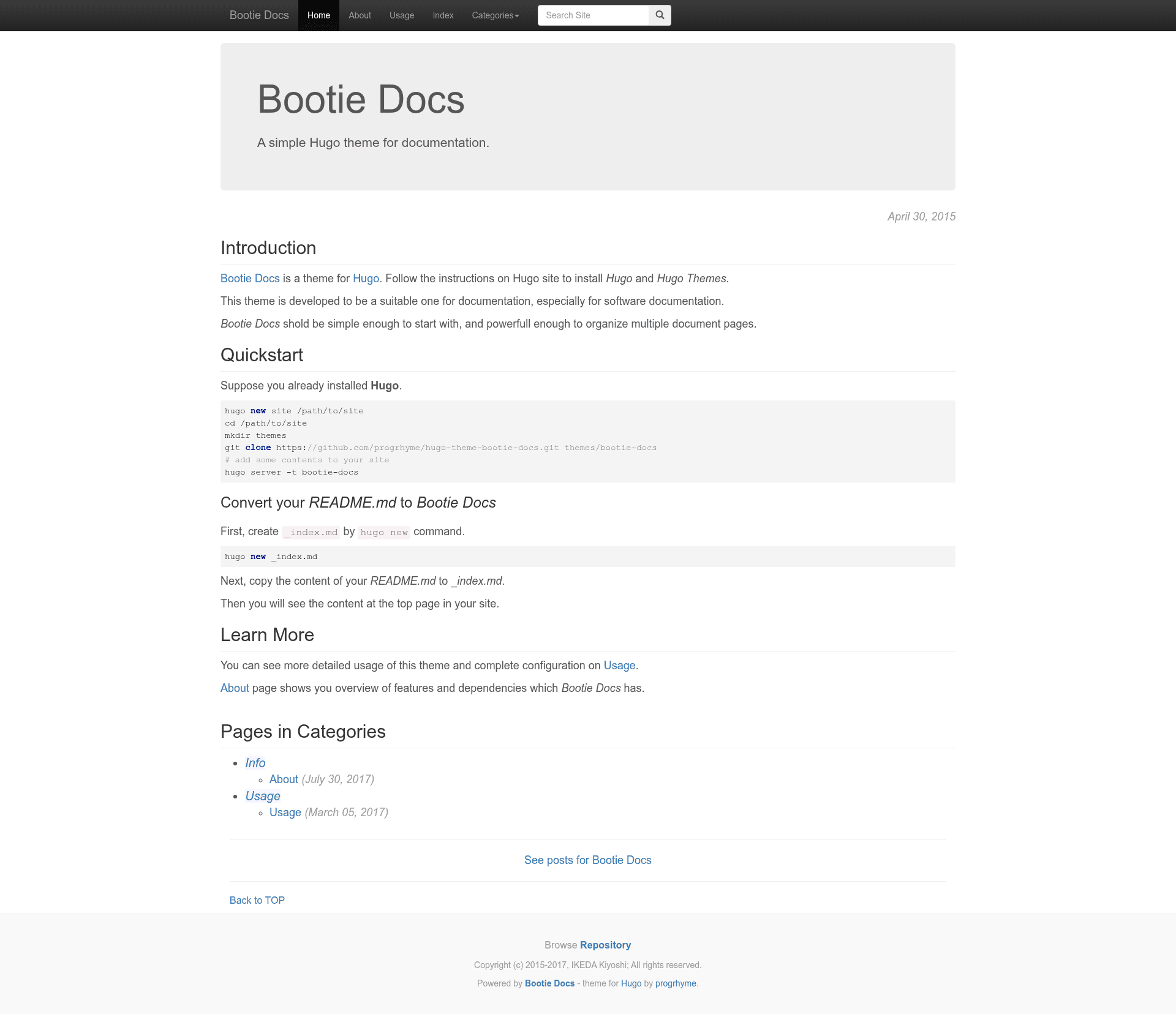
Bootie Docs is a minimal Hugo theme for static documentation sites, built on Bootstrap and designed for project manuals, API references, and knowledge bases.
What is Bootie Docs?
Bootie Docs is an open-source Hugo theme created by IKEDA Kiyoshi for building documentation websites. It takes Markdown content written for the Hugo static site generator and outputs a static HTML site styled with Bootstrap. The name "bootie" is a play on Bootstrap, the CSS framework it depends on, and the theme is released under the MIT License.
Key Features
Bootie Docs packs the essentials for a documentation theme into a small Hugo setup.
- Hugo-native menu system — Configure the header navigation bar by defining menu.main entries in the site's config.toml or config.yaml, each with a name, URL, and weight for ordering.
- Bootstrap v3.3.7 — The theme is built on top of Bootstrap, providing a responsive grid, typography, and UI components out of the box.
- highlight.js v9.12.0 — Code blocks are highlighted with highlight.js, and you can switch the highlight theme (for example, "github") via the highlightStyle parameter.
- jQuery v3.2.1 — Bundled as a dependency required by Bootstrap's JavaScript components.
- Simple quickstart — Running
hugo new _index.mdand editing content/_index.md puts content on the top page with minimal setup. - TOML and YAML support — Site configuration can be written in either TOML or YAML, matching Hugo's flexible configuration options.
- Public demo and documentation — A live demo and full usage guide are hosted at http://progrhyme.github.io/bootie-docs-demo/.
Who is it for?
Bootie Docs is aimed at developers and technical writers who need a no-frills documentation site without the overhead of a full blog theme. Open-source maintainers can use it to publish API docs and contribution guides directly from a Hugo project. Engineering teams can deploy it as an internal knowledge base for product documentation. Users who want a clean, Bootstrap-based layout and are comfortable editing Hugo config files will find it straightforward.
What can you do with Bootie Docs?
With Bootie Docs you can turn Markdown documentation into a clean static site quickly.
- Project maintainers: Publish project documentation as a static site by placing Markdown files in a Hugo content folder and configuring menu.main for navigation.
- Technical writers: Create structured user manuals and API references with syntax-highlighted code examples using highlight.js.
- Small teams: Set up a lightweight internal documentation hub that builds with Hugo and requires no database or backend.
Limitations
Bootie Docs is built specifically for documentation and therefore omits typical blog features such as RSS feeds and pagination of posts. Nested menu items are not supported, so navigation must stay flat. These limitations are intentional per the theme's documentation.
Dependencies
The theme bundles three libraries: Bootstrap v3.3.7 for layout, jQuery v3.2.1 as a Bootstrap dependency, and highlight.js v9.12.0 for syntax highlighting. All are included with the theme.
License
Bootie Docs is released under the MIT License, and is copyright (C) 2015-2017 IKEDA Kiyoshi.
FAQ
Is Bootie Docs free?
Yes, Bootie Docs is released under the MIT License, so you can use, modify, and redistribute it freely, including for commercial projects.
Does Bootie Docs support nested menus?
No, nested menus are not supported. Navigation is limited to a flat list of items defined through menu.main in your Hugo configuration.
Does Bootie Docs include blog features like RSS or pagination?
No, because it is designed for documentation, it intentionally lacks blog-type facilities such as RSS feeds and pagination of posts.
What dependencies are bundled?
Bootie Docs bundles Bootstrap v3.3.7, jQuery v3.2.1, and highlight.js v9.12.0. jQuery is required by Bootstrap's JavaScript.