Template details
Remix Docs Stack
Remix stack for an MDX docs site that is quick to set up and customize
About this template
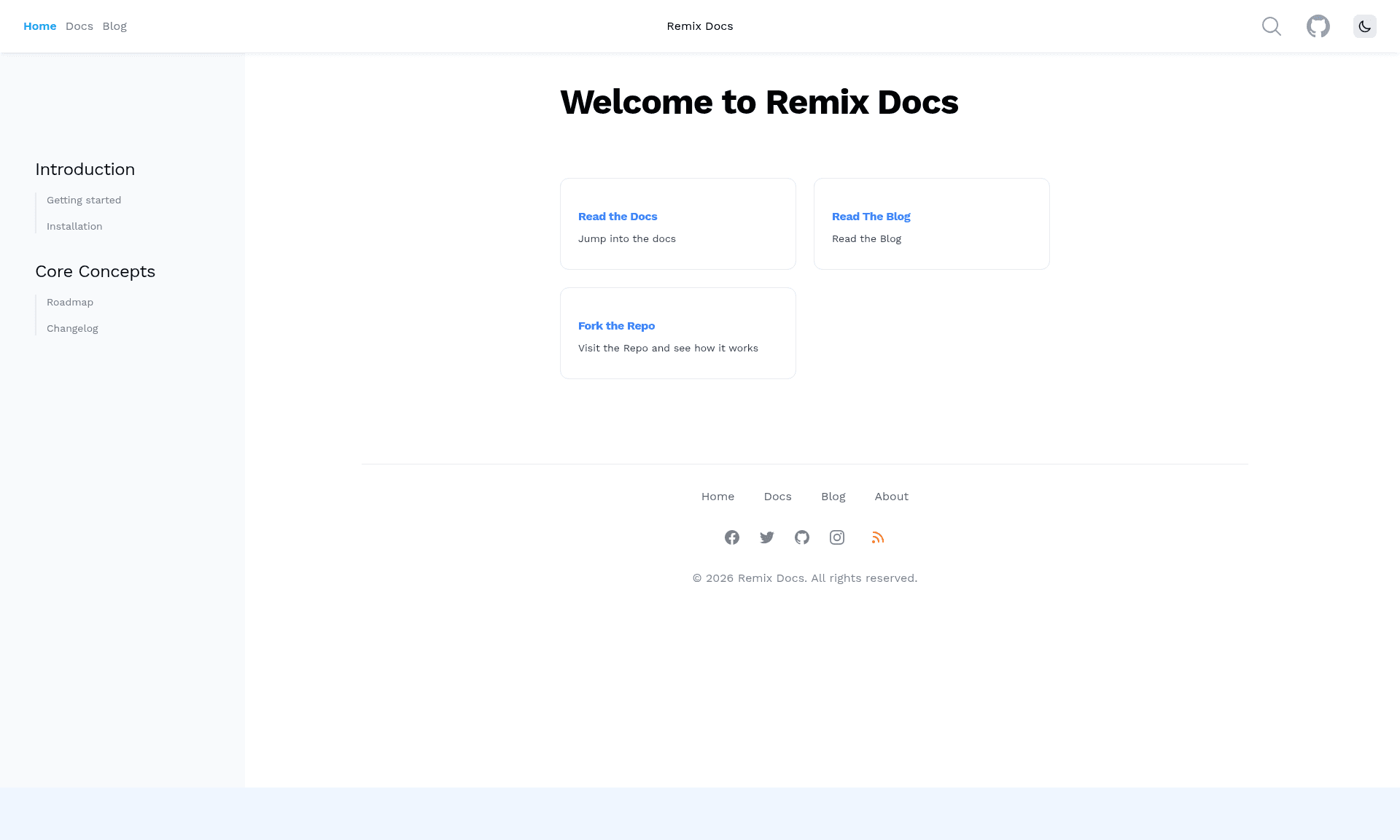
Remix Docs Stack is a Remix template for building MDX-based documentation sites, providing a complete starter with docs, blog, pages, search, RSS, and sitemap support. It was created by the developer freekrai and is installed via npx create-remix --template freekrai/remix-docs.
What is Remix Docs Stack?
Remix Docs Stack is an open-source Remix stack that turns a folder of MDX content into a documentation website with blog and page sections. It takes MDX files stored under content/docs, content/posts, and content/pages — each as a folder containing an index.mdx file — and produces routes whose slugs come from the folder names. The primary output is a customizable docs site styled with Tailwind CSS, with configuration handled through an app/docs.config.ts file.
Key Features
- Folder-based MDX routing — Each content item is a folder such as
content/docs/getting-started/index.mdx, and the folder name becomes the URL slug; extra.mdxfiles inside that folder become nested routes like/hello-world/abc. - Build-time cache generation — The build script emits
blog-cache.json,docs-cache.json, andpage-cache.jsoninto thecontentdirectory, which are later used for blog indexes, RSS feeds, and sitemaps. - Frontmatter metadata — MDX files can include
meta,date,updated,excerpt, and custom HTTPheadersfields in YAML frontmatter, giving per-page control over titles, descriptions, and cache headers. - Configurable site structure —
app/docs.config.tscontrols base path, language, site title, description, top navigation, sidebar link groups, an optional search toggle, and an edit-on-GitHub link. - Filesystem or GitHub content access — By default content is read from the local filesystem, but setting
USE_FILESYSTEM_OR_GITHUBtoghswitches to reading from a GitHub repo usingGITHUB_TOKEN,GITHUB_OWNER, andGITHUB_REPO, which is useful on serverless hosts like Cloudflare. - Tailwind CSS integration — The
devandbuildscripts both run the Tailwind CLI, so the starter ships with utility-first styling already wired up. - Vercel-ready deployment — The stack includes a
server.jsexample using the Remix Vercel adapter and aserverBuildTargetofvercelinremix.config.js; Cloudflare Pages and Netlify guides are listed as coming soon.
Who is Remix Docs Stack for?
- Technical writers who want to publish MDX documentation with a sidebar, search, and an edit-on-GitHub link without hand-building a docs framework.
- Developers and indie hackers who want a personal blog plus docs site in one Remix app, using the same content-folder pattern for posts and documentation.
- Teams deploying to serverless platforms such as Cloudflare Pages that cannot access the local file system, by enabling the GitHub content mode to pull MDX from a repository.
What can you do with Remix Docs Stack?
- Launch product documentation: Organize API guides and references under
content/docs, customize the sidebar indocs.config.ts, and use the built-in edit link for community contributions. - Run a blog alongside docs: Publish posts under
content/postsand pages undercontent/pages, all sharing the same layout and generated sitemap/RSS files. - Create nested content hierarchies: Use nested folders below the top-level content directories to produce URLs such as
/2022/testwithout extra routing configuration.
How does Remix Docs Stack work?
You install the stack with npx create-remix --template freekrai/remix-docs, copy .env.example to .env and set SESSION_SECRET plus your content-access mode, run npm install, and start with npm run dev. On build, the project compiles the Remix app, runs the Tailwind CLI, and generates the three cache JSON files from the MDX content. The dev script watches both the Remix app and the blog cache, and the site runs at http://localhost:3000.
FAQ
What environment variables does Remix Docs Stack need?
SESSION_SECRET is required for sessions such as dark mode. To use the filesystem content mode, leave USE_FILESYSTEM_OR_GITHUB as fs (the default); switching it to gh requires GITHUB_TOKEN, GITHUB_OWNER, and GITHUB_REPO so content can be read from a GitHub repository.
How do I add a new documentation page?
Create a new folder under content/docs with an index.mdx file inside it. The folder name becomes the URL slug — for example, content/docs/installation/index.mdx maps to /docs/installation. You can also place extra .mdx files in the folder for nested routes.
Which deployment platforms are supported out of the box?
The stack is set up for Vercel with a ready-to-use server.js example and a serverBuildTarget of vercel. Cloudflare Pages and Netlify instructions are listed as "Coming Soon" in the README, so they are not yet covered.
Can I use the GitHub content mode on any host?
GitHub mode is designed for hosts like Cloudflare where the local file system is not accessible. Set USE_FILESYSTEM_OR_GITHUB to gh and provide the GitHub token, owner, and repo variables; the app will fetch MDX content from that repository instead of reading local files.