Template details
Gatsby Starter GraphQL Playground
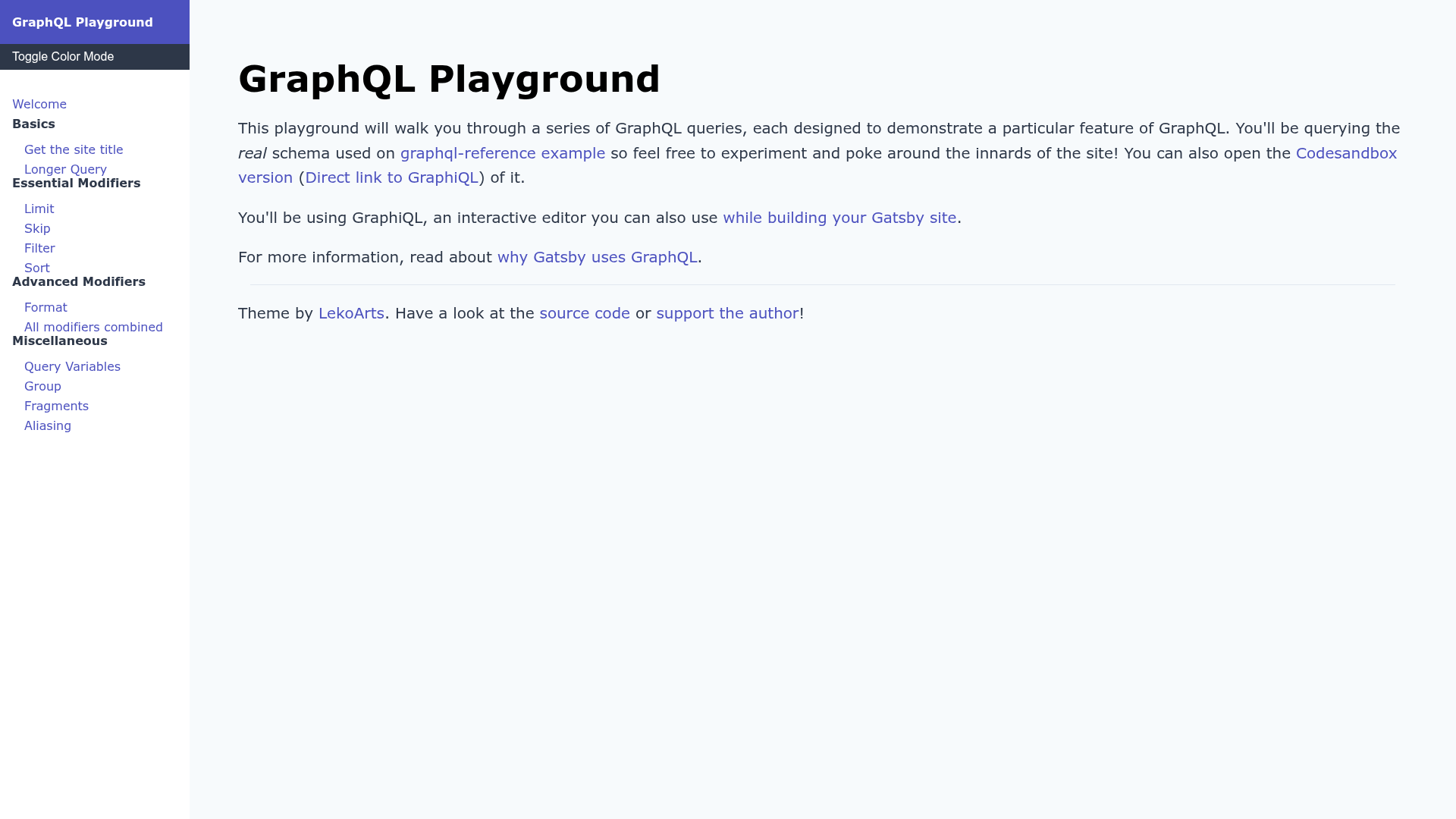
Gatsby starter for a GraphQL playground: write docs and queries in MDX, display them in an interactive GraphiQL window sourced from localhost or a remote URL.
About this template
Gatsby Starter GraphQL Playground is a free and open-source Gatsby starter (by LekoArts) that creates a documentation site with a built-in interactive GraphiQL window, letting you write queries and docs in MDX and display live GraphQL previews.
What is Gatsby Starter GraphQL Playground?
This starter is a ready-to-use Gatsby site that installs and configures the @lekoarts/gatsby-theme-graphql-playground theme. It takes MDX files containing GraphQL queries as input and outputs a static site where GraphQL code blocks marked with the meta field preview are automatically converted to live previews inside a GraphiQL iframe. The GraphQL source can be your localhost or a remote URL such as Codesandbox. It is authored by LekoArts and released under the 0BSD license.
Key Features
- MDX-based navigation and content — Write your navigation in
src/@lekoarts/gatsby-theme-graphql-playground/data/navigation.mdxand your doc pages as.mdxfiles insidedocs/. The navigation supports sections and sub-menus using standard markdown lists. - Automatic GraphiQL previews — Any GraphQL code block written with the meta field
preview(e.g. ```graphql preview) becomes an interactive GraphiQL iframe. The query must be the first item in the MDX file, directly after the frontmatter title. - Theme UI theming with light/dark mode — The starter uses Theme UI for styling and ships with both light and dark modes. You can customize the Theme UI configuration by shadowing files in
src/gatsby-plugin-theme-ui/. - Easy shadowing for deeper customization — Components from the underlying Gatsby theme can be overridden by placing files in
src/@lekoarts/gatsby-theme-graphql-playground/, following Gatsby theme shadowing conventions. - One-click Netlify deployment — A deploy button is included that sets up the starter directly on Netlify from the GitHub repository.
- Quick local start — Create a new site with
npx gatsby new gatsby-starter-graphql-playground https://github.com/LekoArts/gatsby-starter-graphql-playground, then runnpm run developto serve athttp://localhost:8000.
Who is it for?
- GraphQL API teams — Publish interactive API documentation where readers can run real queries against your endpoint right in the browser.
- Educators and tutorial authors — Build step-by-step GraphQL tutorials where code examples are live, not static snippets, so learners see actual responses.
- Developers showcasing an API — Point the playground at a remote GraphQL URL (e.g. a Codesandbox instance) and let visitors experiment without leaving the page.
- Gatsby theme learners — Use this starter as a concrete example of how to install, configure, and shadow a Gatsby theme.
What can you do with it?
- GraphQL API documentation sites: Write docs in MDX and embed working queries that readers can execute immediately.
- Interactive GraphQL tutorials: Add a navigation structure with sections and sub-menus, then fill pages with
graphql previewblocks that run live. - Demo playgrounds: Source from localhost during development or a remote endpoint in production, making it easy to switch environments.
How does it work?
After scaffolding the starter, you add a navigation definition in navigation.mdx, create an .mdx doc page whose filename matches a link in that navigation, and place a GraphQL query with the preview meta field as the first content item. The theme then renders that query in a GraphiQL iframe while the rest of the MDX renders as normal markdown.
FAQ
Is the Gatsby Starter GraphQL Playground free?
Yes, it is open source and released under the permissive 0BSD license, so you can use, modify, and distribute it without restrictions. It is also listed among LekoArts' free and open-source Gatsby themes.
How do I add a new doc page?
Add a new entry to your navigation.mdx file (for example a markdown list item with a link like [GraphQL Introduction](/graphql-introduction)), then create a file at docs/graphql-introduction.mdx with a frontmatter title and the GraphQL query as the first content block.
Can I use a remote GraphQL endpoint?
Yes. The playground can source from your localhost during development or a remote URL, such as a Codesandbox, for production or sharing. The theme handles pointing the GraphiQL window at the endpoint you configure.
How do I customize the theme UI?
You can shadow the Theme UI configuration by placing your own files in src/gatsby-plugin-theme-ui/. For overriding any other theme component, place files in src/@lekoarts/gatsby-theme-graphql-playground/. Read the Gatsby theme shadowing guide first.