Template details
Bootstrap 4 Cheat Sheet
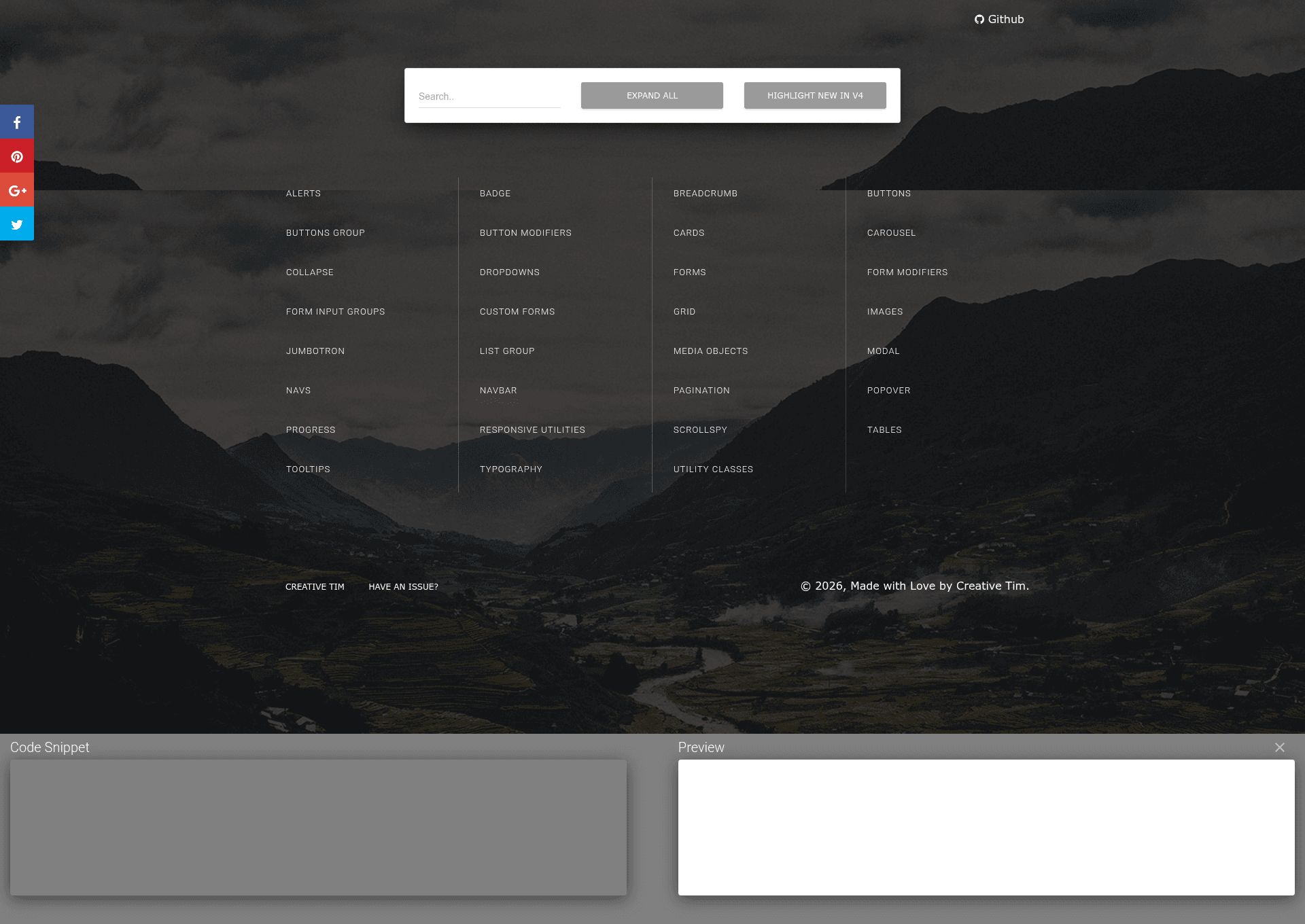
An online reference from Creative Tim that highlights differences between Bootstrap 3 and Bootstrap 4.
About this template
The Creative Tim Bootstrap 4 Cheat Sheet is a free web-based reference tool that documents Bootstrap 4 classes and highlights what changed from Bootstrap 3. It runs in any modern browser without installation, making it a quick lookup resource for developers and designers.
What is the Bootstrap 4 Cheat Sheet?
The Creative Tim Bootstrap 4 Cheat Sheet is an online tool that serves as a quick reference for Bootstrap 4 class names and components, with a focus on changes introduced between Bootstrap 3 and Bootstrap 4. It runs entirely in the browser, so no local setup or build step is required. The project is produced by Creative Tim, a company known for UI templates and components, and the source is hosted on GitHub with a public repository that lists 259 stars.
Key Features
- Bootstrap 3 vs 4 comparison — The cheat sheet's core purpose is to help developers identify naming and structural changes between the two versions, such as renamed classes and dropped components.
- Online browser access — The tool is delivered as a web page, so it works directly in a browser without downloads or package managers.
- Creative Tim design — The page is styled by Creative Tim, so it reflects the company's UI design standards and integrates with their broader product ecosystem.
- Open source repository — The GitHub repository provides public access to the source code, allowing inspection or contribution.
- Class and component reference — As a cheat sheet, it presents Bootstrap 4 classes, utilities, and UI components for quick lookup, especially the ones that changed between versions.
Who is it for?
- Frontend developers migrating an existing Bootstrap 3 project to Bootstrap 4 can use the cheat sheet to locate renamed classes and changed markup patterns.
- Designers who need a rapid reference for Bootstrap 4 utility classes and components while building layouts in a browser.
- Students learning Bootstrap 4 can supplement official documentation with a version-diff view that makes the migration path concrete.
What can you do with the Bootstrap 4 Cheat Sheet?
- Migrate Bootstrap 3 code — Look up a Bootstrap 3 class name and see its Bootstrap 4 counterpart, then update your markup and styles with less guesswork.
- Verify Bootstrap 4 class names — Confirm that the classes you are using in a new project are current and correctly spelled without leaving your workflow.
- Speed up UI development — Keep the cheat sheet open in a tab and use it as an accelerator while building components, reducing time spent searching the official docs.
FAQ
Is the Bootstrap 4 Cheat Sheet free to use?
The page is publicly hosted on Creative Tim and the project has an open GitHub repository, which indicates it is free to access. No license or pricing details are given in the provided content.
What does the Bootstrap 4 Cheat Sheet show?
It shows Bootstrap 4 classes and UI components, with special attention to the differences from Bootstrap 3. This makes it useful for both learning the new version and planning migrations.
Do I need to install anything to use it?
No, the cheat sheet is an online tool that runs directly in your web browser. There is no need to download files or set up a development environment.