Template details
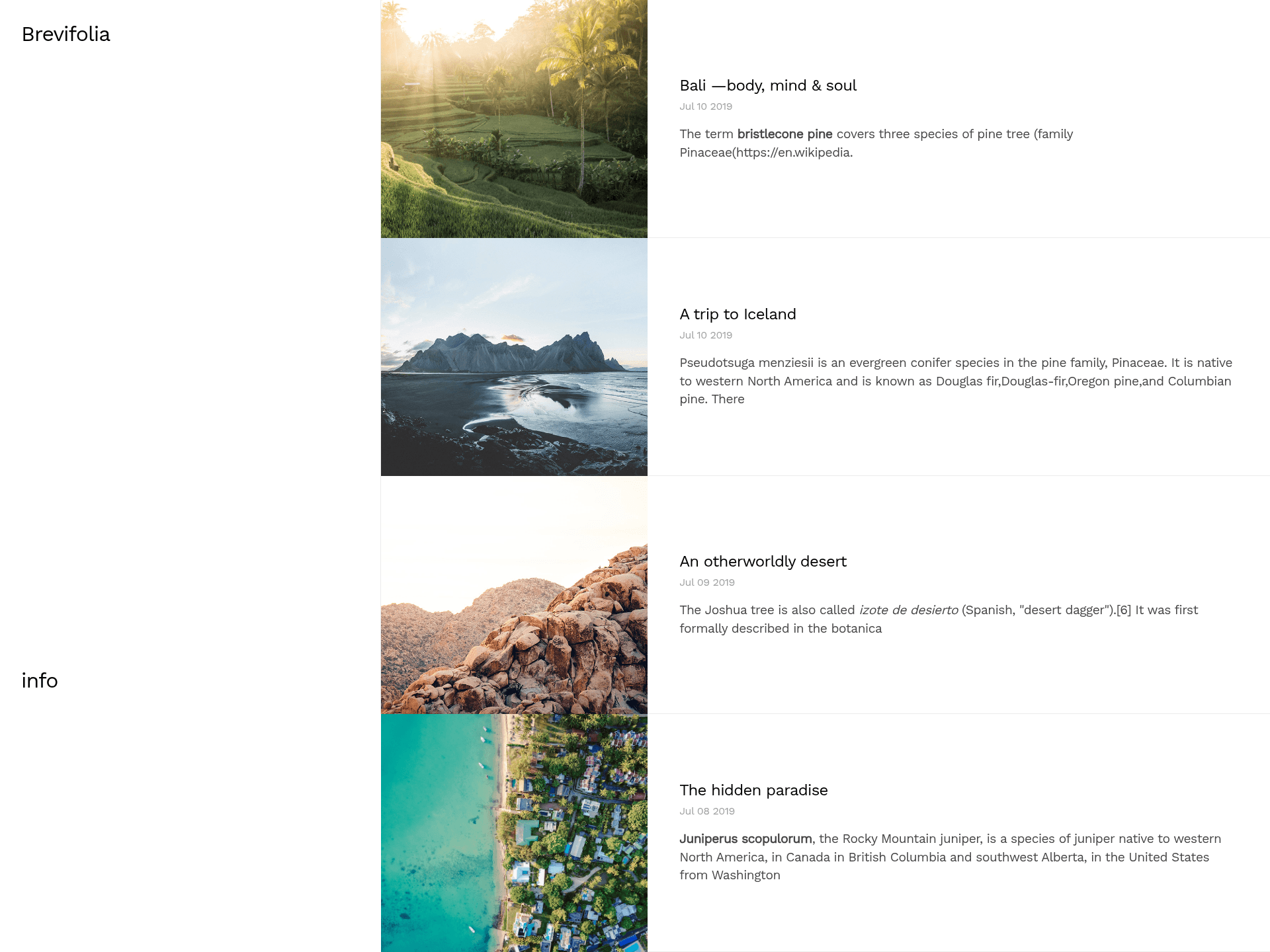
Brevifolia
A simple starter blog built with Next.js & TinaCMS
About this template
Brevifolia is a minimalist blog starter template that pairs Next.js static generation with the TinaCMS editing toolkit, letting you manage Markdown and JSON content through a visual sidebar and deploy the finished blog to Vercel.
What is Brevifolia?
Brevifolia is an open-source blog starter built by Kendall Strautman that combines Next.js with TinaCMS. It takes Markdown blog posts from a posts/ directory and site configuration from data/config.json, then statically generates a blog with React components. The template runs on Next.js, uses styled-jsx for CSS-in-JS styling, and is preconfigured so TinaCMS can edit content files directly. It is available as a GitHub repository with a live demo.
Key Features
- TinaCMS integration — Edit site content through Tina's editing UI, which writes changes to Markdown/JSON files and commits them to your git repository.
- Next.js static generation — The blog is statically generated by Next.js from React components and Markdown/JSON files, with no backend required.
- styled-jsx styling — Styles are written inside page and component files using styled-jsx, which is natively supported by Next.js, and the global font is Work Sans.
- Slug-based blog pages — Blog posts are dynamically generated via a template in
pages/blog/[slug].js, reading from theposts/folder. - Site-level configuration — Global settings live in
data/config.jsonand are editable from the home page when Tina's sidebar is open. - Local git server for editing — The
developscript (notdev) starts the dev server along with the git server Tina needs to make local edits. - One-click Vercel deployment — The README includes a Vercel deploy button that uses the default build commands and requires no extra configuration.
Who is it for?
- Bloggers who want a git-based CMS — Use Tina's sidebar to write and edit posts as Markdown, upload media, and commit changes directly to your repo.
- Next.js developers — Use the starter as a reference implementation for integrating TinaCMS with Next.js, including the project structure and routing setup.
- JAMstack enthusiasts — Deploy a static blog to Vercel instantly, with automatic scaling and no server supervision.
What can you do with Brevifolia?
- Content editors: Edit the site title and configuration, write new blog posts, and upload images through the Tina interface without touching code.
- Developers: Customize the blog's layout, components, and routes, since all pages and templates live in the
pagesandcomponentsdirectories. - Designers: Adjust global styles in the
Metacomponent and per-component styles through styled-jsx, then preview changes live in the dev server.
How does Brevifolia work?
Clone the repository, run npm install and npm run develop (or the yarn equivalents) to start the dev server on localhost:3000 along with the git server Tina requires. Open the Tina sidebar and navigate around to edit content; changes are written to Markdown/JSON files and committed to your repository. To deploy, click the Vercel button in the README, connect your repository, and use the default commands.
Pros and cons
- Pros: The starter is minimal and easy to understand; content lives in portable Markdown/JSON files; Tina provides a visual editing layer; deployment to Vercel is configuration-free.
- Cons: The README warns that recent TinaCMS updates changed fundamental configuration, so the starter may need updates to align with the latest Tina + Next.js APIs.
FAQ
Is Brevifolia free?
Yes, Brevifolia is an open-source starter published on GitHub. You can clone it, modify it, and deploy your own blog without paying a license fee.
How do I edit content in Brevifolia?
Run npm run develop to start the dev server with a local git server. Open the Tina sidebar, navigate to any editable section (like the home page or a blog post), and make changes. Tina writes those edits back to the Markdown/JSON files and commits them to your git repo.
Does Brevifolia require a backend server?
No, the blog is statically generated by Next.js at build time. Tina uses git as the content backend, so the only requirement is a git repository to commit changes to.
What CSS approach does Brevifolia use?
Brevifolia uses styled-jsx, which is built into Next.js. Styles are scoped within each component or page file, and the global styles are defined in the Meta component. The template uses the Work Sans typeface.