Template details
cfg2html
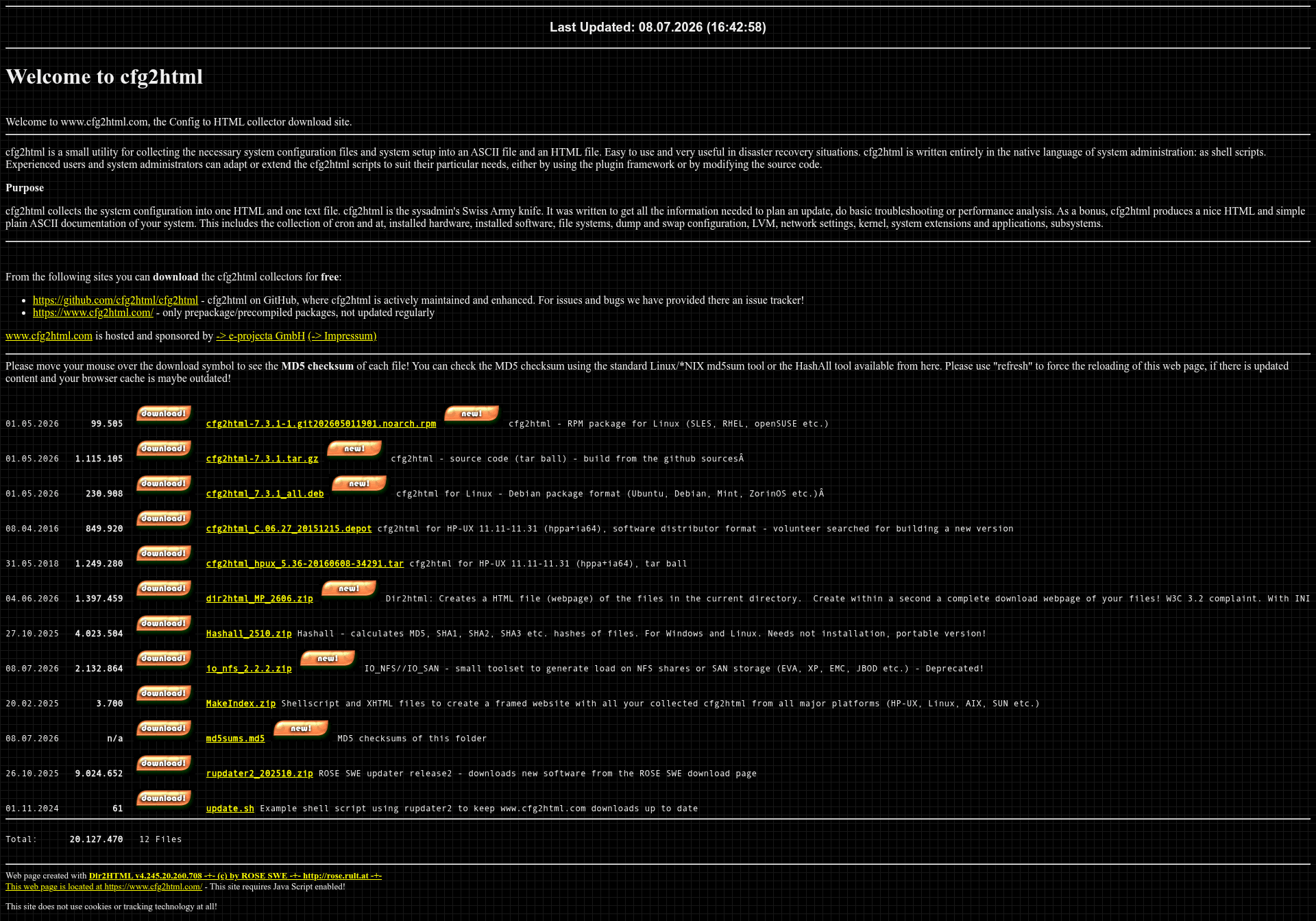
cfg2html is a UNIX shell script that creates HTML and plain ASCII system documentation for HP-UX, AIX, SunOS, Linux, and more.
About this template
cfg2html is an open-source UNIX shell script that collects system configuration and setup details into a single HTML file and a plain ASCII text file for disaster recovery, troubleshooting, and system documentation.
What is cfg2html?
cfg2html is a utility that gathers the necessary system configuration files and system setup into two output files: an ASCII file and an HTML file. It is written entirely as shell scripts, making it easy to read, adapt, and extend. The tool runs on Linux, HP-UX, SunOS, AIX, SCO-UNIX, and other *NIX platforms, including small embedded systems. Originally developed for HP-UX, the current maintained version is hosted on GitHub at github.com/cfg2html/cfg2html, and the original HP-UX-only version is now deprecated.
Key Features
- Dual output format — Every run produces both an HTML document and a plain ASCII text file, giving a browsable report and a script-friendly text dump.
- Plugin framework — Ships with plug-ins for SAP, Oracle, Informix, Serviceguard, Fiber Channel/SAN, TIP/ix, OpenText (IXOS/LEA), SN Mass Storage (MAS, EMC, EVA, XPs), Network Node Manager, and DataProtector.
- Broad platform coverage — Works on Linux, HP-UX, SunOS, AIX, SCO-UNIX, and embedded systems, so teams with mixed Unix environments can use one tool everywhere.
- Extensible shell source — Because the whole tool is shell scripts, you can customize collection logic directly or add new collectors through the plugin interface.
- System inventory depth — Collects cron and at jobs, installed hardware, installed software, file systems, dump and swap configuration, LVM, network settings, kernel details, system extensions, applications, and subsystems.
- Flexible install options — You can run the cfg2html script directly from a downloaded zip or cloned repository, or build an installable package for dnf/yum, apt, zypper, and similar package managers using
make help. - Active GitHub project — Source code, issue tracker, release downloads, and a pull-request contribution workflow are all available at github.com/cfg2html/cfg2html.
Who is it for?
- System administrators who need to document a machine's configuration before changes or audits, using the HTML output as a shareable reference.
- Disaster recovery planners who build recovery runbooks from the collected hardware, software, filesystem, and network information stored in the ASCII file.
- Performance analysts who use the collected kernel, LVM, swap, and application data to spot bottlenecks before upgrades or tuning work.
- Support engineers who gather system state from a remote Unix server by running a single script and then reading the generated HTML in a browser.
What can you do with cfg2html?
- Plan system updates — Collect current hardware, software, and filesystem details so you can compare before and after an upgrade.
- Basic troubleshooting — Generate a snapshot of cron jobs, network settings, kernel parameters, and installed applications to isolate configuration problems.
- Document disaster recovery — Produce a plain ASCII inventory of the system that can be stored offline and used to rebuild a server.
- Extend for custom environments — Add your own collectors via the plugin framework to capture application-specific settings alongside the standard system data.
How does cfg2html work?
Download the zip from the GitHub repository or clone it with git clone https://github.com/cfg2html/cfg2html.git. You can run the cfg2html script directly from the extracted folder, or run make help to prepare an installable package for your package manager. The script then collects the configured system information and writes the HTML and ASCII output files to disk.
Alternatives
Similar UNIX configuration collectors include supportinfo, getsysinfo, and get_config, which gather system data but typically do not produce both HTML and plain ASCII documentation in one step.
FAQ
Is cfg2html free?
Yes. The source code is publicly available on GitHub, and pre-built installation packages can be downloaded from cfg2html.com and the project's GitHub releases page without charge.
Which operating systems does cfg2html support?
It supports Linux, HP-UX, SunOS, AIX, SCO-UNIX, and other *NIX platforms, plus small embedded systems. The original HP-UX-specific version has been deprecated; the GitHub stream is the actively maintained one.
What information does cfg2html collect?
It collects cron and at jobs, installed hardware, installed software, filesystems, dump and swap configuration, LVM, network settings, kernel parameters, system extensions, applications, and subsystems, then writes them to HTML and ASCII files.
How do I build cfg2html from source?
Clone the repository, then run make help to create an installable package. Note that you need an annotated git tag on your local build system (verify with git describe --long); otherwise the build will fail.
Can I extend cfg2html to collect custom data?
Yes. You can either modify the shell scripts directly or use the included plugin framework, which already covers SAP, Oracle, Informix, Serviceguard, SAN, and many other environments.