Template details
Codelabs Hugo Theme
A Hugo theme for building codelabs websites with step-by-step tutorials.
About this template
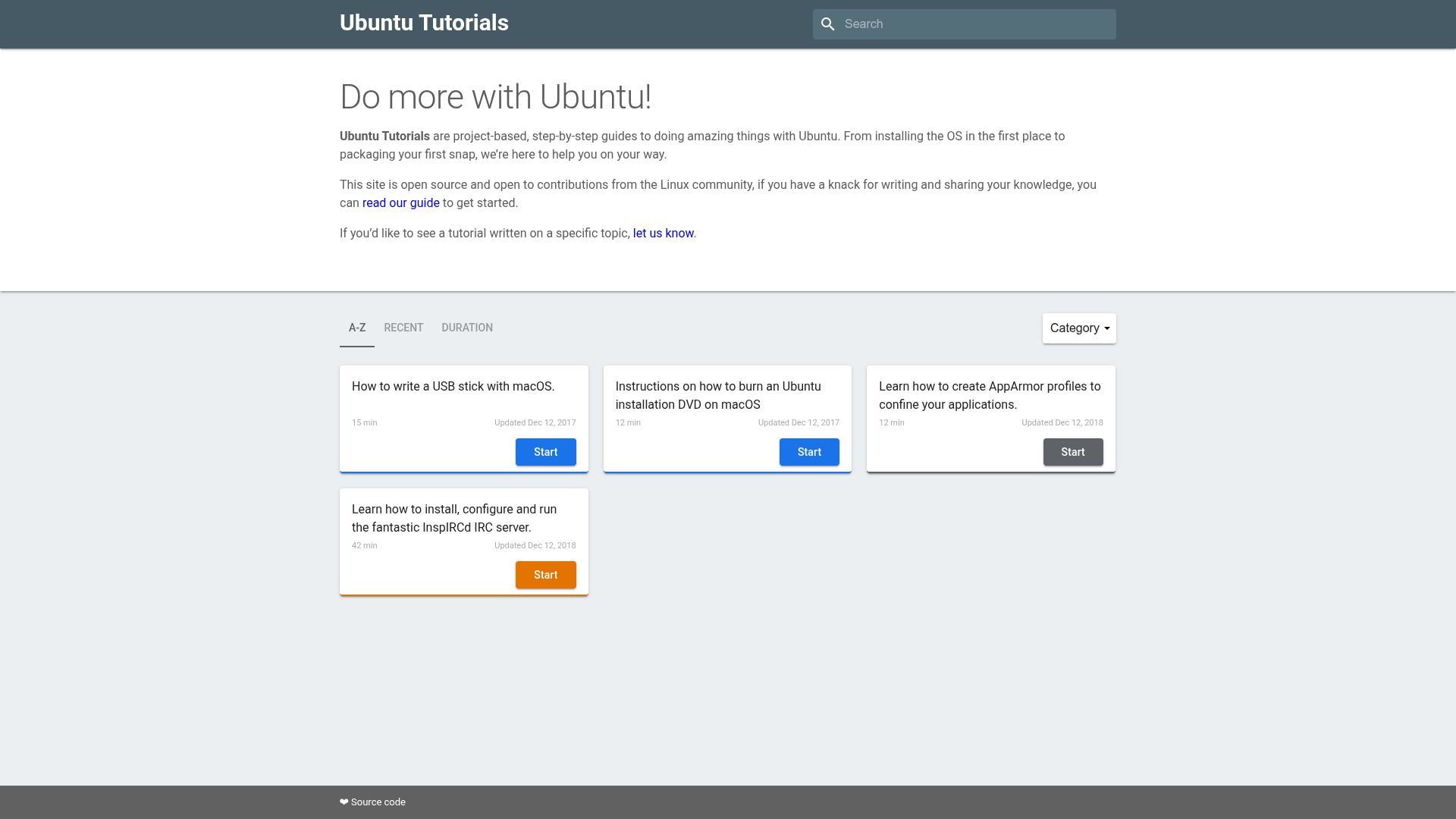
Codelabs Hugo Theme is a Hugo theme for building codelabs websites, turning Markdown-based tutorial content into a static, step-by-step website.
What is Codelabs Hugo Theme?
Codelabs Hugo Theme is a static-site theme built on the Hugo framework, designed for publishing codelabs — the hands-on, step-by-step tutorial format popularized by Google. It accepts content written in Hugo's standard Markdown format and renders it into a dedicated codelab website with a structured lesson layout. The theme is developed as a public project on GitHub and includes a live demo at https://nekocode.github.io/codelabs-hugo-theme/, which shows how a finished codelab site looks. Because it runs on Hugo, the build output is pure static HTML, so the site can be hosted anywhere static files are served, such as GitHub Pages, which hosts the demo.
Key Features
- Hugo integration — This is a standard Hugo theme, meaning it plugs into Hugo's existing content folders, front matter, and build commands without additional runtime dependencies.
- Codelab-focused presentation — The theme is built specifically to present step-by-step tutorials in a clear sequence, the core interaction pattern of a codelab.
- Live demo — A deployed example can be explored at https://nekocode.github.io/codelabs-hugo-theme/, giving a preview of the structure and navigation before installation.
- Static site generation — All pages are generated as static HTML at build time, making the site fast, secure, and easy to host on any static web server.
- Public source code — The theme's source is available on GitHub, so you can inspect it, adapt it to your needs, or contribute improvements.
Who is it for?
This theme is for individuals and teams that need to publish guided, step-by-step tutorials as a standalone website. Developer advocates can create onboarding codelabs that walk users through an API or SDK. Technical writers can structure documentation as hands-on lessons rather than pages of reference text. Educators can assemble workshop exercises into sequenced codelabs that students follow along with. Open-source maintainers can document project setup and contribution flows in an interactive-ready format.
What can you do with it?
- Publish step-by-step tutorials — Write tutorial content as Markdown and get a static codelab site with numbered steps.
- Build a learning hub — Organize multiple codelabs on one site, each covering a different topic or skill level.
- Host documentation on any static server — Deploy the generated HTML to GitHub Pages, Netlify, or a simple web server for fast delivery.
FAQ
Is the theme free?
Yes, the theme is publicly hosted on GitHub, so anyone can download, modify, and use it without cost.
Does the theme require a backend server?
No, Hugo builds the site into static HTML files, so there is no server-side runtime, database, or scripting required. Any static file hosting service can serve the finished site.
What is a codelab?
A codelab is a self-contained, hands-on tutorial that presents a sequence of steps, typically including code samples and explanations. This theme adapts that format into a Hugo-powered website.
Can I deploy the demo to my own domain?
Yes, since the theme produces static output, you can build your content and deploy the resulting HTML files to any static hosting provider, including your own domain.