Template details
CvFy
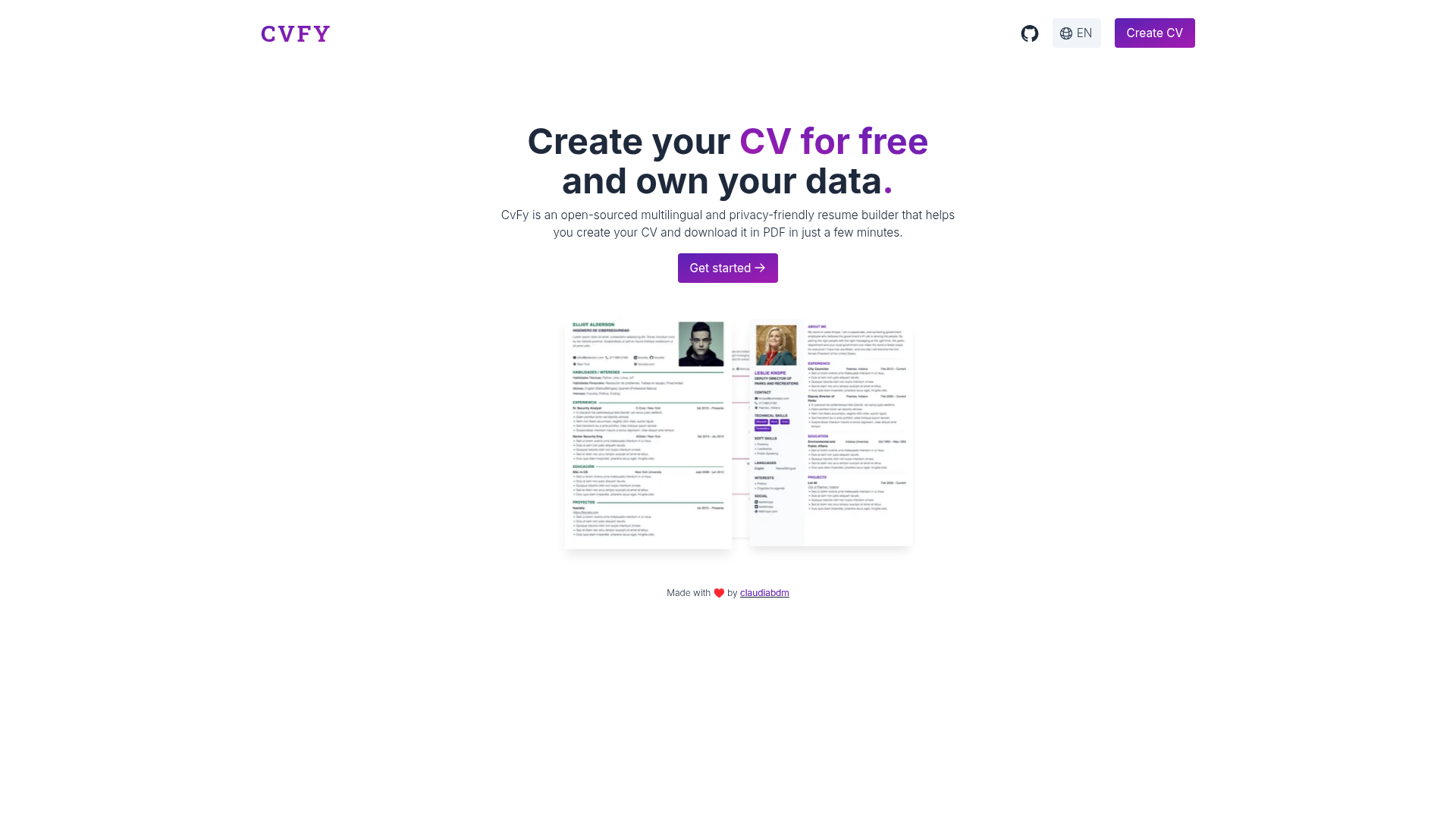
Open-source multilingual CV generator built with Nuxt 3 and TailwindCSS, deployed on Cloudflare Pages.
About this template
CvFy is an open-source, multilingual CV generator that runs entirely in the browser, built with Nuxt 3 and TailwindCSS and deployed on Cloudflare Pages.
What is CvFy?
CvFy is an open-source web app for creating and formatting curriculum vitae and résumés. It takes the user's personal details, work history, education, and other CV sections as input and renders a styled, printable document that can be saved as PDF from the browser. The project is written in TypeScript on the Nuxt 3 framework, uses TailwindCSS and PostCSS for styling, and is hosted on Cloudflare Pages with a live demo available at cvfy.xyz. Its repository metadata describes it as a "CV generator built with Nuxt.js, TailwindCSS, deployed on Cloudflare Pages."
Key Features
- Multilingual — The interface and CV output support multiple languages, making it possible to build a CV in different locales.
- Custom themes — Users can adjust both layout and color to create a personalized look without touching code.
- No login required — CVs can be created and exported without registering an account, lowering the barrier to use.
- Responsive design — The app adapts to phone, tablet, and desktop screen sizes.
- Accessible — The project includes accessibility considerations in its markup and interactions.
- SEO — The generated pages are optimized for search engines, which helps with public CV pages or self-hosted deployments.
- PWA — CvFy can be installed as a progressive web app, behaving like a native application on supported devices.
- Offline — Once loaded, the tool works without a network connection, thanks to its PWA/service-worker setup.
Who is CvFy for?
- Job seekers who want a quick, modern CV without signing up or paying for a proprietary builder.
- Developers who want a self-hostable, customizable CV generator they can fork and deploy to Cloudflare Pages or elsewhere.
- Multilingual professionals who need CVs in more than one language and don't want to maintain multiple documents.
- Privacy-conscious users who prefer that their personal data never leaves their device, since PDF creation happens client-side.
What can you do with CvFy?
- Create a polished CV: Enter your career and education data into the form and export the result as a PDF directly from your browser.
- Customize the appearance: Switch between theme layouts and color schemes to match your profession or preference.
- Self-host the app: Deploy your own instance from the open-source repository, adding custom themes or languages as needed.
How does CvFy work?
CvFy presents a form-based interface; as you fill in sections, the CV preview updates in real time. When you are ready, the app renders the final document and generates a PDF using the browser's built-in printing capabilities. Because everything runs locally, no personal data is uploaded to a server.
FAQ
Is CvFy free?
Yes, CvFy is open-source, and the public demo is free to use without a login.
Does CvFy require an account?
No, the app has no login system. You can build and export a CV immediately.
Can I use CvFy offline?
The PWA supports offline usage after the initial load, and PDF generation is client-side, so no server connection is needed for output. However, the project notes that PDF results may vary from browser to browser.
What technologies is CvFy built with?
The stack is Nuxt 3, TypeScript, TailwindCSS, PostCSS, and HTML, with deployment on Cloudflare Pages.