Template details
Warehouse
A JSON database with Models, Schemas, and a flexible querying interface that powers Hexo.
About this template
Warehouse is a Node.js JSON database library with Models, Schemas, and a flexible querying interface, and it acts as the data layer for the Hexo static site generator.
What is Warehouse?
Warehouse is a schema-based JSON database for Node.js, distributed as the warehouse npm package. It accepts JavaScript objects as documents through a model's insert method, and returns a Promise that resolves to the stored object. The library is maintained by the Hexo organization and is written in JavaScript with TypeScript type declarations.
Key Features
- Schema definitions — Models accept schema objects with types such as String and Date, plus default values like
Date.nowfor timestamps. - Promise-based Model API — Calling methods like
Post.insert(...)returns a Promise, enabling async/await usage. - Flexible querying interface — Query documents with a filter syntax built for content models and static site data.
- Extensible SchemaType — Developers can create custom SchemaType classes; version 3 requires class declarations for these custom types.
- Hexo integration — Warehouse powers Hexo, with Hexo's models in
lib/modelswritten as Warehouse schemas and schema types. - Hosted API documentation — Docs are available at hexojs.github.io/warehouse/.
- Test coverage — The repository includes test scripts in
./test/scriptsand a coverage status badge from Coveralls.
Who is it for?
Warehouse is for Node.js developers who need a lightweight schema layer for JSON data without running a separate database server. It is also for Hexo plugin authors who want to define custom content models or schema types, and for maintainers of static site generator projects that need structured data storage.
What can you do with Warehouse?
- Hexo plugin developers: Define custom models and SchemaType subclasses to store and validate site content such as posts and pages.
- Node.js application builders: Store JSON documents through a Promise-based API and query them with Warehouse's filtering system.
- Library maintainers: Extend the database layer by subclassing SchemaType, as demonstrated in the README's 3.0 migration notes.
How does Warehouse work?
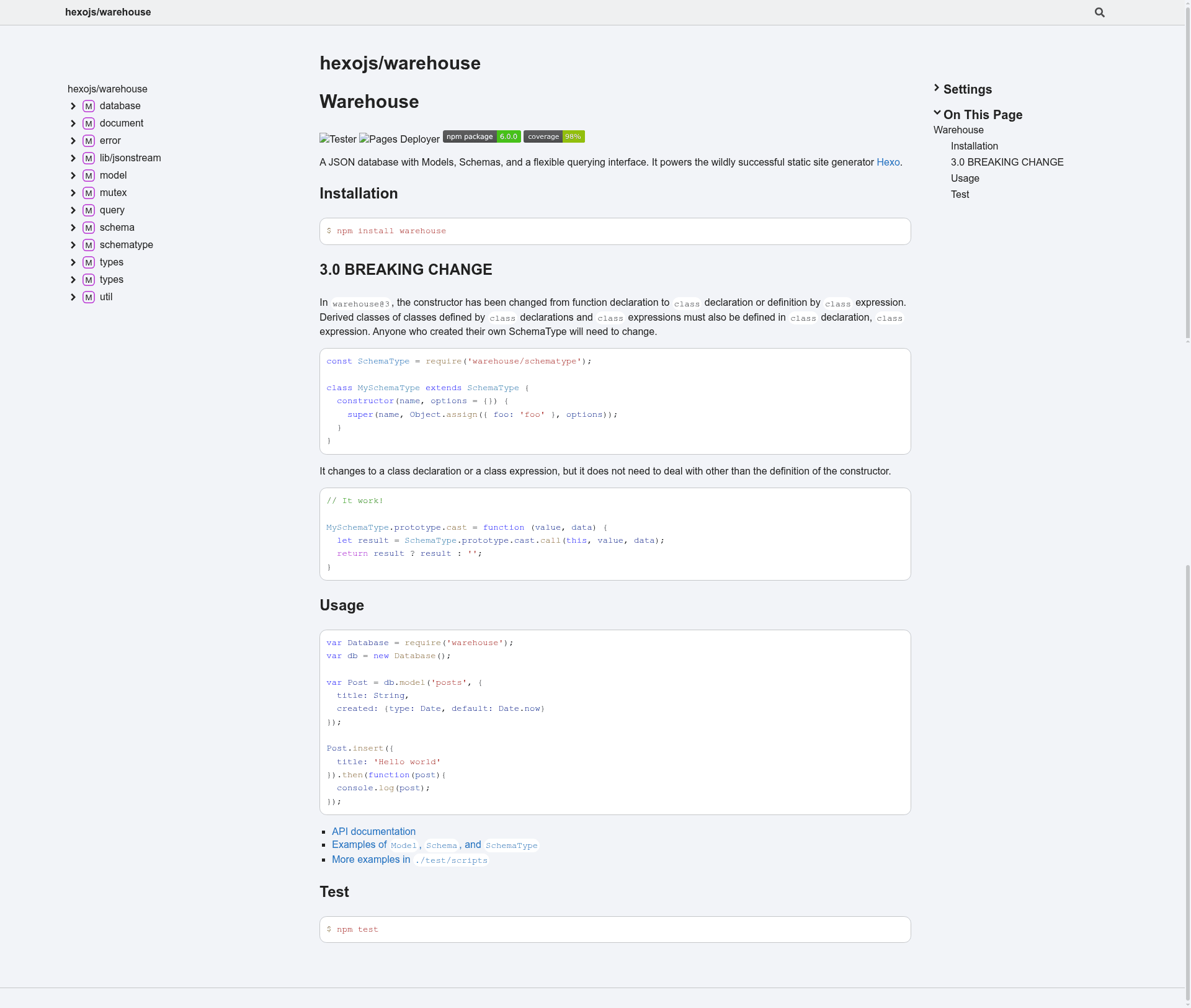
The README shows a basic workflow: create a Database instance, register a model with a schema (for example, posts with title and created), then call Post.insert with a document containing a title property. The result is returned as a Promise, which you can log or chain with other operations.
FAQ
How do I install Warehouse?
Run npm install warehouse in an existing Node.js project. This installs the library from the npm registry.
What changed in Warehouse 3.0?
In version 3, the constructor changed from a function declaration to a class declaration or class expression. Derived classes must also use class syntax, so custom SchemaType definitions need to be rewritten as classes.
Where can I find the Warehouse API documentation?
The API documentation is hosted at https://hexojs.github.io/warehouse/. The README also links to model and SchemaType examples in the Hexo source repository.
Does Warehouse work with Hexo?
Yes, Warehouse powers Hexo's internal data layer. Hexo's model definitions in lib/models are built on Warehouse, and the README links to those files as examples.