Template details
Django JET
Modern responsive template for the Django admin interface with improved functionality, themes, and dashboard widgets.
About this template
Django JET is a modern, responsive template for the Django admin interface that replaces the default admin styling with an improved, feature-rich UI.
What is Django JET?
Django JET is an open-source Django application that restyles and extends the default Django admin interface. It is installed with pip install django-jet, then added to INSTALLED_APPS before django.contrib.admin. It works on any Django project by overriding admin templates, adding URL patterns, and requiring a context processor. The project is developed by Geex Arts and is available on PyPI and GitHub, where it has gathered 3,622 stars. Django JET also ships a separate dashboard application (jet.dashboard) and the authors have announced a rewritten successor called Jet Bridge.
Key Features
- Modern responsive interface — A fresh visual design that works on desktop and mobile screens, saving teams from building a custom admin front-end.
- Dashboard module — The separate
jet.dashboardapp adds widgets to the admin home page, including Google Analytics widgets (which requiregoogle-api-python-client==1.4.1). - Themes support — Administrators can switch between visual themes without modifying templates.
- Autocompletion — Related-lookup fields gain autocomplete controls, speeding up data entry.
- Handy controls — Additional UI controls in forms make common tasks (e.g., selecting related objects) easier.
- Minimal template overriding — Integration avoids forcing developers to rewrite many admin templates.
- Easy integration — Installation involves only adding
jettoINSTALLED_APPS, updating URLs, and runningmigrate.
Who is it for?
- Django developers — who want a more polished admin interface for client projects or internal tools without building custom front-ends.
- Django-based product teams — who need a professional-looking admin for SaaS applications and can use the dashboard to show key metrics.
- Data-heavy organizations — where autocompletion and a responsive mobile interface help admins manage records efficiently from any device.
What can you do with Django JET?
- Django developers: drop the theme into an existing project in minutes using
pip install django-jetand the documented configuration steps. - Data entry teams: take advantage of autocomplete controls and a responsive layout to enter and edit records on laptops, tablets, or phones.
- Admin dashboard builders: enable
jet.dashboardto create a customizable home page with widgets, including Google Analytics integration for traffic reports.
Pricing
Django JET is offered under two license types: open-source (AGPLv3) and commercial. The AGPLv3 license requires that programs using the code also become AGPL-compatible. The commercial license is designed for using Django JET in commercial products and applications without the provisions of the AGPLv3.
FAQ
Is Django JET free?
Django JET is free to use under the open-source AGPLv3 license. If you do not want to comply with AGPLv3's requirements, the authors offer a commercial license for use in commercial products without AGPL terms.
Does Django JET work with Django 1.8?
Yes. The installation instructions specify the context processor configuration for Django 1.8+ (using django.template.context_processors.request) and for older versions (using django.core.context_processors.request). It also supports running migrations with python manage.py migrate jet.
What is the difference between Django JET and the new Jet?
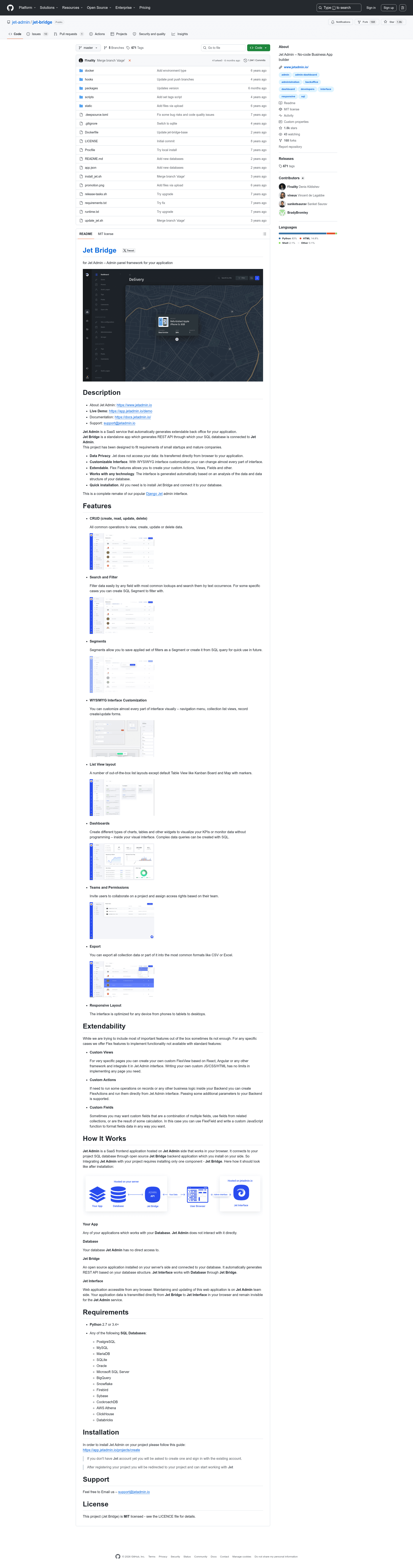
Django JET is the classic template for the Django admin. The authors have announced "New JET" (Jet Bridge) with a live demo at app.jetadmin.io, and development of new features for Django JET is frozen, with only critical bugs being fixed.
Does Django JET include a dashboard?
Yes, but as a separate application. To use it, you must add jet.dashboard to INSTALLED_APPS, include its URL patterns, and run migrations for the dashboard app. Google Analytics widgets require an additional package: google-api-python-client==1.4.1.