Template details
nextjs-blog-starter
Next.js blog starter with sitemap and RSS feed, Markdown, Prism syntax highlighting, Tailwind CSS v3.0, Google Analytics, SendGrid
About this template
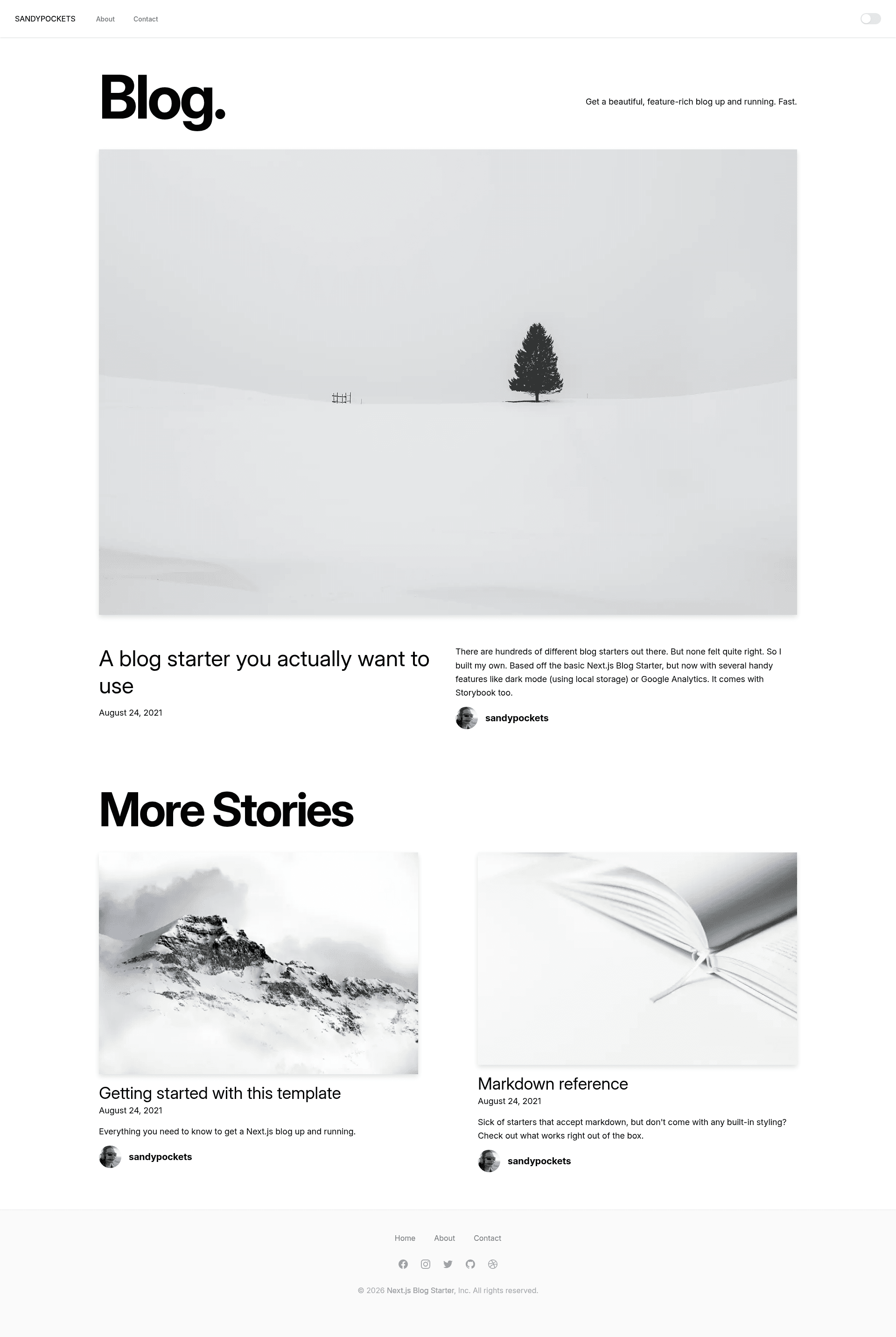
Next.js Blog Starter is an open-source blog template for Next.js that turns Markdown files in a /_posts directory into a production-ready blog with generated sitemap, RSS feed, and Tailwind CSS styling.
What is Next.js Blog Starter?
Next.js Blog Starter is a blog starter built to be installed with create-next-app, developed by sandypockets. It takes Markdown posts with YAML front matter as input and outputs a complete Next.js blog with homepage, about, and contact pages. The starter bundles dark mode, Google Analytics, a SendGrid-powered contact form, and automatic sitemap and RSS generation. It is built with React, Next.js, Tailwind CSS v3.0, Remark, and Gray Matter.
Key Features
- Markdown-first authoring — Write posts as
.mdfiles in/_posts;remarkandremark-htmlconvert the Markdown to HTML, andgray-matterreads each post's metadata. - Tailwind CSS v3.0 styling — The starter uses Tailwind CSS v3.0 utility classes plus
@tailwindcss/formsfor form styling. - Automatic sitemap and robots.txt — A build script generates
public/sitemap.xmlandpublic/robots.txtafter every build; you configure your base URL and locale inscripts/generate.sitemap.mjs. - Automatic RSS feed — The build produces
public/feed.xml, served at/feed.xml, after you set your blog URL inscripts/generate-rss.mjs. - Prism syntax highlighting — Code blocks display with the Dracula theme by default, and you can switch to any of over 38 themes from
prism-themes. - Dark mode — The blog follows OS preference and includes a manual toggle that uses local storage.
- Google Analytics integration — Copy
.env.local.exampleto.env.localand insert your Google tag ID to enable analytics. - SendGrid contact form — Emails from the contact page go through SendGrid using an API key from
.env.local; a free SendGrid account allows up to 100 emails per day. - Storybook.js — Storybook 8 is preconfigured with addons for actions, interactions, links, and testing.
Who is it for?
- Developers launching a personal blog — Bootstrap the starter with
create-next-appand immediately get a styled blog with SEO features like sitemap and RSS. - Markdown-focused writers — Store posts as Markdown files with front matter, then generate new posts with
npm run new your-post-title. - Developers deploying to Vercel or Netlify — One-click deploy buttons are included for both platforms.
- Component-driven developers — Use the included Storybook setup to build and document UI components alongside the blog.
What can you do with Next.js Blog Starter?
- Launch a personal blog — Publish a live blog with dark mode, Google Analytics, and auto-generated sitemap, similar to the author's blog at sandypockets.dev.
- Set up an email contact page — Configure the SendGrid API key to let visitors send you messages through the contact page.
- Generate SEO assets automatically — Each build outputs sitemap.xml, robots.txt, and feed.xml without manual editing.
- Test UI components — Use Storybook to develop components in isolation before wiring them into blog pages.
How does it work?
Blog posts are Markdown files placed in /_posts, each requiring the front matter keys: title, excerpt, coverImage, date, author, and ogImage. The post slug is derived from the filename, so kobe.md becomes /posts/kobe. Running npm run dev starts the development server at localhost:3000; running npm run build generates the sitemap, robots file, and RSS feed in the public directory. Built and tested with Node v20.11.1.
FAQ
Is Next.js Blog Starter free?
Yes, the starter is open source on GitHub and installed through create-next-app. The repository page does not list a license or paid tier.
How do I install it?
Run npx create-next-app --example https://github.com/sandypockets/nextjs-blog-starter/tree/main nextjs-blog-starter, then cd nextjs-blog-starter && npm install and npm run dev.
How do I add a new blog post?
Run npm run new your-post-title to scaffold a post with default front matter, or create a .md file in /_posts with the required front matter and add images under /public/assets/blog.
How do I change the syntax highlighting theme?
Open pages/_app.js and replace the prism-dracula.css import in the prism-themes import on line 5 with another theme file name, such as prism-duotone-sea.css.
Does the starter include analytics and a contact form?
It includes Google Analytics and a SendGrid contact form, both configured through .env.local. SendGrid's free account is limited to 100 emails per day, as noted in the README.