Template details
Simple Style Hugo Theme
A minimal, MIT-licensed Hugo theme for simple static sites, with configurable metadata, search engine selection, and external-link handling.
About this template
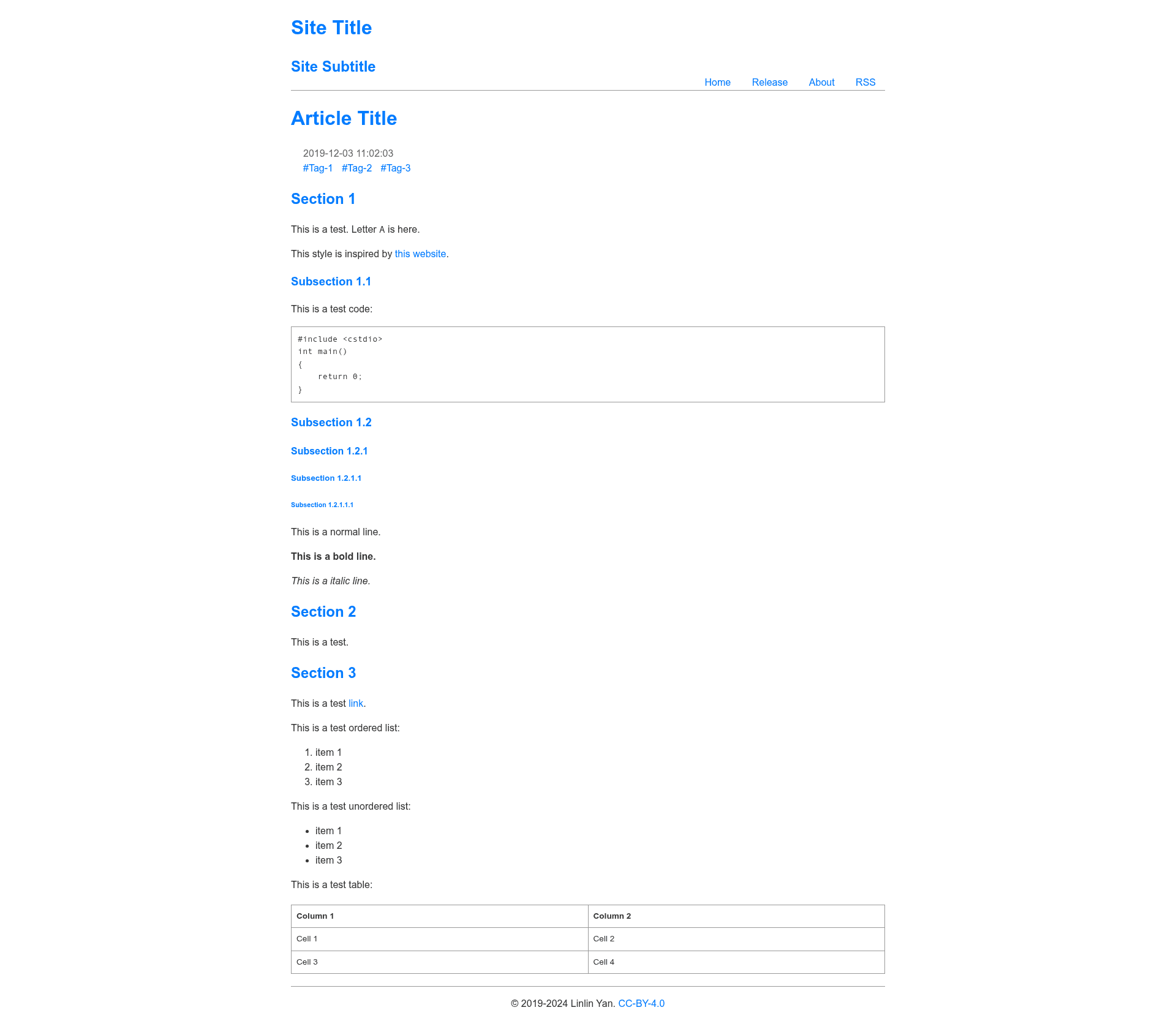
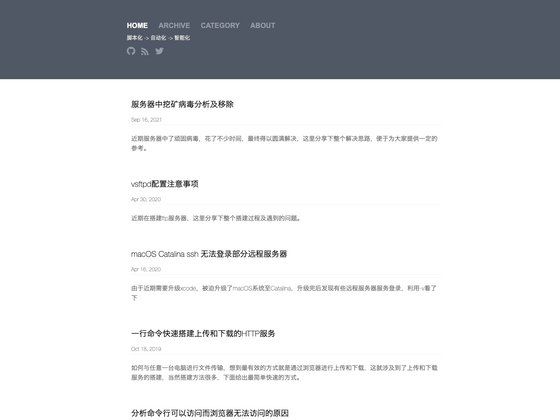
Simple Style Hugo Theme is a minimal, single-purpose Hugo theme that recreates the look of Linlin Yan's simple-style webpage template, producing a clean static site with configurable metadata, search engine support, and external-link behavior.
What is Simple Style Hugo Theme?
Simple Style Hugo Theme is an open-source theme for Hugo, the static site generator. It takes Markdown content from a Hugo site and renders a simple, lightweight HTML layout with site-wide parameters set in config.toml. The theme was created by Linlin Yan in 2019 and is licensed under the MIT License. It is based on a static webpage template of the same name and is designed for personal sites, blogs, or project landing pages.
Key Features
- MIT licensed — Free to use, modify, and redistribute, with copyright attributed to Linlin Yan (2019).
- Configurable subtitle — Set a site subtitle via the
subtitleparameter inconfig.toml. - Custom favicon support — Specify a site icon path using the
faviconparameter. - GitHub link display — Add a GitHub URL via
githubUrlto show a link on the site. - Search engine selection — Choose from Baidu, Google, Bing, or DuckDuckGo through the
searchparameter. - External link handling — Optionally add an external-link icon and open external links in a new window with
externalLinkIconandexternalLinkNewWindow. - SEO metadata — Set author, description, keywords, and Google Site Verification code directly from
config.toml. - Custom date format — Use Go layout strings to control how dates are displayed, e.g., "Mon Jan 2 15:04:05 MST 2006".
Who is it for?
- Personal bloggers who want a minimal, distraction-free site without needing a full-featured theme.
- Open-source project maintainers looking for a simple landing page for a GitHub project, featuring a GitHub link and project metadata.
- Developers who prefer a bare-bones Hugo setup and want to configure their site via
config.tomlrather than editing templates. - Anyone who wants a quick, clean static site with built-in support for multiple search engines and social metadata.
What can you do with it?
- Publish a personal blog — Write posts in Markdown and have them rendered in a simple, readable format with a configurable subtitle and date format.
- Showcase a GitHub project — Link to your repository via
githubUrland include a site description for search engines. - Run a small documentation site — Use the built-in search selection (Baidu, Google, Bing, or DuckDuckGo) to make content discoverable.
How does Simple Style Hugo Theme work?
The theme is installed in a Hugo project's themes directory. After creating standard Hugo content files (like _index.md and regular posts), you configure the theme's parameters in your site's config.toml file. The theme then generates a static HTML site that reflects those settings. Because it's a Hugo theme, minimal setup is required: just set the theme option in config.toml to "simple-style" and start writing content.
FAQ
Is Simple Style Hugo Theme free?
Yes, the theme is open source under the MIT license. You can use it commercially or personally, modify it, and distribute your changes, as long as you retain the original copyright notice.
What search engines does it support?
The theme's search parameter accepts one of four values: baidu, google, bing, or duckduckgo. This configures which search engine the site's search functionality points to.
How do I set a custom favicon?
Add the favicon parameter to your config.toml with the path to your icon file, for example favicon = "/icons/favicon.ico".
Can I change the date format?
Yes, set the dateFormat parameter to any valid Go layout string, such as "January 2, 2006", and the theme will format dates accordingly.