Template details
Forty - Jekyll Theme
A Jekyll port of HTML5 UP's Forty theme with tile-grid layout, Formspree contact form, and configurable social profiles.
About this template
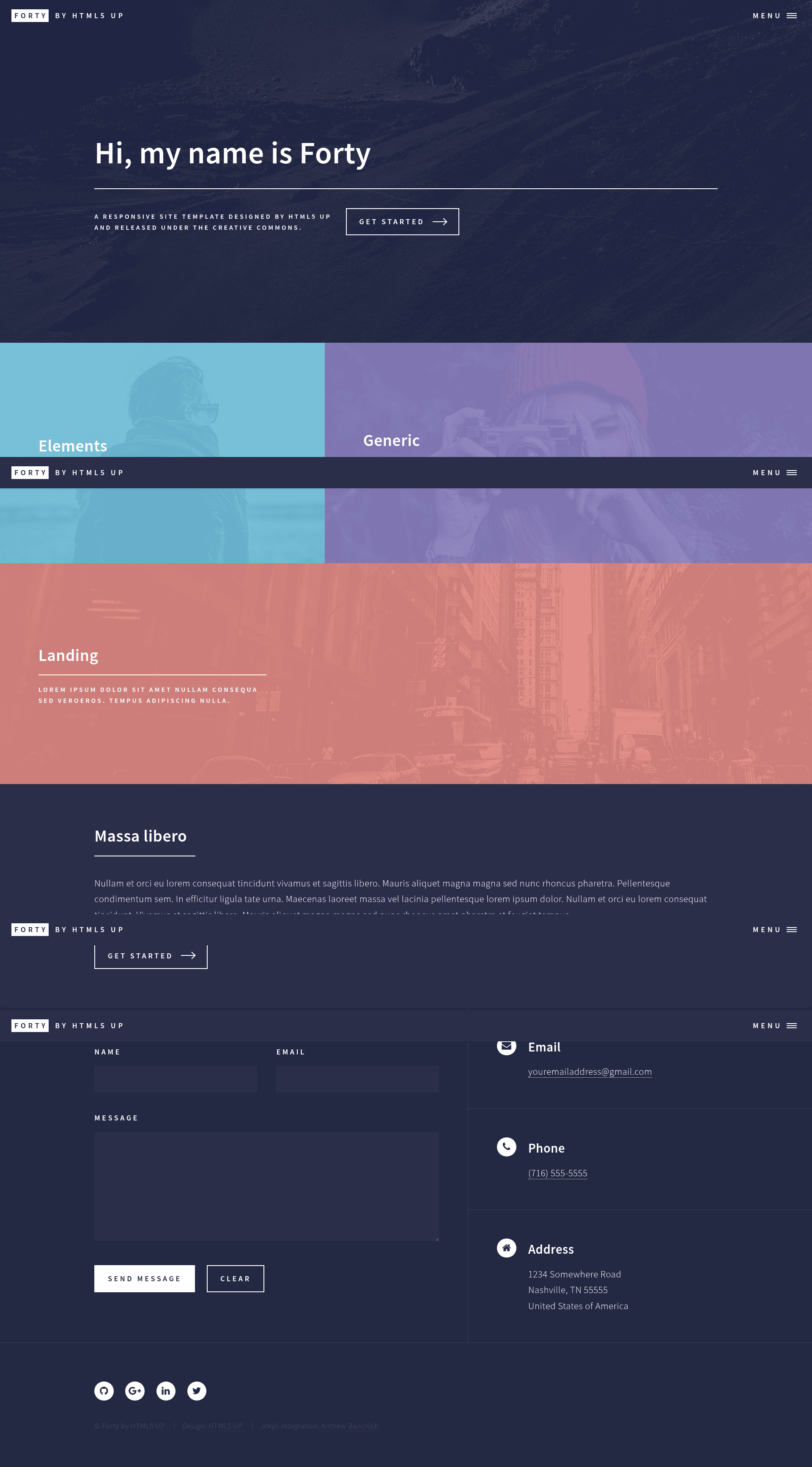
Forty - Jekyll Theme is a Jekyll port of HTML5 UP's Forty design, a tile-grid landing page template with a slide-out menu and smooth transitions to secondary pages.
What is Forty - Jekyll Theme?
Forty - Jekyll Theme is a static-site generator template built on Jekyll that converts a collection of image tiles into a portfolio-style homepage with linked inner pages. It takes content written as Jekyll posts or pages with front matter and outputs a fully static website. The original Forty theme was created by HTML5 UP (designer @ajlkn) and this repository adapts it for Jekyll, adding configuration options through _config.yml.
Key Features
- Formspree contact form integration — Add your email to
_config.ymland the contact form becomes functional without any backend code. - Configurable homepage tiles — Use
_config.ymlto choose whether the homepage tiles pull from pages or posts, and set how many tiles to display. - Social profile buttons from config — Enter only the social profiles you want in
_config.yml; exactly those buttons appear in the site footer. - Featured images via front matter — Set a featured image per post or page in its YAML front matter to control the tile background.
- Built on Jekyll's standard workflow — Write content as Markdown files with front matter, and use Jekyll's built-in layouts and includes.
- Original HTML5 UP assets — Includes the Sass-based styling, Font Awesome icons, and jQuery effects from the Forty source theme.
- GitHub Actions deployment — The repository is set up to build with a recent Jekyll version, which is required because GitHub Pages' built-in Jekyll is outdated.
Who is it for?
- Jekyll developers who want a modern, tile-based landing page without writing the HTML and CSS from scratch.
- Design-conscious freelancers who need a portfolio site that shows projects as a grid of images linking to case studies.
- Static-site enthusiasts who prefer a lightweight, config-driven approach over heavier CMS-based themes.
What can you do with Forty - Jekyll Theme?
- Build a photography or portfolio site — Display image tiles for each project; each tile transitions to a dedicated page with a separate template.
- Create an agency or studio landing page — Use the tile grid to showcase services and team members with minimal setup.
- Set up a personal blog with a visual front page — Configure tiles to pull from posts, giving your blog a gallery-style index instead of a traditional list.
How does Forty - Jekyll Theme work?
To use the theme, fork the repository and edit _config.yml to set your site title, email for the Formspree form, and social links. Add content as Jekyll posts or pages, set featured images in front matter, and deploy to GitHub Pages via GitHub Actions so the latest Jekyll version builds the site properly.
FAQ
Is Forty - Jekyll Theme free?
The original Forty theme by HTML5 UP is free for personal and commercial use under the Creative Commons Attribution 3.0 license, and this Jekyll port is open source. No pricing information is provided in the repository.
Does it require GitHub Actions?
Yes, the repository README states that GitHub Actions is required to deploy to GitHub Pages because GitHub's built-in Jekyll version is outdated. This ensures the theme builds with the correct Jekyll features.
How do I change which tiles appear on the homepage?
You can control this in _config.yml by setting whether tiles pull from pages or posts, and by specifying the number of tiles to display.
How do I set up the contact form?
Add your email address to _config.yml; the theme uses Formspree.io integration, so the form will deliver messages to that email without any additional backend setup.