Template details
Devii
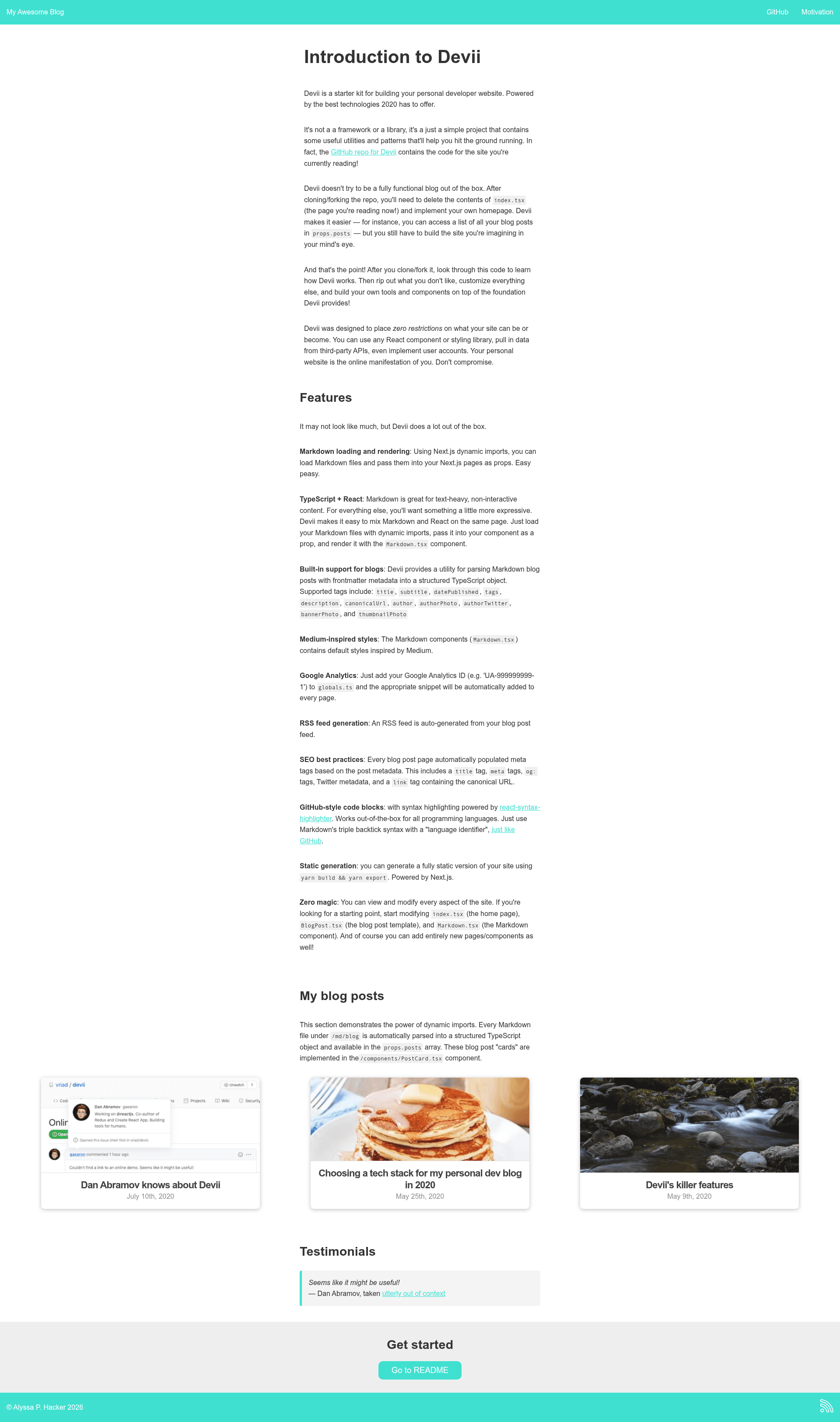
A developer blog starter built with Next.js, React, TypeScript, and Markdown, with SEO and RSS generation.
About this template
Devii is a developer blog starter template built on Next.js, React, TypeScript, and Markdown that generates a fully static blog with SEO and RSS feed support.
What is Devii?
Devii is an open-source developer blog starter kit that uses Next.js to statically generate a blog from Markdown files placed in the md/blog directory. It takes Markdown posts with optional YAML frontmatter metadata and outputs a fully static site with automatic RSS generation, SEO meta tags, and GitHub-style syntax highlighting. The project is maintained by Colin Hacks and the live demo is hosted at devii.dev, where the documentation doubles as a working example. The repository is licensed under MIT.
What makes Devii stand out?
- Markdown-based static site generation — Add a
.mdfile undermd/blogand Next.js builds it into a blog post at the corresponding route (e.g.foo.mdbecomes/blog/foo). - React + TypeScript — Every page is a
.tsxcomponent; custom pages are written in React with TypeScript types, and the project includes aPostDatatype that structures frontmatter. - GitHub-style code blocks — Triple-backtick fenced code with a language tag renders with syntax highlighting out of the box through the
Code.tsxcomponent. - Automatic RSS feed — The
rssUtil.tsmodule converts Markdown posts to RSS with therssandshowdownpackages; requires adatePublishedtimestamp in each post's frontmatter. - SEO best practices — Each blog post auto-generates title tags, meta descriptions, Open Graph tags, Twitter metadata, and canonical URLs, computed from the site URL in
globals.ts. - Global configuration — A
globals.tsfile holds site name, description, Twitter handle, email, URL, and accent color used in the header, footer, and RSS metadata. - Styling flexibility — Devii is unopinionated about styling; default styles live in
Markdown.tsxusingstyled-jsx, but you can replace them with any npm styling library. - Google Analytics integration — Adding your Analytics ID to
globals.tsinjects the tracking snippet automatically viapages/_app.ts.
Who should use Devii?
- Developer bloggers who want a no-frills blog built with modern React tooling and full control over every file.
- Developers who need SEO-friendly static sites — the built-in meta tags, canonical URLs, and RSS feed save setup time.
- Developers comfortable with TypeScript and Next.js who want to customize design and code rather than use a theme.
Use cases
- Ship a personal dev blog — add Markdown posts, run
yarn build && yarn export, and host theoutdirectory on Vercel, Netlify, Firebase Hosting, or Amazon S3. - Write custom pages — add
about.tsxtopagesand Next.js generates a route; the homepage is intentionally minimal so you implement your own design. - Generate an RSS feed — ensure each post includes
datePublished, and the feed is produced automatically from your posts.
How does Devii work?
To get started, fork the repository, clone it to your machine, and run yarn to install dependencies. Then yarn dev starts a development server at http://localhost:3000. Create a new Markdown file in md/blog, and it becomes a post at /blog/your-file-name. For production, yarn build && yarn export generates a fully static site in the out directory that can be deployed to any static host.
FAQ
Is Devii free?
Yes, Devii is open-source under the MIT license, so you can use, modify, and deploy it freely.
What do I need to run Devii?
You need Node.js and Yarn (or npm) installed. The project uses Next.js, so run yarn dev for development and yarn build && yarn export to generate static files in out.
Does Devii include a homepage design?
No, the homepage is intentionally minimal. You implement your own design in pages/index.tsx; Devii provides the Markdown rendering and blog post structure, not a ready-made theme.
Can I use Devii with my favorite styling library?
Yes, Devii is unopinionated about styling. The default styles in Markdown.tsx use styled-jsx, but you can remove them and use Emotion, Tailwind, or any other CSS-in-JS solution.