Template details
Techlog Simple
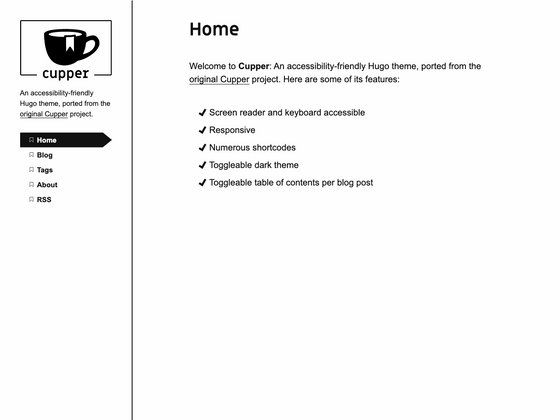
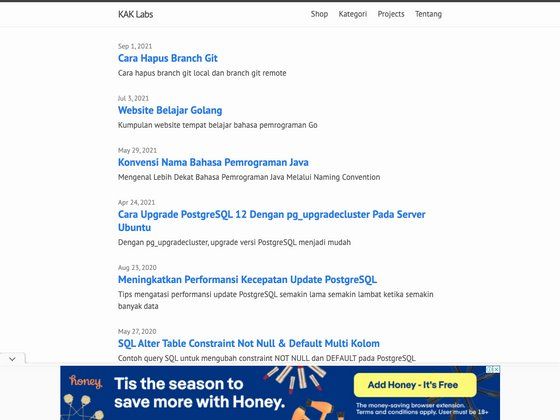
A simple Hugo theme for tech blogs with table of contents, profile page, and examples of pagination, tags, and authors.
About this template
Techlog Simple is a Hugo theme for tech blogs that delivers a minimal layout with a built-in table of contents, a customizable profile page, and working examples of pagination, tags, and authors.
What is Techlog Simple?
Techlog Simple is an open-source theme for Hugo, the static site generator, created by GitHub user mazgi. It takes Markdown content and site configuration and renders a static website with a clean, text-focused design. The theme's repository includes an exampleSite folder with a config.toml file that you can copy to bootstrap a new blog, and a live demo is hosted at https://mazgi-hugo-themes-gcp.firebaseapp.com/techlog-simple/.
Key Features
- Simple design — The theme keeps the layout minimal and text-oriented for technical writing, without a CSS framework or JavaScript build step, so pages load quickly.
- Table of contents — Posts can display an automatic table of contents, which is useful for long tutorials and reference articles.
- Custom profile page — A dedicated template lets you create a profile page separate from the blog, for presenting an author bio or an about page.
- Pagination — The theme demonstrates Hugo's built-in pagination, breaking the post listing into multiple pages as content grows.
- Tags — Hugo's native taxonomy system is wired up to organize posts by topic and provide tag archive pages.
- Authors — A multi-author taxonomy example gives each post a named author and enables author-based filtering or profiles.
- Production configuration — Set HUGO_ENV=production before building so integrations like Google Analytics are included in the generated site.
Who is it for?
Techlog Simple fits developers and writers who want a no-frills Hugo theme to publish a technical blog quickly. It is also useful for Hugo beginners because the example site shows how to wire up config.toml, pagination, tags, and authors. Teams publishing with multiple writers can use the author taxonomy to attribute each post and create author pages.
What can you do with Techlog Simple?
- Personal tech bloggers: Set up a minimal blog with a table of contents and a profile page by cloning the theme and copying the exampleSite's config.toml to the site root.
- Hugo learners: Study the example implementation of pagination, tags, and authors to learn how Hugo taxonomies and list templates work.
- Multi-author publications: Use the built-in authors feature to tag each post with its writer, enabling author archive pages.
How does the theme work?
Installation follows the standard Hugo theme workflow: clone the repository into the themes directory of your Hugo site, copy the config.toml from exampleSite to the site root, and run hugo server to preview at localhost:1313. For production builds, prefix the command with HUGO_ENV=production so Google Analytics is included.
FAQ
Is Techlog Simple free?
The source code is publicly available on GitHub and the installation steps require only the theme files. No payment or license fee is mentioned in the documentation.
What Hugo features does Techlog Simple support?
The theme includes examples of pagination, tags, and authors. It also provides a table of contents for posts and a custom profile page template.
How do I get a site running with Techlog Simple?
Clone the theme into the themes folder, copy config.toml from the exampleSite folder to your site's root, then run hugo server. Open http://localhost:1313 in your browser.
Does the theme include Google Analytics?
The documentation states that running the build with HUGO_ENV=production enables production integrations, citing Google Analytics as an example.