Template details
Doks
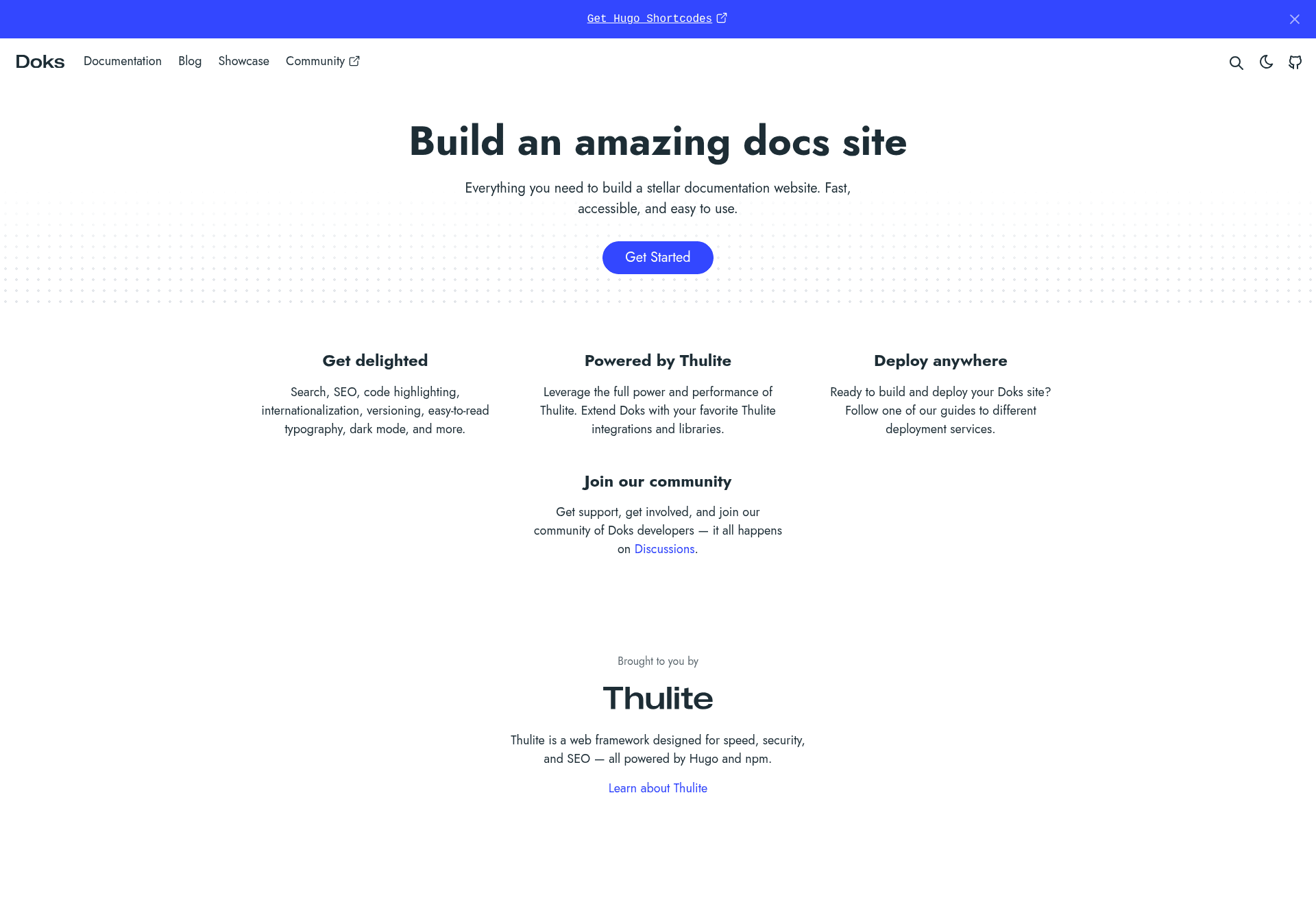
Doks is a Hugo-powered documentation theme for Thulite with search, dark mode, i18n, and versioning.
About this template
Doks is a Hugo-powered documentation theme for Thulite that builds fast, accessible static documentation websites from Markdown content. It bundles search, dark mode, syntax highlighting, blog pages, i18n, and versioning into a single starter template.
What is Doks?
Doks is an open-source documentation theme built on the Hugo static site generator, distributed as a Thulite starter template. It takes Markdown files as input and produces a static HTML website with a responsive layout, a fully configurable search index, and a light/dark mode toggle. The theme is maintained by the Thulite team and supports community contributions through GitHub.
Key Features
- FlexSearch search — Fully configurable client-side search that indexes all documentation content without the need for external search services.
- Dark and light mode — A toggle switches between color schemes and persists the user's choice.
- Syntax highlighting — Code blocks are highlighted with support for many languages, suitable for technical documentation.
- Internationalization — Built-in i18n support allows content to be translated and served in multiple languages.
- Versioning — Manage multiple versions of your documentation and let readers switch between them.
- Blog pages — A built-in blog section for changelogs, release notes, or company news.
- Responsive layout — A minimal design that adapts to mobile and desktop viewports for easy reading.
- Long-form typography — Readability-focused styling for prose-heavy technical pages.
Who is it for?
Doks is intended for technical writers and developer-advocacy teams that want to publish documentation without managing a separate CMS. Open-source maintainers can keep docs in the same Git repository as code and use versioning to sync releases. Product teams can stand up a docs portal quickly and extend it with the included blog and i18n features.
What can you do with Doks?
- Technical writers: Publish API references and user guides from Markdown, with searchable content and dark mode for comfortable reading.
- Open-source maintainers: Host versioned docs for each release, update them through pull requests, and keep the site in sync with code.
- Product teams: Create a multilingual docs hub with a built-in blog for announcements, helping global users get answers in their own language.
How does Doks work?
You start a new project by running npm create thulite@latest -- --template doks, which scaffolds a Doks site with the theme preconfigured. Content is written in Markdown and stored in the content directory, while site metadata and navigation are configured through Hugo files. Running a build command generates a static site that can be deployed to any static host.
Pricing
Doks is free and open-source under the MIT License. You can use it for personal or commercial projects, and sponsorship of Thulite is optional.
Alternatives
- VitePress, a Vue-powered static site generator focused on documentation.
- Docusaurus, a React-based documentation website builder maintained by Facebook.
FAQ
Is Doks free?
Yes, Doks is completely free to use. It is released under the MIT License, and you can use it in commercial projects without paying anything.
What are the system requirements for Doks?
Doks requires Node.js (latest LTS version) and Hugo (latest extended version). The extended build of Hugo is necessary for the theme's features.
How do I install Doks?
Run the command npm create thulite@latest -- --template doks in your terminal. This creates a new Thulite project with Doks already configured. Full setup instructions are on getdoks.org.
Does Doks support multiple languages?
Yes, Doks has built-in internationalization support. You can create content in several languages and let visitors switch between them.
Does Doks include a blog?
Yes, Doks ships with built-in blog pages, so you can publish posts, changelogs, or release notes alongside your documentation.