Template details
Ion
A sleek, modern Starlight theme with custom icon sidebar, footer, and wide-screen layout.
About this template
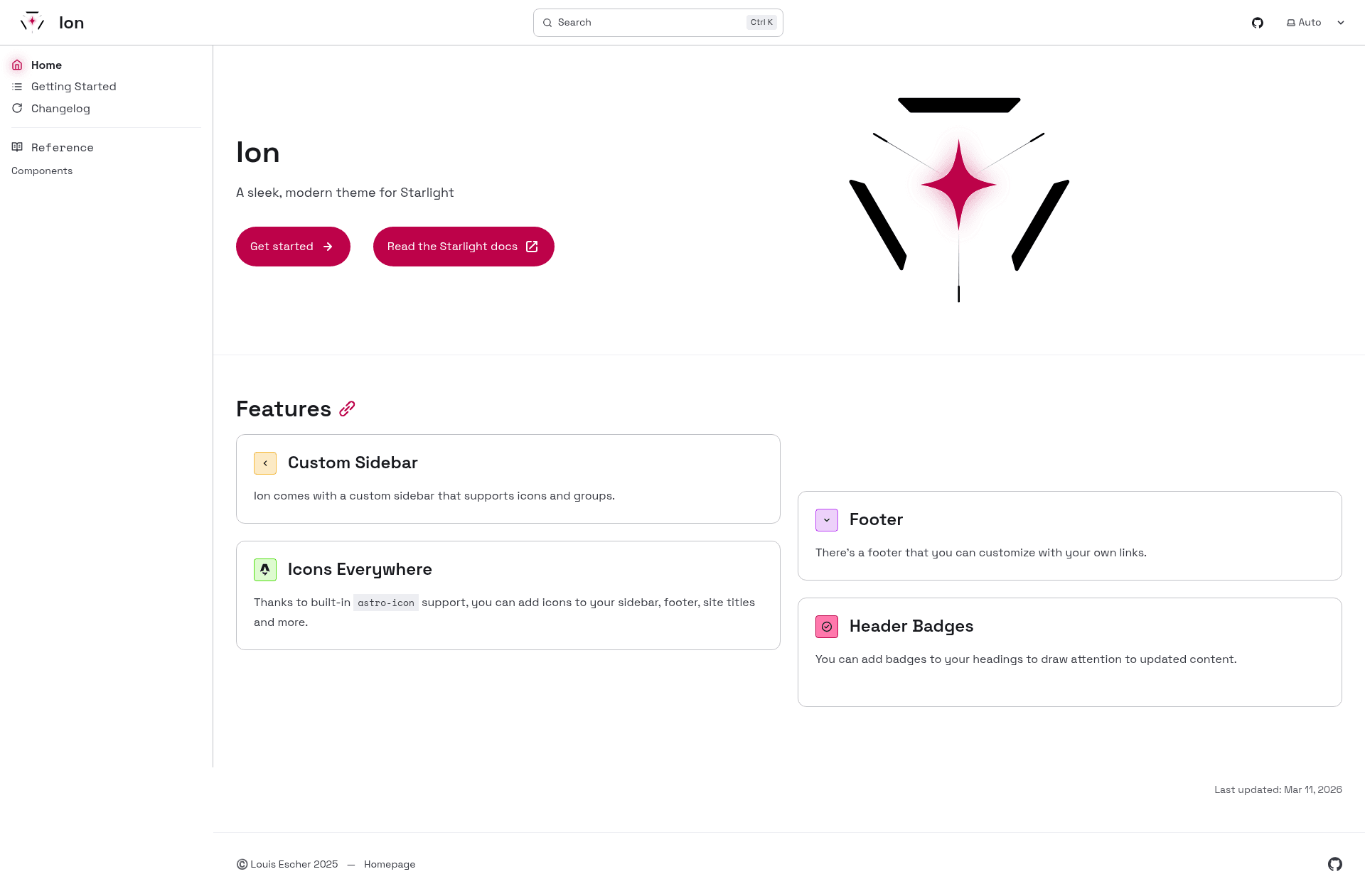
Ion is a sleek, modern theme for Starlight, the documentation framework built on Astro, that gives documentation sites a customized sidebar with icons, a footer, and a wide-screen layout.
What is Ion?
Ion is a community-built theme for Starlight, which is Astro's documentation site generator. It takes a standard Starlight documentation site and restyles it with a custom sidebar that supports icons, a site footer, and a wider content area. The theme is open source and hosted on GitHub, where the project has earned 73 stars. Its documentation includes a getting started guide for installation and configuration.
Key Features
- Custom Sidebar with icon support — Replaces the default Starlight sidebar with a version that can display icons next to navigation items.
- Footer — Adds a customizable footer to documentation pages, which is not present in Starlight's default layout.
- Wide screen layout — Expands the content container to use more horizontal space than the standard Starlight theme.
- Fully customizable — Each component can be adapted through Starlight's theming and configuration options.
- Built on Starlight and Astro — Runs on the Astro framework and integrates with Starlight's file-based routing and Markdown/MDX content.
- Getting Started Guide — Includes an online guide at the project site covering installation and setup steps.
Who is it for?
- Documentation site authors who want a more modern look than the default Starlight theme.
- Developers building project docs or knowledge bases using Astro and Starlight.
- Teams that need a branded documentation site with icon navigation and footer customization.
What can you do with Ion?
- Documentation authors: set up a Starlight project, apply Ion, and immediately get an icon sidebar and footer without writing custom CSS.
- Open-source maintainers: publish project documentation with a wide-screen layout that makes code examples and tables easier to read.
- Technical writers: customize the theme's sidebars, colors, and typography through Starlight's configuration to match a product's brand.
How do I get started?
Visit the Getting Started Guide at https://louisescher.github.io/starlight-ion-theme/getting-started to install Ion in a Starlight project. The guide walks through adding the theme, configuring the sidebar icons, and deploying the site.