Template details
Duo
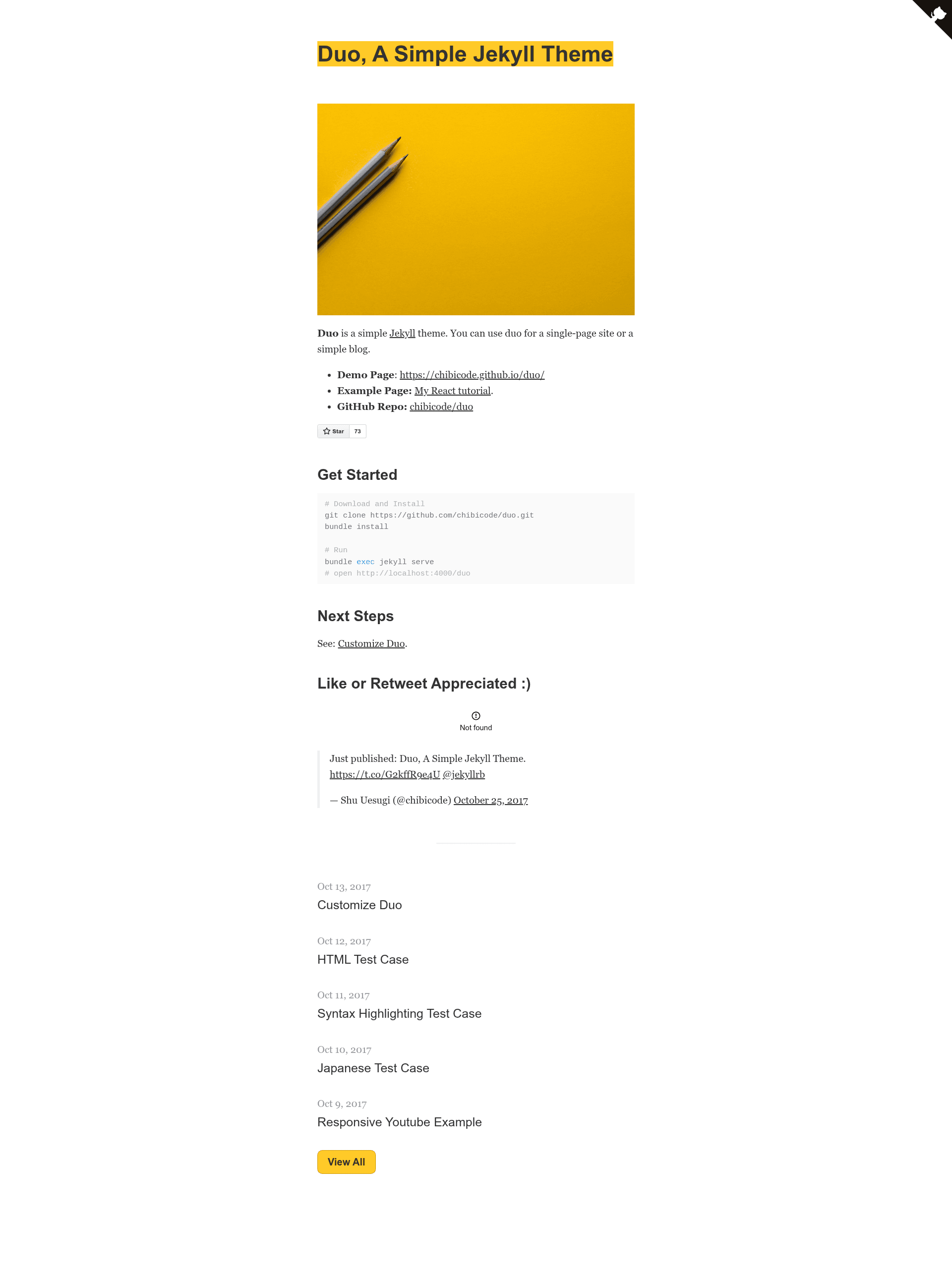
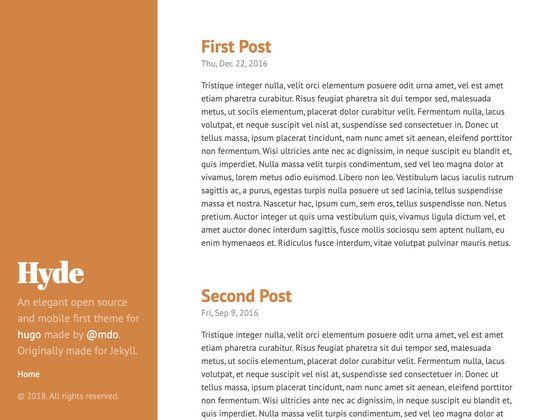
A simple Jekyll theme for single-page sites or simple blogs, created by Shu Uesugi.
About this template
Duo is a simple Jekyll theme, created by Shu Uesugi, that builds a single-page site or a simple blog using Jekyll's static site generation.
What is Duo?
Duo is a Jekyll theme with a minimal design meant for two content structures: a single-page site or a simple blog. It takes Markdown or HTML content and runs it through Jekyll, producing static HTML, CSS, and JavaScript output that can be hosted on any static server. The theme is distributed as a public GitHub repository under the name chibicode/duo.
Key Features
- Single-page and blog layouts — You can use the theme for either a one-page site or a multi-post blog, and switch depending on your project's needs.
- Built on Jekyll — Duo is a standard Jekyll theme, so it follows Jekyll's directory structure and uses Liquid templates for layouts.
- Simple installation — The README gives three commands to go from zero to running:
git clone https://github.com/chibicode/duo.git,bundle install, andbundle exec jekyll serve. - Local preview server — Using the standard Jekyll serve command, the site runs at
http://localhost:4000/duowhile you work. - Customization guide — The demo site includes a page titled "Customize Duo" that explains how to adjust the theme beyond the default setup.
- Live demo and example — You can view the theme at
https://chibicode.github.io/duo/, and see a real example used for a React tutorial athttps://chibicode.com/react-js-introduction-for-people-who-know-just-enough-jquery-to-get-by/.
Who is it for?
- Independent bloggers — Someone who wants to start a blog on Jekyll without wrestling with a feature-heavy theme can clone Duo and begin writing posts immediately.
- Developers making a landing page — A single-page site for a project, open-source tool, or personal brand can be set up by editing the content files and adding a few links.
- Jekyll beginners — Because the theme is compact, it works as a reference for how Jekyll themes are structured, including layouts, includes, and configuration files.
What can you do with Duo?
- Technical writers: Publish a tutorial series using the blog layout, as Shu Uesugi did with his React tutorial on chibicode.com.
- Open-source maintainers: Create a simple one-page site with a link to your GitHub repository, star button, and supporting details.
- Personal site owners: Build a simple online presence with a bio, social links, and an optional blog.
How does Duo work?
Duo follows the standard Jekyll workflow. First you clone the repository, then bundle install installs the theme's Ruby dependencies, and bundle exec jekyll serve launches a local server at http://localhost:4000/duo. Jekyll processes content in the configured folders, applies the theme's templates, and generates a static _site directory ready for deployment.
FAQ
Is Duo free?
Duo is available as a public GitHub repository, so you can clone it and use it without paying. The repository page does not mention a license, so review the repository for licensing terms if you plan commercial use.
What does Duo do?
Duo is a Jekyll theme that helps you create either a single-page site or a simple blog. It keeps the design minimal and focuses on presenting content without extra features like e-commerce or membership systems.
How do I install Duo?
Copy the repository with git clone https://github.com/chibicode/duo.git, run bundle install to fetch dependencies, then start the server with bundle exec jekyll serve. Access the site at http://localhost:4000/duo.
Who made Duo?
Duo was made by Shu Uesugi, who publishes code on GitHub as chibicode. He announced the theme on Twitter in October 2017, linking to the Jekyll community.