Template details
Nebula 🔮
An Astro template for iOS app landing pages, configurable via a single app.json file.
About this template
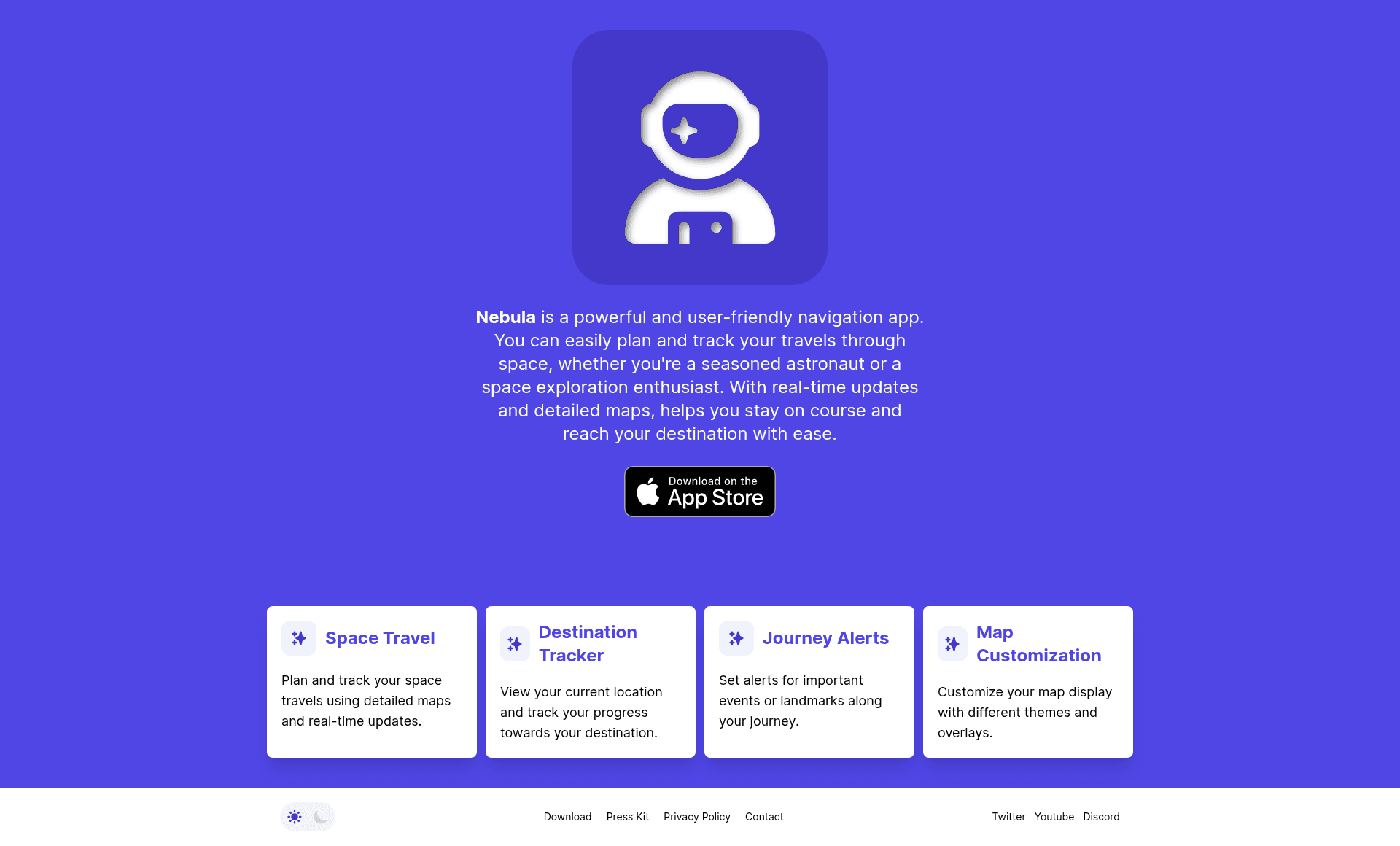
Nebula is an Astro template for building a landing page that promotes an iOS app, configured entirely through a single app.json file.
What is Nebula?
Nebula is an Astro template created by zavbala for developing marketing pages for iOS applications. It takes a JSON configuration file as input and outputs a static landing page featuring app store links, feature cards, description paragraphs, and social media buttons. The template is available on GitHub and can be deployed directly to Netlify or Vercel using the provided one-click deploy buttons.
Key Features
- Single
app.jsonconfiguration — Define the app name, theme color (default indigo), contact email, store URLs, description lines, feature cards, and social links in one file. - App Store and Google Play buttons — The
storesobject accepts URLs for both Apple App Store and Google Play, generating direct download links. - Advertising toggle — The
adsboolean lets you show or hide advertisement sections on the page. - Free/paid status badge — The
freeboolean controls whether the page displays a free or paid indicator for the app. - Feature cards — The
featuresarray accepts title/body pairs that become visual highlight sections. - Description paragraphs — The
descriptionarray accepts multiple strings that render as separate paragraphs. - Social media integration — The
socialobject includes optional Twitter, YouTube, and Discord URLs. - One-click deployment — Built-in deploy buttons for Netlify and Vercel streamline publishing from the GitHub repository.
Who is it for?
Nebula is intended for anyone preparing to announce an iOS app.
- iOS developers who need a presentable landing page before or after App Store submission.
- Indie makers who want a professional web presence without hand-coding HTML and CSS.
- Product marketers who need to consolidate app highlights, download links, and community channels on a single page.
What can you do with Nebula?
- Launch quickly: Fill in
app.json, push to GitHub, and use the Netlify or Vercel deploy button to go live in minutes. - Highlight app features: Use the
featuresarray to create title/body cards that explain your app's value. - Drive app installs: Display prominent links to the Apple App Store and Google Play to encourage downloads.
- Build your community: Place Twitter, YouTube, and Discord links on the page to connect with users.
How does Nebula work?
The template's README instructs you to customize the site by editing the app.json configuration file. Once your app metadata, store links, description, features, and social URLs are defined, you deploy the repository using the Netlify or Vercel buttons, and the static site is built automatically.
FAQ
How do I customize Nebula?
Edit the app.json file in the repository root. There you can set the app name, theme color, contact email, store links, description lines, feature cards, and social media URLs.
Where can I deploy Nebula?
Nebula includes one-click deploy buttons for Netlify and Vercel. Both platforms build the Astro site automatically from your GitHub repository.
Does Nebula support social media links?
Yes, the social object in app.json accepts optional Twitter, YouTube, and Discord URLs, which are displayed as icons on the page.
Can I show my app on both the App Store and Google Play?
Yes, the stores object supports separate URLs for the Apple App Store and Google Play, so you can offer both download options to visitors.
What does the free flag control?
The free boolean in app.json indicates whether your app is free or paid. It determines which pricing badge appears on the landing page.