Template details
Superplate
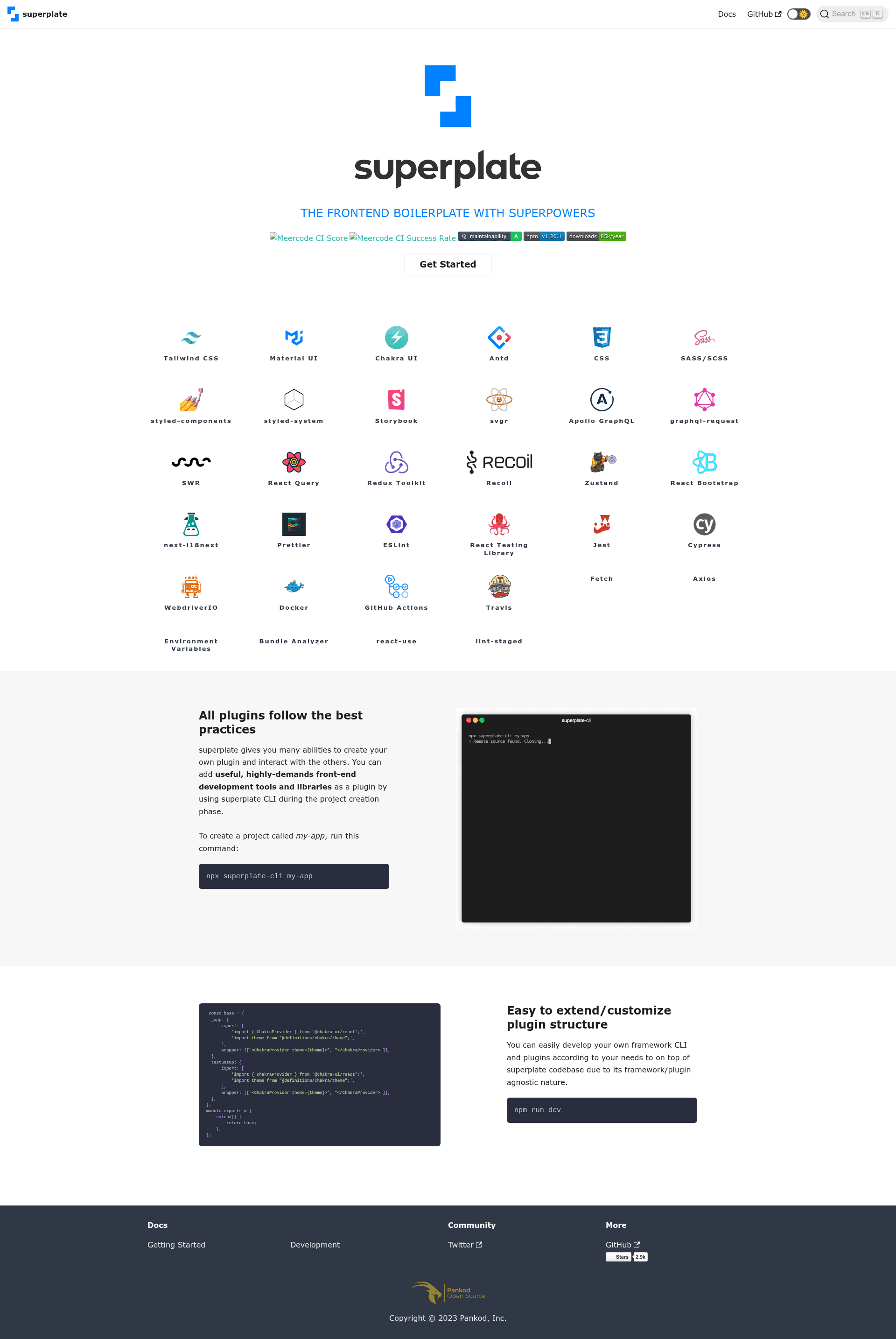
A production-ready frontend boilerplate CLI for React, Next.js, and refine with 30+ plugins including TypeScript, React Query, Axios, and Prettier.
About this template
Superplate is a command-line interface (CLI) that generates production-ready frontend boilerplate projects for React, Next.js, and refine through an interactive wizard.
What is Superplate?
Superplate is a CLI tool that scaffolds complete projects for React, Next.js, and refine. You provide a project name and optionally choose a framework preset, and superplate generates a structured application preconfigured with TypeScript, React Testing Library, styled-components, React Query, .env handling, Axios, Bundle Analyzer, and Prettier. It was created by Pankod and is distributed on npm as superplate-cli.
Key Features
- 30+ plugins — superplate ships with more than 30 plugins covering popular UI kits, testing frameworks, and developer tools, each documented with code examples.
- Framework presets — use
-p nextjs,-p react, or-p refineto skip prompts and create a project for a specific framework. - Interactive CLI wizard — the command-line interface guides you through setup with prompts; no extra build configuration is required.
- Plugin-based architecture — you can load custom plugin sources from a local path or git repository using
--source, and create your own plugin. - Useful CLI options — provide custom branches with
--branch, prefill answers with--preset, print debug logs with--debug, or let superplate choose randomly with--lucky. - TypeScript by default — every generated project includes TypeScript and a production-ready setup.
- Industry-standard tooling — Prettier, Axios, React Query, styled-components, and React Testing Library are integrated out of the box.
Who should use Superplate?
- React developers who want a standardized project setup with testing, styling, and data fetching already configured.
- Next.js teams looking for a well-structured TypeScript application without spending time on boilerplate wiring.
- refine users building CRUD apps who need to bootstrap a refine project in Create React App, Next.js, or Remix environments.
- Plugin authors who want to create and share their own boilerplate plugins using the documented plugin API.
What can you do with Superplate?
- Scaffold a Next.js app: run
npx superplate-cli -p nextjs my-projectto get a Next.js and TypeScript project with the plugin wizard. - Create a React app: run
npx superplate-cli -p react my-projectto generate a Create React App base with TypeScript and the selected plugins. - Bootstrap a refine project: run
npx superplate-cli -p refine my-projectto start a refine-based CRUD app with built-in templates. - Extend the tooling: add a custom source of plugins with
--sourceand load them from a remote git repository or a local folder.
How does Superplate work?
After you run npx superplate-cli my-project, the CLI presents a series of prompts for plugin selections. Once you answer, it writes the project files and configurations to a new directory. Options such as --project, --source, --branch, and --preset control the generation flow for scripted or advanced use.
Alternatives
For React projects, Create React App is the official build tool that also scaffolds a new app. For Next.js, create-next-app is the official scaffolding command. Superplate differentiates itself by offering an interactive plugin selection and supporting multiple frameworks from one CLI.
License
Superplate is open-source under the MIT License.
FAQ
Is Superplate free?
Yes, superplate is open-source under the MIT License, so you can use it freely for personal and commercial projects.
How do I create a project with Superplate?
Run npx superplate-cli my-project and follow the prompts. You can also pass a preset such as -p nextjs to skip prompts for a specific framework.
Does Superplate support TypeScript?
Yes, all generated projects are TypeScript-based by default. The boilerplate includes TypeScript configuration and type-safe integrations.
Can I use custom plugins?
Yes, pass --source with a local path or git repository to load custom plugins. You can also create your own plugin and contribute to the core plugin repository.
What does the --lucky option do?
The --lucky flag makes superplate select random plugin choices for you, so you can get a project without answering every prompt.