Template details
tailwind-symfony-starter
Free and open-source starter kit for Symfony (PHP), Tailwind CSS and Flowbite
About this template
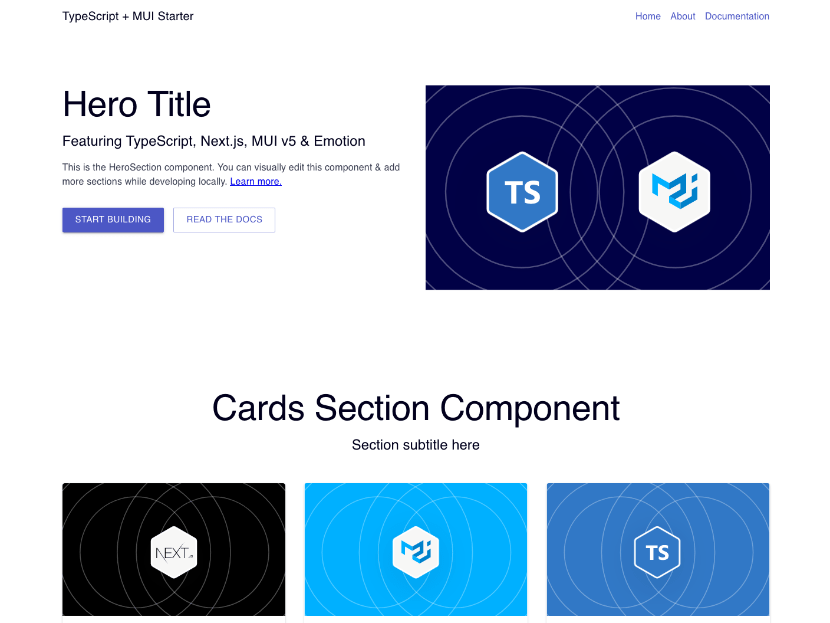
Tailwind Symfony Starter is a free, open-source boilerplate that pairs the Symfony PHP framework with Tailwind CSS and Flowbite so you can build interface-heavy websites without setting up the front-end toolchain yourself.
What is the Tailwind Symfony Starter?
The Tailwind Symfony Starter is a boilerplate project that combines Symfony (PHP) with Tailwind CSS and Flowbite UI components. It takes a fresh Symfony installation and adds Tailwind CSS via PostCSS and the Flowbite library, producing a working web app with preconfigured asset handling through Webpack Encore. The starter is published by the Flowbite team and documented in their official Symfony getting-started guide.
The core output is a Symfony application whose app.js imports Flowbite for interactive components and whose app.css loads Tailwind and Flowbite theme variables. You can access the result at http://localhost:8000 after running the local Symfony server. The setup requires PHP 8.1 or higher, Composer, and Node.js.
Key Features
- Symfony CLI project creation — Generates a new project with
symfony new --webapp flowbite-app, giving you a fresh Symfony web application skeleton. - Webpack Encore integration — Replaces default Symfony front-end packages with
symfony/webpack-encore-bundlefor compiling CSS and JavaScript assets. - Tailwind CSS v4 setup — Installs
tailwindcss,@tailwindcss/postcss, and PostCSS, configured with apostcss.config.mjsfile and the@import "tailwindcss"directive inapp.css. - Flowbite UI component library — Adds
flowbitevia NPM, imports the default theme and plugin in CSS, and enables interactive components like dropdowns, navbars, and modals through animport 'flowbite'inapp.js. - Cross-platform instructions — Provides Symfony CLI installation via Homebrew for macOS and Linux, and via Scoop for Windows.
- Production deployment guidance — Points to Symfony's official deployment tools such as Deployer, Ansistrano, and Fabric for moving the app to a server.
- Watch mode for assets — Uses
npm run watchto compile front-end assets continuously during development.
Who is it for?
- Symfony developers who want to add a modern utility-first CSS workflow to their PHP projects without manual Webpack configuration.
- PHP teams building marketing sites that need prebuilt UI components such as navbars, dropdowns, and modals delivered by Flowbite.
- Front-end developers who know Tailwind CSS and want a ready-made integration with Symfony rather than setting up PostCSS themselves.
- Learners following the Flowbite Symfony guide who want a step-by-step path from
symfony newto a styled application.
What can you do with the Tailwind Symfony Starter?
- Rapid mockups: With Flowbite components and Tailwind utility classes, you can assemble layouts for landing pages, dashboards, or admin panels directly inside Symfony Twig templates.
- Full-stack apps: Use the Symfony backend for routing, forms, and database access while styling every template with the included Tailwind and Flowbite assets.
- Production deployment practice: After building your app, follow the linked Symfony deployment docs to push it to a server using tools like Deployer or Fabric.
How does the starter work?
The setup flow is documented in four stages: first, create a Symfony project with the Symfony CLI and install webpack-encore-bundle; second, install Tailwind CSS and PostCSS via NPM and enable the PostCSS loader in webpack.config.js; third, install Flowbite and import its theme, plugin, and source paths in app.css; finally, import flowbite in app.js and run npm run watch. The result is a Symfony app with fully compiled Tailwind styling and Flowbite interactivity.
FAQ
What are the system requirements?
You need PHP version 8.1 or higher, Composer for PHP dependency management, and Node.js for NPM packages. Both the Symfony CLI and the front-end build tools rely on these being available on macOS, Linux, or Windows.
Does this starter include Flowbite components?
Yes. Flowbite is installed as an NPM dependency and its default theme, plugin, and source directory are imported into app.css. Interactive components become available after you import flowbite in app.js, which the starter instructs you to do.
How do I install the Symfony CLI?
On macOS and Linux, use Homebrew with brew install symfony-cli/tap/symfony-cli. On Windows, use Scoop with scoop install symfony-cli. Alternatively, you can download the CLI from the official Symfony website.
Can I use this starter on Windows?
Yes. The guide provides Scoop as a package manager for installing the Symfony CLI on Windows. The remaining NPM and Composer commands are cross-platform.
What front-end tools are used?
The starter uses Tailwind CSS (installed with @tailwindcss/postcss), PostCSS with the PostCSS loader, and Webpack Encore to compile assets. Flowbite is loaded as a separate NPM package on top of these.