Template details
Elon Kernel
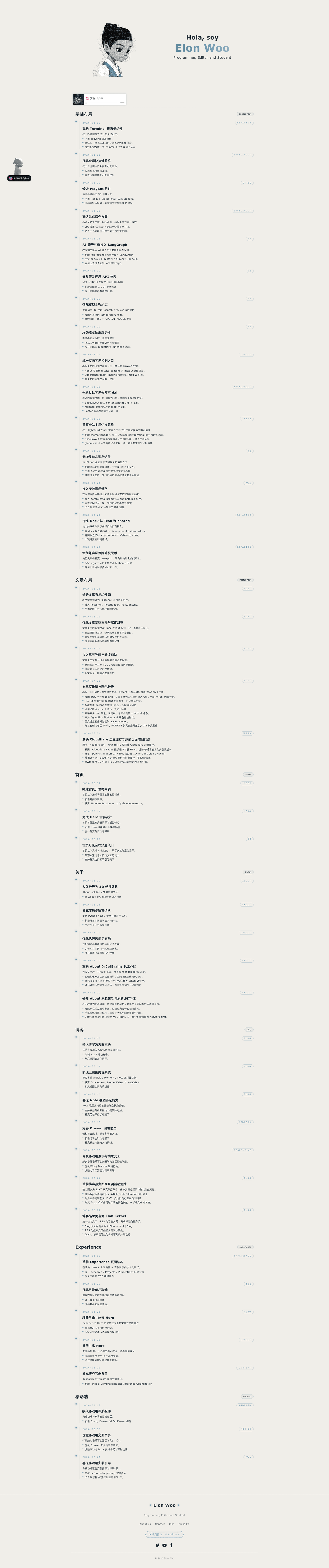
Astro + Preact personal-site boilerplate with Markdown blog, interactive UI islands, and Cloudflare Pages deployment.
About this template
Elon Kernel is an Astro 5 + Preact personal-site boilerplate that ships multi-page content, Markdown blog rendering, interactive UI islands, and a Cloudflare Pages-ready deployment setup.
What is Elon Kernel?
Elon Kernel is a personal-site project template built with Astro 5 and Preact. It takes Markdown blog posts and static content as input and produces a multi-page static site with interactive components (timeline, tag filtering, table of contents, publish modal) as output. The project is maintained by elonwoo-02 and is designed to deploy primarily on Cloudflare Pages, with both an Astro API route and a Pages Function route for the same AI chat endpoint.
What makes Elon Kernel stand out?
Elon Kernel's feature set is built around a static-first architecture with interactive islands and a Cloudflare-first deployment workflow.
- Astro 5 + Preact islands — Uses Astro 5 for static generation and Preact for interactive components, mounted as islands inside Astro pages.
- Markdown blog with tag pages, RSS, and search index — Blog posts stored as Markdown in
src/blog/; the site generates/rss.xml,/search.json, and per-tag pages viasrc/pages/tags/. - Tailwind CSS v4 + DaisyUI styling — Styling uses Tailwind CSS v4 together with DaisyUI, configured through the Astro integration.
- Cloudflare Pages deployment out of the box —
wrangler.tomlsetspages_build_output_dir = "dist",compatibility_date = "2024-10-01", andcompatibility_flags = ["nodejs_compat"]. - Reusable interactive modules — Shared components include a dock system (with data/logic/ui split), terminal modal, dynamic-island shell, timeline reveal island, and resume language island.
- AI chat endpoint with streaming — An
/api/ai/chatendpoint supports POST and GET, SSE streaming, and uses OpenAI viaOPENAI_API_KEY; a missing key returns 500. - Testing setup with Vitest and Testing Library —
npm testruns Vitest onjsdom;npm run checkincludes color checks and test-layout checks. - Mobile-specific component variants — A
src/components/mobile/directory provides mobile shells and dock/FAB integrations.
Who should use Elon Kernel?
Elon Kernel is aimed at developers who want a ready-made personal site that runs on Cloudflare Pages and includes a blog and interactive UI elements.
- Developers starting a personal site or blog — Use the pre-built pages (
/,/blog,/about,/experience) and the Markdown blog pipeline to publish content quickly without building from scratch. - Astro developers wanting a Preact island example — See how to combine Astro's static rendering with Preact client components, including a tested architecture and shared client bootstrap scripts.
- Cloudflare Pages users — The repo includes
wrangler.tomlconfiguration and both Astro API route and Pages Function implementations, so the same endpoint works in local dev and on Pages Functions.
What can you do with Elon Kernel?
With Elon Kernel you can publish content, add AI chat, and customize the interactive shell without starting from scratch.
- Publish a blog from Markdown: Drop
.mdfiles intosrc/blog/and get RSS, search index, tag pages, and article views with TOC and reading progress. - Add an AI chat widget to your site: Configure
OPENAI_API_KEY(and optionallyOPENAI_MODELandOPENAI_BASE_URL) and use the/api/ai/chatendpoint for streaming chat responses on both runtimes. - Customize the dock and terminal UI: Modify the shared dock system (
data,logic,uidirectories) and terminal modal to change the interactive shell without touching page layouts.
How does Elon Kernel work?
Elon Kernel uses Astro's file-based routing under src/pages/ to compose pages from BaseLayout.astro and per-page component folders. Interactive widgets (timeline, tags, TOC, publish modal, dock, terminal) are mounted as Preact islands, while shared client bootstraps in src/scripts/ handle theme, global shortcuts, and service worker. The same API route is implemented twice: an Astro API route at src/pages/api/ai/chat.ts and a Pages Function at functions/api/ai/chat.ts, so behavior matches under both astro dev and Cloudflare Pages Functions. Local parity can be verified with npx wrangler pages dev dist after building.
FAQ
Does Elon Kernel require an OpenAI API key?
Only for the /api/ai/chat endpoint. If OPENAI_API_KEY is missing, the endpoint returns a 500. The rest of the site — pages, blog, timeline, dock — works without it.
How do I deploy Elon Kernel to Cloudflare Pages?
Set the build command to npm ci && npm run build and the output directory to dist. Configure OPENAI_API_KEY (plus optional OPENAI_MODEL and OPENAI_BASE_URL) in both Preview and Production. The repo's wrangler.toml already sets pages_build_output_dir = "dist" and compatibility_flags = ["nodejs_compat"].
What Node.js version do I need?
Node.js 18+ and npm 9+ are listed as prerequisites. The repository recommends Node 18+ LTS for Cloudflare Pages builds.
What testing tools are included?
Vitest with Testing Library on the jsdom environment. The recommended loop runs npm test, npm run check (which includes color and test-layout checks), then npm run build.
Is the license specified?
The README says "License status: TBD" and recommends adding an explicit license file if you plan public distribution. That means there is no license declared yet.