Template details
Simple Resume
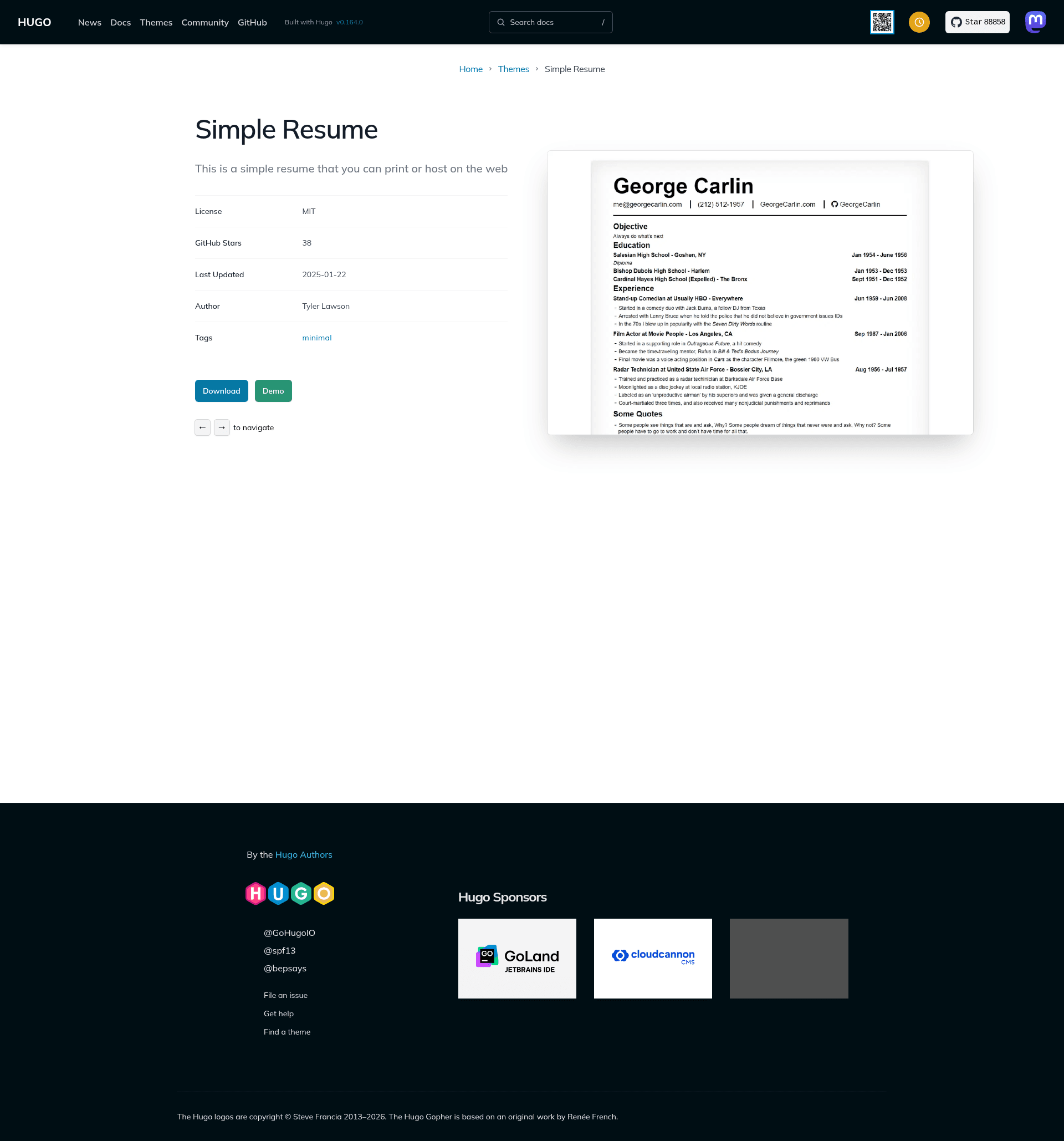
Hugo theme for a simple, web-based resume that you can print to PDF or paper.
About this template
Simple Resume is a Hugo theme that renders a resume from a YAML data file into a clean web page you can print to PDF or paper. The theme is built for the Hugo static site generator, so it requires a Hugo installation to build the site, and the output is static HTML that can be hosted anywhere. It was created by tylersayshi and is published on GitHub as an open-source project.
What is Simple Resume?
Simple Resume is a Hugo theme that takes your resume content from exampleSite/data/content.yaml and generates a single-page website. It runs on Hugo, a static site generator written in Go. The theme's design is intentionally straightforward, with no sidebar, icons, or extra components — just your resume content in a readable layout. You can customize the data by editing the YAML file and rebuild the site.
Key Features
- Web-based resume — The theme renders your resume as an HTML page that can be hosted on any static web host.
- Printable output — The page is designed to print cleanly; the README recommends setting browser margins to "minimum" in the print dialog for the best PDF or paper output.
- Straightforward design — The layout is simple and minimal, with no complex graphics or extra sections.
- Data-driven content — All resume fields live in exampleSite/data/content.yaml, so a single YAML file controls every editable part of the resume.
- ExampleSite included — The repository includes an exampleSite folder that shows exactly how to structure config.toml and content.yaml.
- GitHub installation — You install the theme by cloning the repository into your Hugo site's themes directory and setting
theme = "simple-resume"in your config.toml.
Who is it for?
- Hugo users — Anyone who already builds sites with Hugo can drop this theme into their site and maintain a resume alongside other content.
- Job seekers — People who want a clean, printable resume that also lives on the web can create one without touching CSS or HTML.
- Developers — Developers who prefer version-controlled, data-driven resumes can keep all their experience in YAML and rebuild the page anytime.
What can you do with Simple Resume?
- Create a resume page — Fill in content.yaml with your details and Hugo generates a standalone resume page.
- Print to PDF — Open the page in a browser and use the print function to save it as a PDF with minimal margins.
- Host it anywhere — Since Hugo emits only static files, you can deploy the resume to services like GitHub Pages, Netlify, or any static host.
How does Simple Resume work?
Create a new Hugo site and clone the simple-resume repository into its themes folder. Next, set theme = "simple-resume" in config.toml and copy the data structure from the exampleSite folder's content.yaml file to fill in your own details. Then run Hugo to build the site and open the generated page to view or print your resume.
Pricing
The theme is free to use. It is published on GitHub, and the author invites contributions through issues and pull requests.
FAQ
Is Simple Resume free?
Yes, the theme is free and open source. You can clone the repository and use it without paying anything.
How do I install Simple Resume?
Create a new Hugo site, go into its themes directory, and clone the repository with git. Then set theme = "simple-resume" in config.toml and replicate the data from the exampleSite folder.
How do I print my resume?
Open the rendered resume page in your browser, choose Print, and select your printer or "Save as PDF". The README suggests setting margins to "minimum" in the print dialog for the best result.
What do I need to run this theme?
You need Hugo installed on your computer. The theme uses a YAML data file; the exampleSite folder shows the exact fields expected.
Can I customize the content?
Yes, all resume content is stored in exampleSite/data/content.yaml. Edit that file to change your name, job title, experience, and other fields, then rebuild the site with Hugo.