Template details
Enervoid Theme
A minimal black Hugo theme with built-in KaTeX math and mermaid diagram support for personal blogs and portfolios.
About this template
Enervoid Theme is a minimal, black-colored Hugo theme designed for personal blogs, project showcases, and portfolio sites. It takes Markdown content through Hugo's static site generator and outputs a lightweight HTML site with built-in KaTeX math rendering and mermaid diagram support. The theme is developed by Enerhim and released under the MIT License on GitHub.
What is Enervoid Theme?
Enervoid Theme is a Hugo theme that turns plain Markdown files into a dark-themed static website. It accepts blog posts, personal posts, and project files with YAML front matter, and generates a complete site with navigation menus, social icons, and specialized layouts for each content type. It is built on the Hugo framework and requires no JavaScript dependencies for basic operation.
Key Features
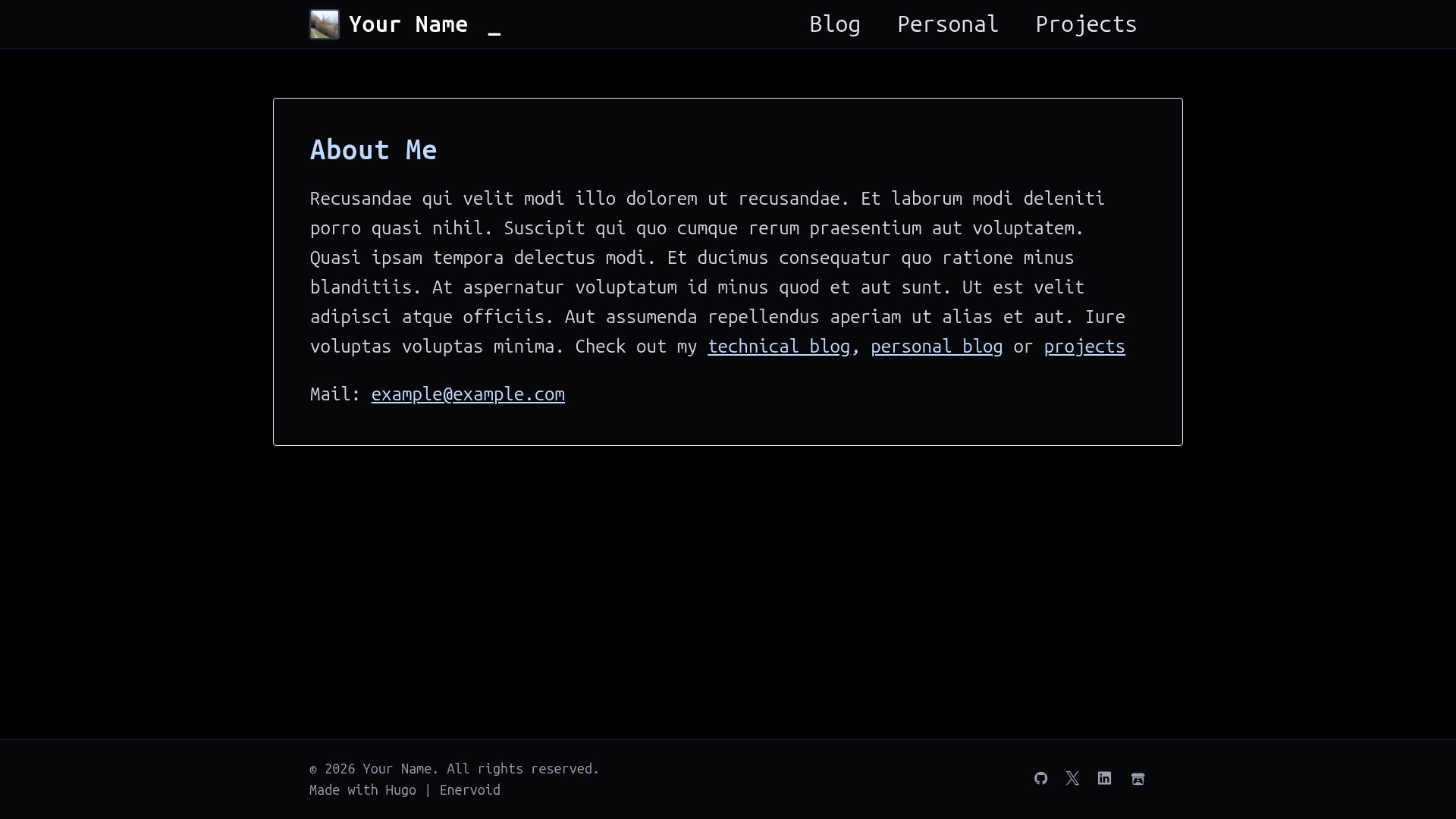
- Black minimalist design — A simple black color scheme with a centered layout for home, blog, personal, and projects pages, as seen in the demo site.
- KaTeX math support — Uses Hugo's Goldmark passthrough extension to render LaTeX math with delimiters like double dollar signs for block equations and single dollar signs for inline math.
- Mermaid diagram rendering — Renders mermaid diagrams directly in Markdown code blocks, enabling flowcharts, sequence diagrams, and more without external services.
- Configurable navigation menus — The example
hugo.tomldefines main menu entries for Blog, Personal, and Projects sections with adjustable weights. - Social icon integration — Supports social links through Devicon and Font Awesome icons (e.g., GitHub, Twitter, LinkedIn, itch.io) configured in the site parameters.
- Example content and configuration — Ships with an example
hugo.toml, blog post templates, personal post templates, and project templates, plus documentation for creating content viahugo new. - MIT licensed — Free to use, modify, and distribute with attribution, per the LICENSE file in the repository.
Who is Enervoid Theme for?
Enervoid Theme is aimed at developers, writers, and academics who want a clean, dark-themed Hugo site without heavy JavaScript. It works well for anyone who needs math notation or diagrams in their posts, such as technical bloggers and researchers.
What can you do with Enervoid Theme?
- Technical bloggers: Write posts with KaTeX math equations and mermaid diagrams using standard Markdown, and have them render as static HTML with Hugo.
- Personal site owners: Build a personal page with an avatar and social links, plus sections for blog posts and a personal journal.
- Portfolio owners: Display projects with GitHub, website, and custom links using the built-in project front matter fields.
How does Enervoid Theme work?
Install the theme by adding it as a Git submodule or cloning it into the themes directory, then copy the example hugo.toml into your site root. Create content with commands like hugo new blog/my-first-post.md or hugo new projects/my-project.md, fill in the front matter, and run hugo server -D to preview. The theme's Goldmark configuration in the TOML file enables KaTeX passthrough and attribute parsing.
FAQ
Is Enervoid Theme free?
Yes, Enervoid Theme is free and open source under the MIT License.
Does Enervoid Theme support KaTeX math?
Yes, it supports KaTeX through Hugo's Goldmark passthrough extension. Block math uses double dollar sign delimiters, and inline math uses single dollar signs, as shown in the example content.
Does Enervoid Theme work with mermaid diagrams?
Yes, mermaid code blocks containing diagram definitions are rendered natively, so you can include flowcharts, sequence diagrams, and other mermaid chart types in your Markdown.
How do I add social icons?
In the hugo.toml file, add entries under the params.socials array, specifying a link and an icon class, such as devicon-github-original for GitHub or fa-brands fa-itch-io for itch.io.
Can I use Enervoid Theme for a personal site?
Yes, the theme includes a Personal section alongside Blog and Projects, so you can create both personal essays and blog posts with the same hugo new command structure.