Template details
Zap
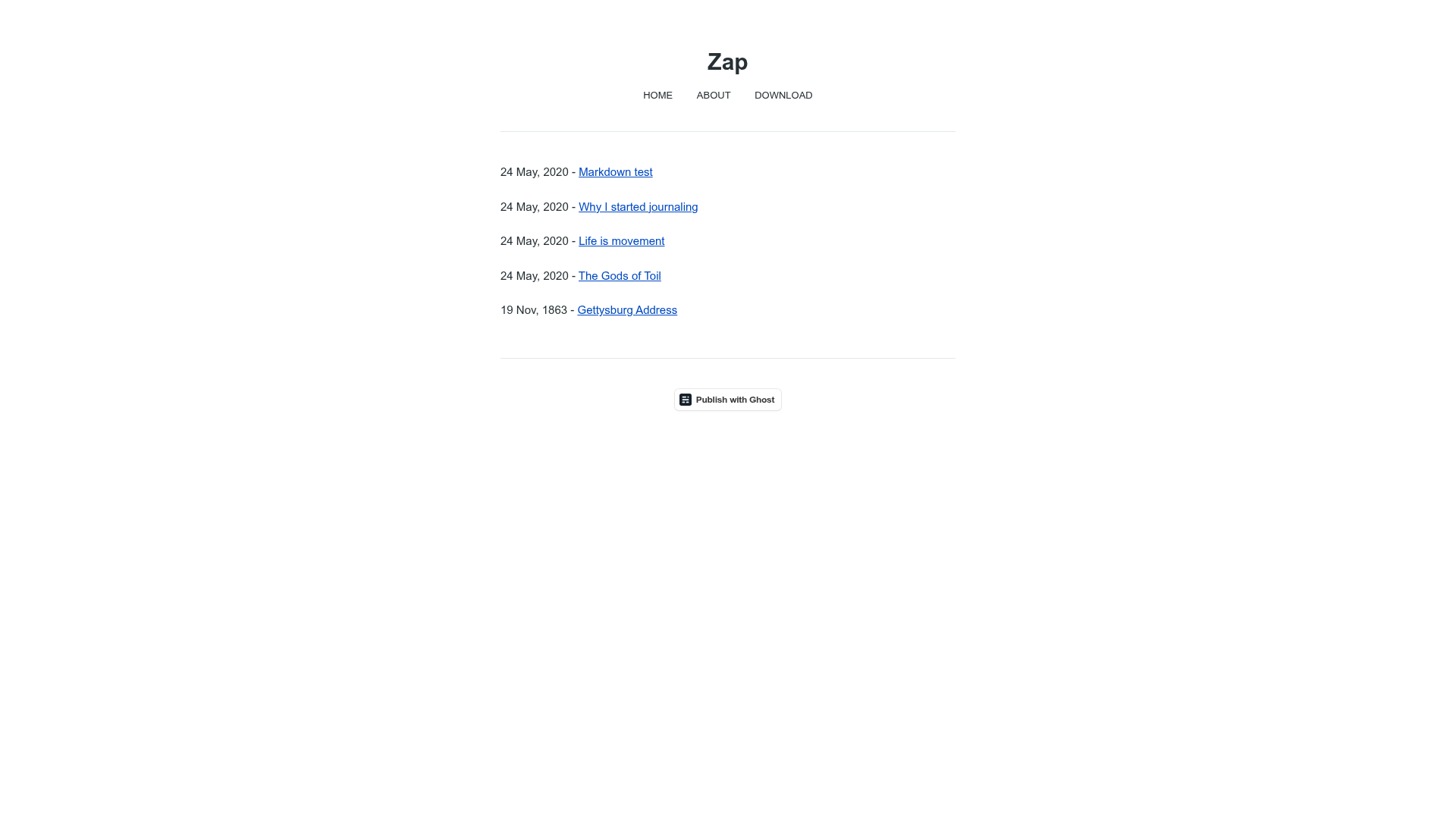
An ultra-minimal, performance-focused Ghost theme that strips away heavy images and scripts to showcase baseline Ghost speed.
About this template
Zap is an ultra-minimal, open-source Ghost theme built by the Ghost Foundation to demonstrate the platform's baseline performance with no heavy images, scripts, or large assets.
What is Zap?
Zap is a minimal, performance-focused theme for the Ghost publishing platform, created by the Ghost Foundation. Its core function is to serve as a demonstration of Ghost's baseline speed by stripping away the overhead of heavy images, scripts, and large assets. The theme takes a standard Ghost blog's content and renders it through Handlebars templates with a single stylesheet, producing a fast-loading site. You can see it live at zap.ghost.io.
Key Features
- Ultra-minimal footprint — The theme contains only the essential Handlebars templates and one stylesheet at /assets/screen.css, with no heavy images or scripts.
- Performance demonstration — Built specifically to showcase Ghost's baseline performance, making it a reference point for speed testing.
- Open source MIT license — Copyright (c) 2013-2026 Ghost Foundation, freely downloadable and modifiable.
- Simple installation — Download the zip from the TryGhost/Zap repository and upload it via the Ghost admin's Design settings.
- Developer-friendly structure — Edit Handlebars templates in the theme root and the stylesheet in /assets/screen.css.
- Built-in compatibility testing — Includes a
pnpm testcommand that checks theme compatibility, along with corepack and pnpm package manager setup. - Official demo — Live preview available at https://zap.ghost.io to see the theme in action.
Who is it for?
- Ghost users who prioritize performance — If you run a Ghost blog and want the leanest possible theme to maximize page speed, Zap offers a no-frills starting point.
- Theme developers — Developers can study or extend a minimal Handlebars codebase and use the included test command to validate changes.
- Performance-conscious publishers — Publishers who want to benchmark Ghost's out-of-the-box speed without third-party asset overhead can use Zap as a control.
What can you do with Zap?
- Create a text-focused blog: Run a bare-bones blog that loads quickly because it contains no images or scripts beyond Ghost's core.
- Build a custom theme: Use Zap as a minimal base and add your own styles or templates, editing the single stylesheet and Handlebars files.
- Benchmark performance: Compare Ghost's baseline loading times by running Zap against feature-heavy themes on the same hosting setup.
How does Zap work?
To install Zap, download the theme zip from the repository, log into your Ghost admin, and upload the file in the Design settings area. Once active, you can edit the Handlebars templates in the theme root and the stylesheet at /assets/screen.css. For development, run corepack enable, pnpm install, and pnpm test to validate theme compatibility.
Pricing
Zap is free to download and use, released under the MIT license.
Alternatives
- Casper — The default Ghost theme that ships with more built-in features and styling than Zap's minimal footprint.
FAQ
Is Zap free to use?
Yes, Zap is open source and released under the MIT license. You can download it from the TryGhost/Zap repository and use it on any Ghost site without paying a license fee.
What platforms does Zap run on?
Zap runs on the Ghost publishing platform, which is a Node.js-based content management system. You install Zap by uploading its zip file in the Ghost admin's Design settings.
Can I customize Zap?
Yes. Zap is intentionally minimal, so you can edit the Handlebars templates in the theme root and the stylesheet in /assets/screen.css. The repository also provides a pnpm test command to check that your changes remain compatible.
Does Zap include images or scripts?
No. Zap is designed to demonstrate Ghost's baseline performance, so it avoids heavy images, scripts, and large assets. It uses only essential Handlebars templates and a single CSS file.
How do I install Zap?
Download the theme zip from the TryGhost/Zap repository, log into your Ghost admin, go to the Design settings area, and upload the zip file. The theme will then be active on your site.