Template details
Slack Bolt with Hono
A TypeScript template for building Slack apps with Bolt and Hono, deployable to Vercel.
About this template
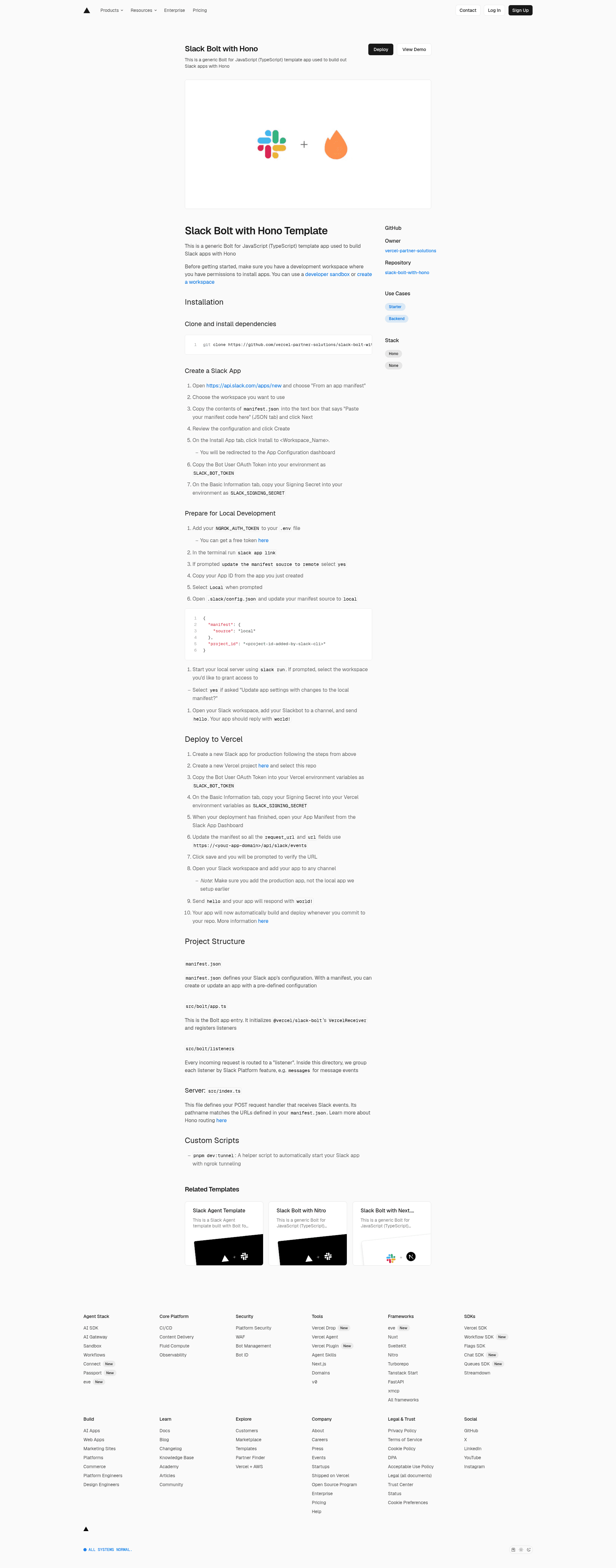
Slack Bolt with Hono is a TypeScript boilerplate from Vercel Partner Solutions that scaffolds a Slack app using the Bolt for JavaScript framework on a Hono server, with one-click deployment to Vercel.
What is Slack Bolt with Hono?
Slack Bolt with Hono is a starter repository for building Slack apps in TypeScript. It takes a Slack app manifest and two environment variables (SLACK_BOT_TOKEN and SLACK_SIGNING_SECRET) as input, and produces a running Slack bot that responds to Slack events. The template runs on Node.js, uses Hono as the HTTP framework, and integrates @vercel/slack-bolt's VercelReceiver to handle Slack's request verification. The project is maintained by Vercel Partner Solutions and is available as a public GitHub repository under the vercel-partner-solutions organization.
Key Features
- TypeScript from top to bottom — the entire app, including listeners and server code, is written in TypeScript and managed with pnpm.
- Hono request handler —
src/index.tsdefines the POST handler that receives Slack events, with routing that matches the URLs declared in the app manifest. - VercelReceiver setup —
src/bolt/app.tsinitializesVercelReceiverfrom@vercel/slack-bolt, which wraps the Bolt app for Vercel's serverless environment. - Grouped listeners —
src/bolt/listenersorganizes event handlers by Slack Platform feature, such as amessagesfolder for message events; the sample listener answers "hello" with "world!". - Manifest-driven configuration —
manifest.jsonholds the app's permissions, scopes, and endpoints, so you create the Slack app by pasting its contents into the Slack API dashboard. - One-click Vercel deployment — the repository includes a Deploy with Vercel button that clones the repo and prompts for the two required environment variables.
- ngrok tunneling script —
pnpm dev:tunnelstarts a helper that automatically launches the app with ngrok for local Slack testing. - Production-ready URL flow — after deployment you update the
request_urlandurlfields in the manifest tohttps://your-app-domain/api/slack/events.
Who is it for?
- Slack app developers who need a minimal, working Bolt for JavaScript starter written in TypeScript rather than setting up the server and event routing from scratch.
- Vercel users who want to host a Slack bot on the same platform as their main application and get automatic builds on every git push.
- Prototypers building on Slack who want to validate a message listener or command locally with ngrok, then promote the same code to production.
What can you do with it?
- Run the sample message flow: install the app in a channel, send "hello", and receive "world!" as a live confirmation that the Bolt receiver, Hono handler, and manifest URLs all work.
- Deploy a production Slack app: create a second Slack app for production, set SLACK_BOT_TOKEN and SLACK_SIGNING_SECRET in Vercel, update the manifest URLs, and push to trigger deployment.
- Add custom listeners: drop new handler files into the listeners directory to support slash commands, shortcuts, or other Slack events, following the existing folder convention.
How does the template work?
The template wires a Slack app manifest to a Bolt listener layer and a Hono HTTP server. During development, the Slack CLI's slack run command starts the server and connects it to ngrok using the NGROK_AUTH_TOKEN in your .env file. For production, Vercel handles the POST requests to /api/slack/events, and the manifest URL fields are changed from the local ngrok domain to your deployed domain.
FAQ
What environment variables do I need to set?
You need SLACK_BOT_TOKEN from the Slack app's Install App page and SLACK_SIGNING_SECRET from the Basic Information tab. For local development, you also need NGROK_AUTH_TOKEN to run the ngrok helper script.
Where does Slack send events to this app?
In production, the app receives Slack events at the /api/slack/events path on your deployed domain. The manifest's request_url and url fields point to this path, which matches the Hono route defined in src/index.ts.
What does the default listener do?
The bundled message listener watches for the word "hello" in a channel and replies with "world!". It is a minimal example that confirms the whole pipeline from Slack to Bolt to Hono to a response.
Can I use this to build a real Slack app?
Yes. The template is designed to be a generic starting point for Bolt for JavaScript apps. You install it as a Slack app, then extend or replace the listeners in src/bolt/listeners with your own event handling.