Template details
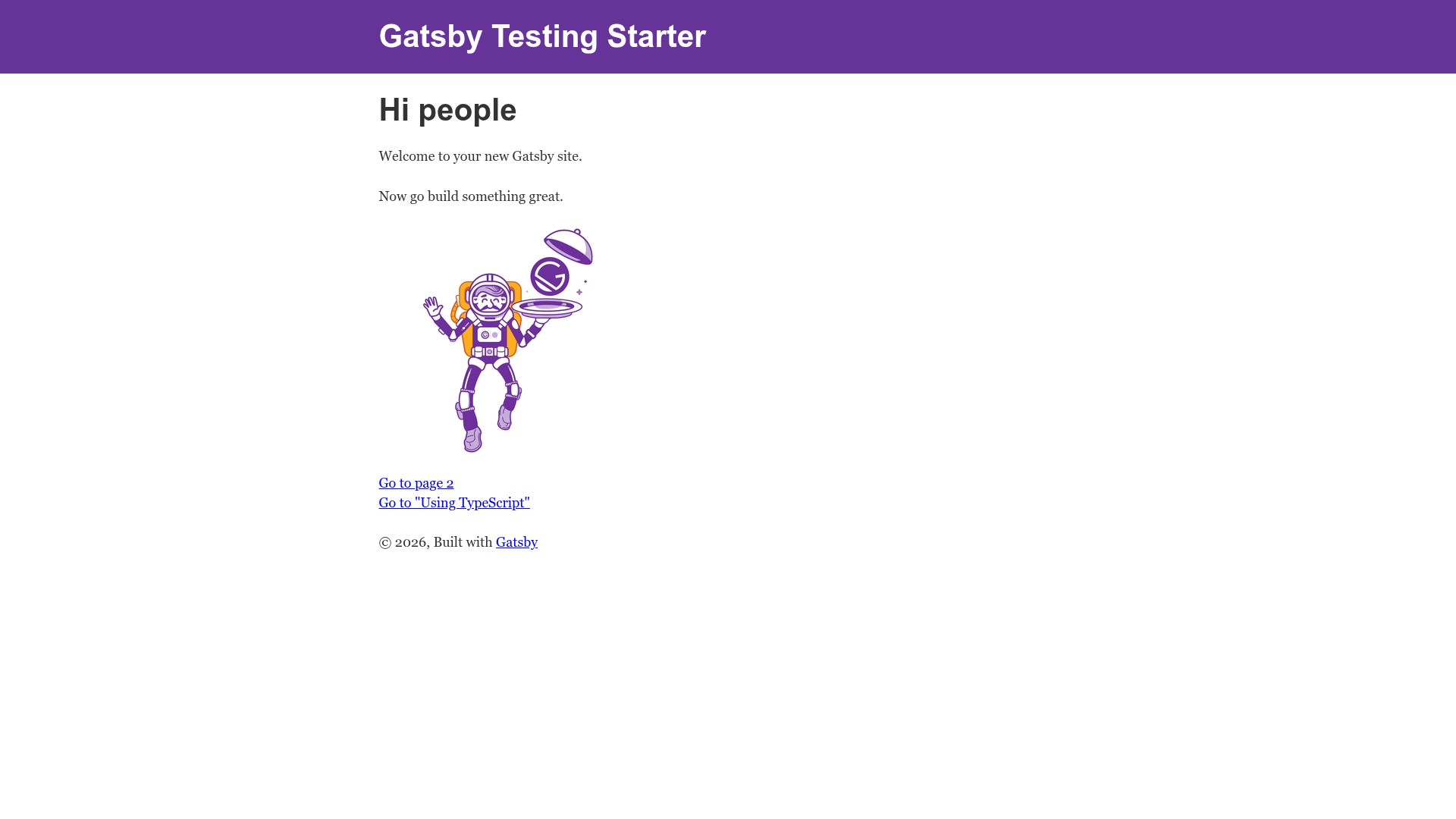
Gatsby Testing Starter
A Gatsby starter with configured testing frameworks and tools for each layer of the Test Pyramid.
About this template
Gatsby Testing Starter is a boilerplate Gatsby starter that ships with preconfigured testing tools for every layer of the Test Pyramid, from Jest unit tests to Cypress end-to-end and visual regression tests.
What is Gatsby Testing Starter?
Gatsby Testing Starter is an open-source Gatsby starter created by DanailMinchev. It takes a blank Gatsby site and produces a project already wired with Jest, React Testing Library, Cypress, axe, Storybook, and image-snapshot tooling, along with CI/CD configuration. It runs on Gatsby, the React-based static site generator, and is installed with the gatsby new CLI command using the GitHub repository URL.
Key Features
- Full Test Pyramid coverage — Unit testing with Jest and React Testing Library, structural testing with Jest snapshot testing, end-to-end testing with Cypress and Cypress Testing Library, accessibility testing with axe and cypress-axe, and automated visual testing through both Storybook with jest-puppeteer and jest-image-snapshot and Cypress with Cypress Image Snapshot.
- GitHub Actions workflows — Workflows are provided for CI, Pull Request, Deploy, and Release; the Release workflow runs all tests, creates a git release tag and GitHub release, and deploys to Netlify UAT using semantic-release.
- Netlify integration — Includes
netlify.tomland npm scripts for local Netlify dev (npm run develop:netlify), live share, and deployments to preview, UAT, and production URLs. - Codecov and FOSSA integration — Jest coverage reports are ready to upload to Codecov with a
CODECOV_TOKENGitHub secret; FOSSA is configured for dependency license scanning. - Git hooks with Husky — A pre-commit hook formats staged files with Prettier and lint-staged, and a commit-msg hook enforces Conventional Commits via commitlint;
npm run commitstarts an interactive prompt. - Docker support for visual testing —
test:e2e:dockerandtest:visual:dockercommands run Cypress and Storybook/Puppeteer inside Docker for consistent screenshots across machines; macOS users run. docker/setupXQuartz.shfirst for the Cypress Test Runner GUI. - Storybook included — A
.storybookconfig directory and astoriesdirectory are set up for writing component stories used by both Storybook and automated visual tests.
Who is it for?
- Developers starting a new Gatsby site who want a testing setup without manually configuring Jest, Cypress, and Storybook.
- Teams using GitHub and Netlify that need CI/CD pipelines with pull request checks, deploy workflows, and release automation.
- Front-end engineers focused on visual regression testing who want both Storybook/Puppeteer and Cypress image-snapshot options.
- Open-source maintainers who want Conventional Commits, semantic-release, code coverage, and PR checks configured out of the box.
Use cases
- Gatsby site developers: run unit and structural tests quickly with
npm run testor in watch mode withnpm run test:watch, and update Jest snapshots vianpm run test:update. - QA engineers: run end-to-end, accessibility, and visual tests through Cypress using
npm run test:e2eafternpm run build, or in dev mode with hot reloading vianpm run test:e2e:dev. - Design-systems engineers: document components in Storybook stories and run
npm run test:visualto catch pixel-level UI regressions with jest-image-snapshot. - DevOps engineers: use the provided GitHub Actions workflows for CI and staged Netlify deployments to preview, UAT, and production environments.
How does it work?
After installing the starter with gatsby new, you run npm ci to install dependencies. Unit and structural tests run with npm run test; end-to-end, accessibility, and visual tests require building the project first with npm run build, then running npm run test:e2e or npm run test:visual. Snapshot updates are available through the :update variants of each command. GitHub Actions workflows trigger CI on push/pull requests, and the Release workflow publishes a new release and deploys to Netlify UAT.
Pros and cons
- Pros: Everything works with plain npm scripts; Docker variants produce consistent visual snapshots; CI, code coverage, and release tooling are included; the project structure has a detailed README explaining every config file.
- Cons: GitHub Actions workflows expect manually created environments (
main_build_environmentandpr_build_environment); Docker e2e commands are macOS-only for the Test Runner GUI and require XQuartz configuration; the full test suite needs a Gatsby build before Cypress and visual tests can run.
Pricing
Gatsby Testing Starter is free and open source under the MIT license.
FAQ
What testing tools are included?
Jest with React Testing Library for unit tests, Jest snapshot testing for structural tests, Cypress with Cypress Testing Library for end-to-end tests, axe with cypress-axe for accessibility, and Storybook with jest-puppeteer and jest-image-snapshot plus Cypress Image Snapshot for visual regression testing.
How do I update snapshots?
Use npm run test:update for Jest snapshots, npm run test:e2e:update for Cypress image snapshots, and npm run test:visual:update for Storybook image snapshots. Docker variants append :docker e.g., npm run test:visual:docker:update.
Is Docker required?
Docker is optional but recommended for automated visual testing because it keeps browser and font rendering consistent. The repo includes docker/ scripts and Dockerfiles; test:e2e:docker and test:visual:docker commands are provided. On macOS, running Cypress in Docker requires XQuartz for the Test Runner GUI.
Does this starter include deployment configuration?
Yes. netlify.toml is included, but the build/deploy process is driven by GitHub Actions workflows rather than Netlify Build. You must set up NETLIFY_AUTH_TOKEN and NETLIFY_SITE_ID secrets, and stop Netlify builds to avoid double deployment.