Template details
Gatsby Theme UltronEle
A Gatsby theme package for UltronEle, an eLearning LMS engine, with a demo site using Yarn workspaces.
About this template
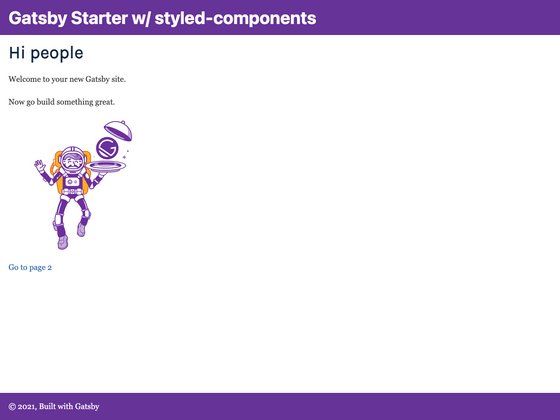
Gatsby Theme UltronEle is a Gatsby theme package that powers the front end of UltronEle, an eLearning LMS engine, and includes a demo site for local development. It is built around Yarn workspaces so the theme and a demo Gatsby site can be developed together in one repository.
What is Gatsby Theme UltronEle?
Gatsby Theme UltronEle is a theme package for the UltronEle eLearning engine, distributed as a GitHub repository by runbytech. The repository contains two main parts: the theme itself in theme/, which provides core framework and page generators, and a demo site in demo/ that installs the theme. The project uses Yarn workspaces, so both parts can be worked on simultaneously and the demo runs locally with a single command.
Key Features
- Theme and demo monorepo — The repository includes a reusable Gatsby theme package and a separate demo site that consumes it, with Yarn workspaces handling dependencies.
- Core framework generators — The
theme/directory holds UltronEle's core framework and page generation code, which the demo site pulls in. - Local demo workspace — Running
yarn workspace demo developstarts a Gatsby development server at http://localhost:8000. - Product Hunt presence — The project has a Product Hunt page (linked in the README) and an official site at ultronele.com.
- Contribution paths — The README defines two contribution tracks: one for ReactJS developers (fork, modify, PR) and one for content producers (submit course materials to be integrated and credited).
Who is it for?
- ReactJS developers — Developers who want to practice React and Gatsby skills can fork the repository, make improvements, and submit a pull request to join the project.
- Course content producers — People with eLearning materials can send PDF, DOCX, images, or videos to the maintainer for inclusion in the product, and may be added to the contributor list.
- Early-stage eLearning product builders — Because UltronEle is in its early cultivation stage, the theme offers a chance to build on a brand-new LMS engine and influence its direction.
What can you do with Gatsby Theme UltronEle?
- Run a ready-made eLearning demo: After cloning and installing dependencies,
yarn workspace demo developserves the demo at localhost:8000 so you can see the theme's templates and structure. - Develop a custom Gatsby theme: Use the theme package as a foundation, modify the page generators in
theme/, and watch changes appear in the demo through Yarn workspaces. - Contribute content to an LMS: Content producers can submit course materials (PDF, DOCX, images, videos) to be reorganized into the product's source files and published with credit.
How does the repository work?
The setup is a Yarn workspaces monorepo. After cloning the repository, install dependencies with yarn. To start the demo site, run yarn workspace demo develop, which launches Gatsby in development mode. The theme and demo are linked through the workspace, so edits to theme files are immediately reflected in the running demo.
FAQ
How do I get the theme running locally?
Fork and clone the repository, run yarn from the root to install dependencies, then run yarn workspace demo develop. The demo site will be available at http://localhost:8000.
What is the benefit of using Yarn workspaces?
With workspaces, the theme package and the demo site are managed in one repository, so you can develop them simultaneously without a separate publishing step. Changes in theme/ are picked up by the demo immediately.
How can I contribute to UltronEle?
For code contributions, fork the repository, make changes, and open a PR. The maintainer can be contacted at lwz7512[at]gmail.com. For content contributions, send course files (PDF, DOCX, images, or videos) to that email.
Is there a live demo available?
The README provides only the local demo instructions; there is no publicly hosted demo link on the page. You can run it yourself at localhost:8000.
![Start UI [web] preview](https://cdn.sanity.io/images/asuw607r/production/82416b588b6dbb99eaa1c693646962928c22b67e-1920x1080.png)