Template details
HugoTube
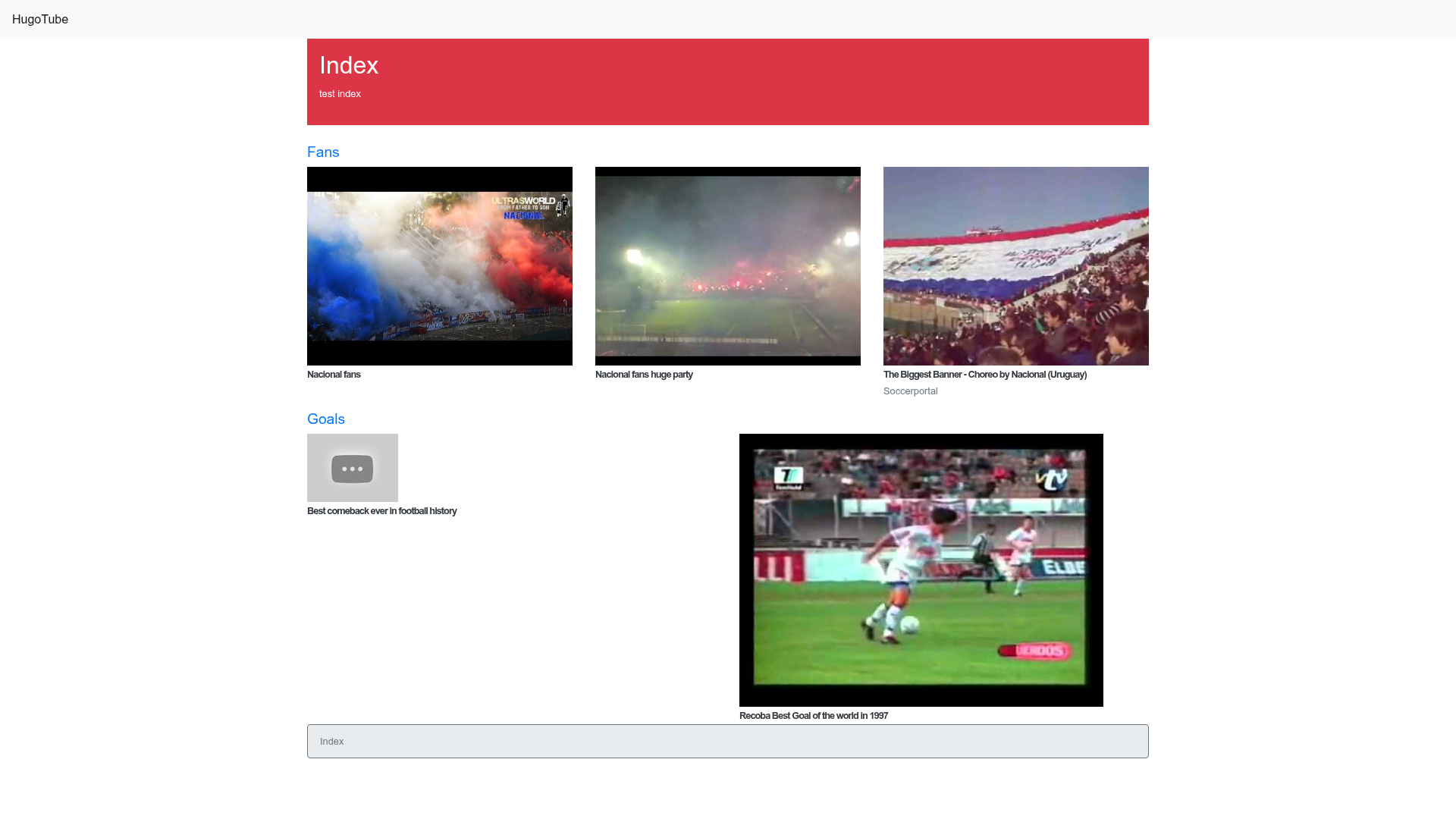
Responsive Hugo theme inspired by YouTube's layout, built with Bootstrap 4.
About this template
HugoTube is a responsive Hugo theme that mimics the YouTube interface, turning a Hugo static site into a video browsing experience. It is built on Bootstrap 4's mobile-first grid and uses Hugo Pipes to compile SCSS and JavaScript assets. The theme is distributed as an open-source repository on GitHub and includes a live demo at https://marcanuy.github.io/hugotube/.
What is HugoTube?
HugoTube is a responsive Hugo theme that replicates the YouTube layout on a Bootstrap 4 grid, providing a ready-made interface for video content. It takes a Hugo site's content pages and renders them in a familiar video-browsing interface, with the styling and asset pipeline handled by the theme. The theme is maintained on GitHub and shows a live demo at https://marcanuy.github.io/hugotube/.
Key Features
- Mobile-first design — Uses the Bootstrap 4 grid system to ensure the layout adapts from phones to desktops.
- Hugo Pipes asset pipeline — Generates a single CSS file from SCSS sources and a single JavaScript file from multiple JS files, eliminating separate build tools.
- Share button options — Choose between static share buttons from sharingbuttons.io or JavaScript-based buttons for Google, Twitter, and Facebook that display share counters.
- Style customization — Override Bootstrap and theme variables by copying
assets/sass/custom_variables.scssandassets/sass/styles.scssinto your site's root and editing them; all Bootstrap variables are available in styles.scss. - Easy installation — Install via git clone or as a git submodule; run
hugo server -t hugotubeto preview the theme locally. - Development workflow — Includes Makefile targets:
make installfor dependencies,make buildfor generating CSS and copying JS libraries, andmake updateto update the Bootstrap dependency.
Who is it for?
HugoTube suits content creators and developers who want a self-hosted video portal without building the UI from scratch. Developers comfortable with Hugo can use it to publish documentation video galleries or personal video collections. Site owners who want a YouTube-like experience but prefer a static site generator for performance and security will find it a practical starting point.
What can you do with HugoTube?
- Video course creators: Publish a curated list of tutorial videos with a familiar YouTube-style layout, using Hugo's content organization for categories and tags.
- Open-source project maintainers: Showcase conference talks and screencasts about the project in a dedicated media section.
- Personal portfolio users: Share a portfolio of video work with share buttons that let visitors spread content on Google, Twitter, and Facebook.
How does HugoTube work?
First, clone the theme into your Hugo site's themes directory using either git clone or git submodule add. Then configure your site to use the theme by setting theme = "hugotube" in your config or by passing -t hugotube to the Hugo server command. The theme's SCSS files are processed by Hugo Pipes at build time, producing the final CSS and JavaScript.
FAQ
Is HugoTube free?
Yes, HugoTube is an open-source Hugo theme hosted on GitHub. You can clone or fork the repository and use it for personal or commercial projects without licensing fees.
How do I change the colors of the theme?
Copy assets/sass/custom_variables.scss from the theme into your own site's assets/sass/ folder, edit the Bootstrap variable values, and rebuild your site with Hugo. The theme uses Hugo Pipes to recompile the SCSS with your overrides.
Does HugoTube work with the latest Bootstrap?
Bootstrap is managed as a package.json dependency, so you can update it by running make update. This pulls the newer Bootstrap version and rebuilds the compiled assets.
What share buttons does HugoTube support?
The theme offers two modes: static share buttons generated by sharingbuttons.io that require no JavaScript, and dynamic JavaScript share buttons for Google, Twitter, and Facebook that include share counters.








![Start UI [web] preview](https://cdn.sanity.io/images/asuw607r/production/82416b588b6dbb99eaa1c693646962928c22b67e-1920x1080.png)