Template details
Gatsby WordPress Balsa Starter
A Gatsby starter for creating blogs from a headless WordPress CMS with the Draftbox Balsa theme.
About this template
Gatsby WordPress Balsa Starter is a Gatsby starter that transforms a headless WordPress blog into a static, front-end website using the Draftbox Balsa theme.
What is Gatsby WordPress Balsa Starter?
Gatsby WordPress Balsa Starter is an open-source Gatsby starter created by Draftbox, designed to replace a WordPress theme with a fast, static front-end. It takes content from a headless WordPress CMS via the WordPress REST API and outputs a fully static Gatsby site with the Balsa theme skin. The starter includes a demo, configuration files for site metadata and WordPress connection, and a build pipeline that generates a deployable static site in the public/ folder. It is maintained by four Draftbox contributors and released under the MIT license.
Key Features
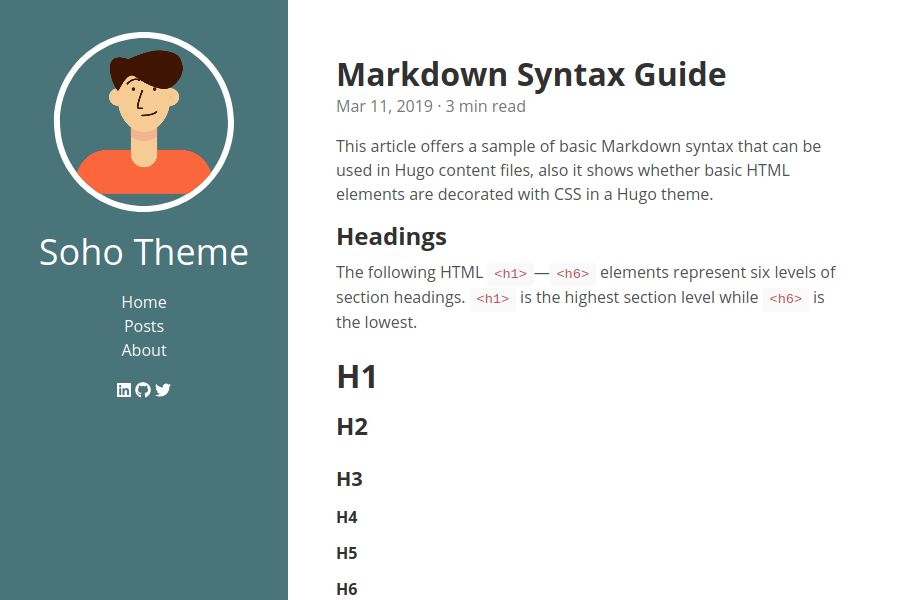
- Balsa theme skin — Includes Draftbox's Balsa design with a responsive layout, a styled 404 page, and a configurable color scheme through
siteConfig.js. - SEO optimized — Comes with meta title and description overrides, a generated sitemap.xml, and adjustable share image dimensions (defaults: width 1000, height 523).
- Gatsby images — Uses Gatsby's image plugin for optimized, responsive images sourced from WordPress media.
- RSS and Sitemap — Automatically generates RSS feed and sitemap endpoints, linked in the site footer navigation.
- AMP pages — Supports generating Accelerated Mobile Pages alongside standard pages.
- Forms and social sharing — Includes a contact form with success message, a subscribe widget with title, help text, and success message, plus social links for Twitter, Facebook, Instagram, LinkedIn, and GitHub.
- Analytics and comments — Pre-configured to integrate Google Analytics, Segment, and Disqus.
- Composable and extensible — The starter's configuration files separate site settings, WordPress connection, and content routes, making it easy to extend.
Who is it for?
- WordPress bloggers who want a faster front-end without redesigning their site; they keep writing in WordPress and get a static Gatsby site in front.
- Gatsby developers who need a starting point with WordPress as the back end, including a working WordPress REST query setup and a configured build process.
- Agencies and freelancers who build client blogs and want a pre-wired package with contact forms, analytics, and SEO defaults already in place.
What can you do with it?
- Self-hosted WordPress site owners: set your domain in
.wordpress-config.json(baseUrl and protocol) and the starter fetches posts, pages, media, tags, categories, taxonomies, and users. - WordPress.com users: add the extra authentication keys documented for gatsby-source-wordpress to the configuration and source content from a hosted WordPress.com blog.
- Static site deployers: run
gatsby buildand copy the generatedpublic/folder to any web server; the build locale is set through the command-line workflow.
How does it work?
- Install the starter with
gatsby new wp-starter https://github.com/draftbox-co/gatsby-wordpress-balsa-starter. - Edit
siteConfig.jsto set siteUrl, title, meta description, navigation, social links, and widget text. - Update
.wordpress-config.jsonwith your WordPress base URL and protocol; sethostingWPCOMto true if using WordPress.com. - Run
gatsby developto preview locally, thengatsby buildto generate the static site in thepublic/directory.
FAQ
Is Gatsby WordPress Balsa Starter free?
Yes, it is released under the MIT license by Draftbox, so it is free to use, modify, and deploy for personal or commercial projects.
Do I need WordPress on my own server to use it?
For self-hosted WordPress, you only need your site's base URL and the enabled REST routes. For WordPress.com, you need additional keys; the README points to the gatsby-source-wordpress documentation for those details.
What configuration files do I need to edit?
Two main files: siteConfig.js for site metadata, navigation, and widgets, and .wordpress-config.json for the WordPress connection parameters and included routes.
Does the starter generate a sitemap and RSS feed?
Yes, it includes a sitemap and RSS feed; the footer navigation example in the README links to /sitemap.xml and /rss.xml.