Template details
GitHub Pages No-Header
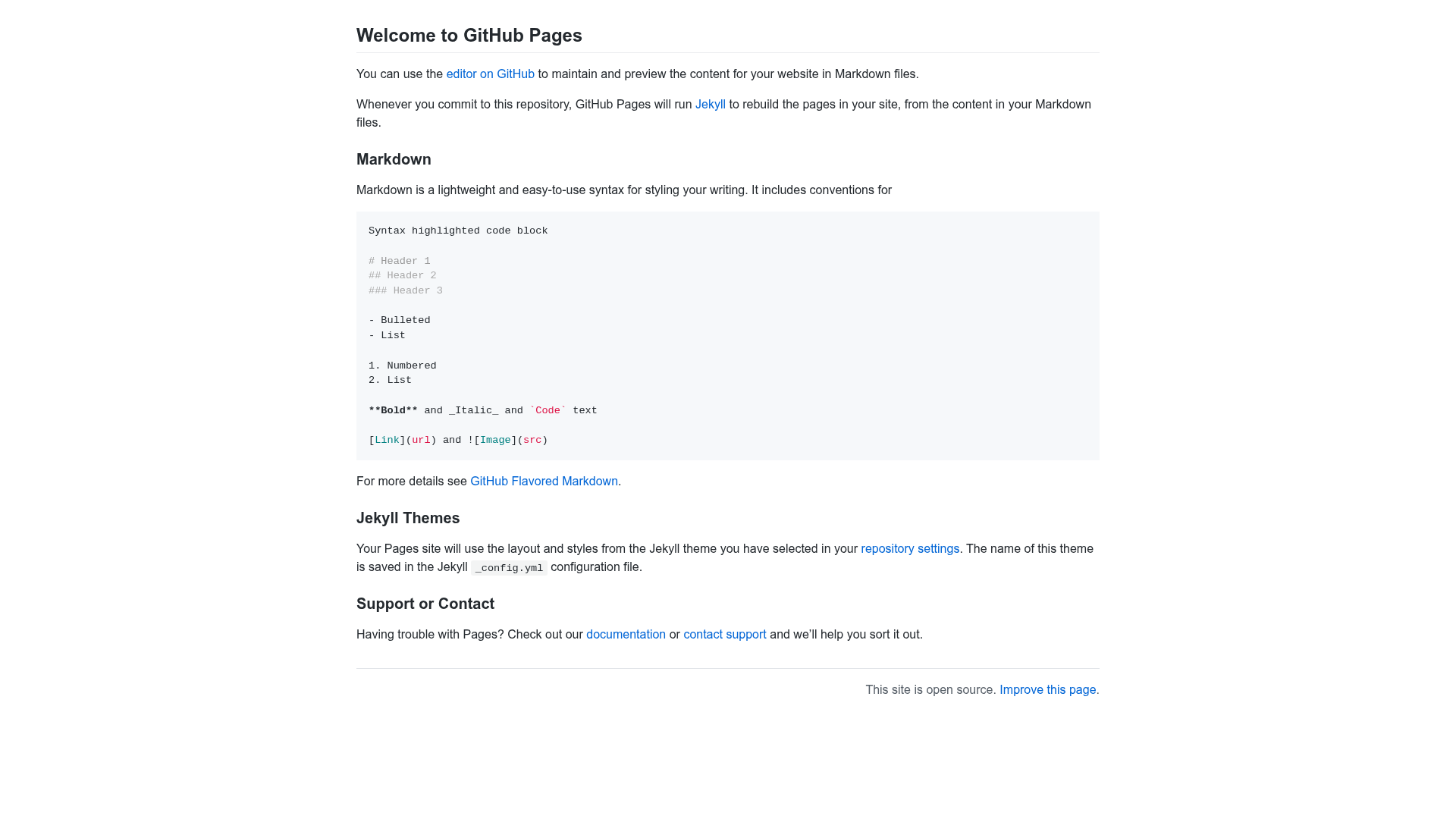
GitHub Pages default theme (Primer), but without the default repository name header.
About this template
GitHub Pages No-Header is a Jekyll theme for GitHub Pages that modifies the default Primer theme by removing the repository name header from the top of the page, giving your site a cleaner presentation.
What is GitHub Pages No-Header?
GitHub Pages No-Header is a Jekyll theme built for GitHub Pages. It is a variation of the official Primer theme (maintained by the pages-themes organization) and its single core function is to hide the header that automatically displays the repository name on a GitHub Pages site. You apply it to a GitHub Pages repository and it outputs the same Primer-styled page without the header band. The theme itself runs on GitHub Pages through Jekyll, so no separate build environment is required. The workaround is credited to a GitHub Support Community post by user nickcannariato.
Key Features
- Header removal — The default Primer header with the repository name is omitted, making the page start directly with the site content.
- Primer foundation — All other styling, typography, and layout come from the standard Primer theme, so your pages look exactly like Primer except for the missing header.
- Jekyll compatibility — The theme is a Jekyll theme, so it can be enabled in the
_config.ymlfile of any Jekyll-powered GitHub Pages site. - Drop-in replacement — You can switch an existing Primer-based site to this theme without changing your content or layout files.
- Community-sourced solution — The removal method originated from a GitHub Support Community discussion, showing a known workaround for the default theme's header.
Who is it for?
GitHub Pages users who want to eliminate the redundant repository-name banner and start their page with actual content. It is especially useful for developers who maintain a project documentation site on GitHub Pages and prefer a quieter top edge. It also suits personal homepage authors who want a clean, text-first design without the default header.
What can you do with it?
- Personal landing pages: Publish a GitHub Pages site that leads with your bio or content instead of the repository name.
- Project documentation: Host a project wiki or README-style site where the title and navigation sit at the very top of the viewport.
- Portfolio showcase: Create a minimal portfolio page that looks like the default Primer theme but without the persistent header.
How does it work?
The theme is essentially the Primer theme with a modification that hides the header element. To use it, you set it as your site's theme in GitHub Pages, either by selecting it in the repository settings or by specifying it in the Jekyll configuration file. Once active, the page renders with the same Primer CSS but the header is absent.
Alternatives
The original Primer theme is the direct alternative, and it shows the conventional repository-name header. Other official GitHub Pages themes like Minimal offer a similarly plain layout but with their own design details.
FAQ
Is GitHub Pages No-Header free?
Yes, the theme is open source and available on GitHub, and it works with the free tier of GitHub Pages hosting.
Does the theme work with any Jekyll site?
The theme is designed for Jekyll sites hosted on GitHub Pages. If you are using Jekyll elsewhere, you can still apply it, but you will need to configure the theme yourself.
What is the difference between this theme and the default Primer theme?
The only difference is the removal of the top header that displays the repository name. All other styling and layout are identical to Primer.
How can I install this theme?
In GitHub Pages, you can set the theme by editing the _config.yml file and adding a line that names this theme as your Jekyll theme. Alternatively, you can fork the repository and adjust it to your needs.