Template details
Matty's Resume
Free LaTeX resume template for students, a customizable alternative to Jake's Resume.
About this template
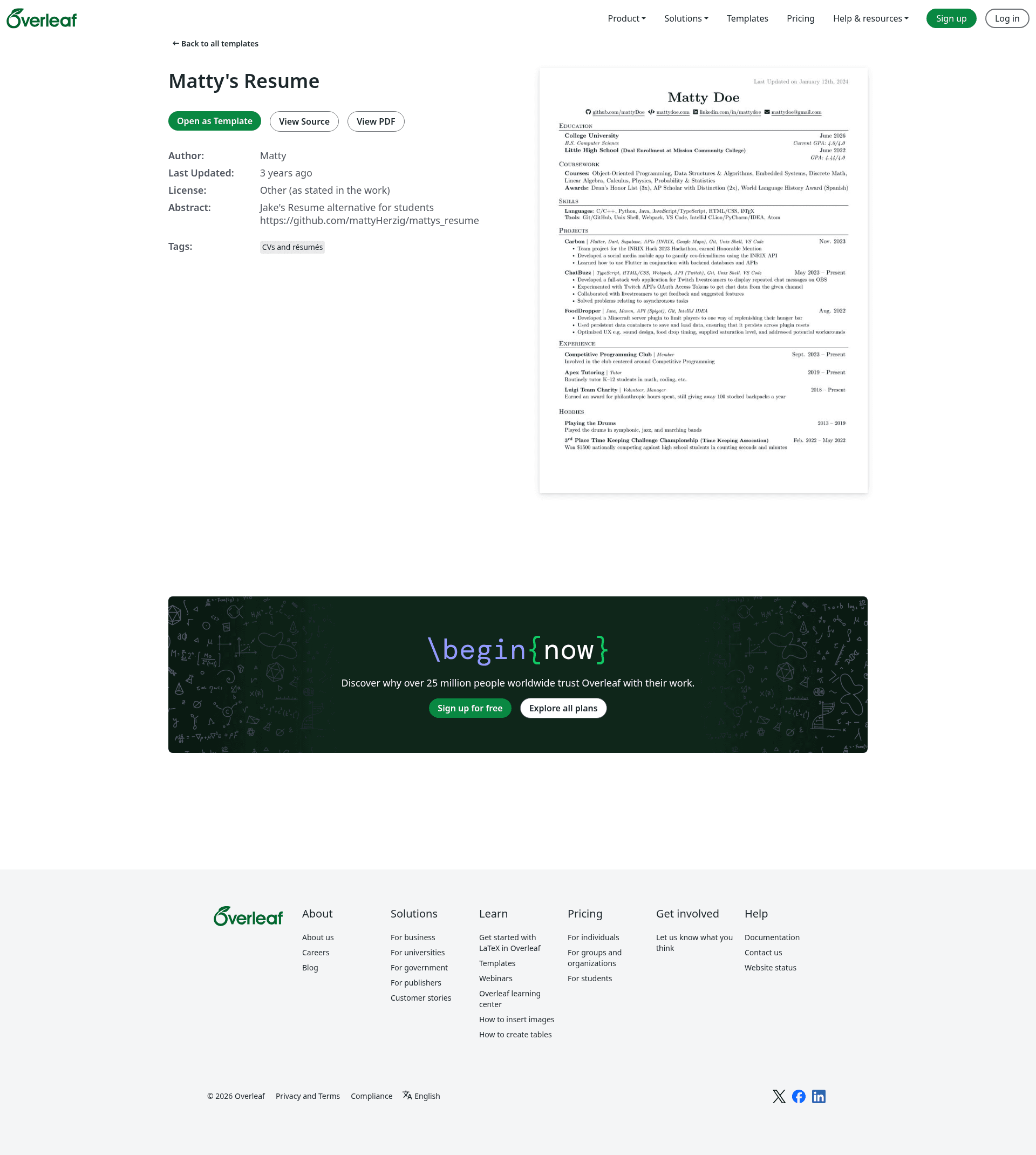
Matty's Resume is a free, open-source LaTeX resume template for students, derived from Jake's Resume, that turns resume content into a polished one-page PDF via Overleaf.
What is Matty's Resume?
Matty's Resume is a LaTeX-based resume template created by Matty Herzig as an alternative to Jake's Resume for students. It takes resume content written in LaTeX and produces a clean, one-page PDF resume. The template is hosted on GitHub and can be viewed and edited directly on Overleaf through the provided read-only link. It uses the fontawesome5 package for website icons and xcolor for a "Last Updated" date.
Key Features
- Font Awesome icons — Uses the fontawesome5 package to create symbols for linked websites like GitHub and LinkedIn, without separator lines.
- Last Updated section — Adds a top-right "Last Updated" field using the xcolor package.
- Section reordering — Skills are placed below Education (recommended by a Google recruiter) and Experience at the bottom, but all sections can be moved with
\vspace{}adjustments. - Coursework sub-section — Education includes a dedicated sub-section for Relevant Coursework, ideal for students with limited work history.
- Hobbies section — A separate section for interests that don't fit under Experience.
- Concise Experience section — Uses project-style formatting to list roles such as "Member, Manager" for club activities.
- Flexible editing — Frameworks and libraries are commented out by default, so you can uncomment only what you've used.
- LaTeX skills demonstration — Uses the
\LaTeXcommand to show off LaTeX proficiency.
Who is it for?
- Undergraduate students — especially in CS or related fields, who need a resume that highlights projects and coursework over limited work experience.
- Students applying for internships — can use the template to create a one-page resume that emphasizes relevant coursework and projects.
- LaTeX users — comfortable editing .tex source files and compiling on Overleaf.
What can you do with it?
- Customize sections: Rename or reorder sections like Skills, Experience, and Education to match your background.
- Add or remove content: Uncomment frameworks and libraries you know, or delete sections you don't need.
- Highlight coursework: Use the Education-coursework sub-section to list relevant classes with shortened names.
- Maintain a professional look: The template includes icon symbols, a last-updated date, and a clean layout.
How does it work?
Clone or download the repository from GitHub, then open the .tex file in Overleaf using the provided read-only link. Edit the content in the source, adjust spacing with \vspace{}, and compile to generate a PDF resume.
Alternatives
- Jake's Resume — the original template that Matty's Resume is based on, with more traditional formatting.
- Google Docs template — created by the same author, for users who prefer a word processor.
FAQ
Is Matty's Resume free?
Yes, the template is open source and freely available on GitHub.
How do I use it on Overleaf?
Open the provided Overleaf read-only link, create your own copy, and edit the .tex source file. Compile to generate your PDF resume.
Do I need LaTeX experience?
Basic familiarity with LaTeX helps, but the template is well-commented and you can start by editing the text between tags.
Can I change the order of sections?
Yes, sections are clearly marked and can be reordered; the README suggests using \vspace{} for spacing adjustments.
Is the resume template one page?
The template is designed for a one-page resume, and the README includes tips for keeping it to one page.