Template details
Gruvhugo
Minimal Hugo theme based on the Gruvbox color scheme with light/dark themes, fast and customizable.
About this template
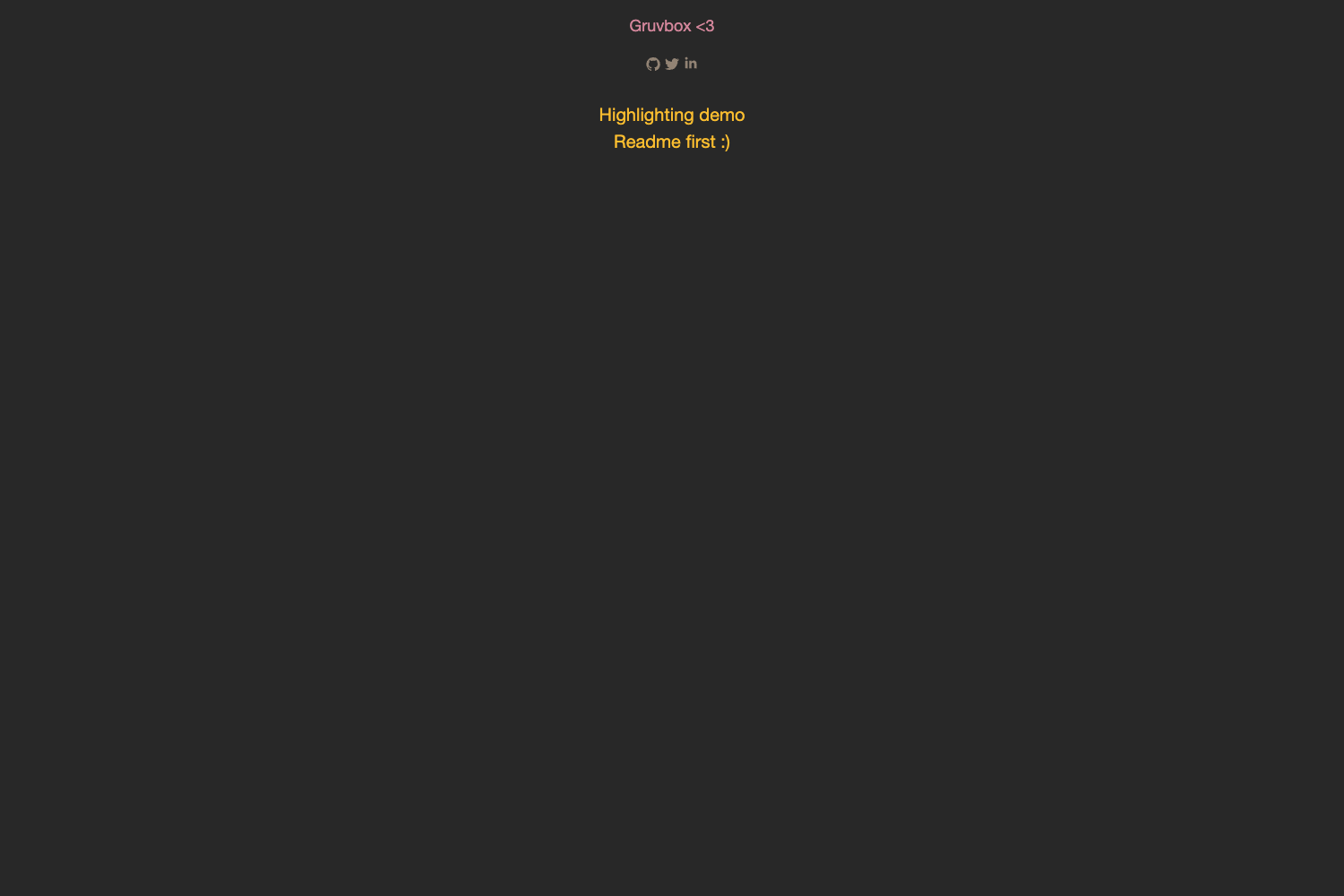
Gruvhugo is a minimal Hugo theme that implements the Gruvbox color scheme, turning Markdown content into a fast, responsive static site with persistent light and dark modes.
What is Gruvhugo?
Gruvhugo is an open-source Hugo theme created by Abraham Raji, hosted on GitLab at gitlab.com/avron/gruvhugo. It is based on the Gruvbox color scheme designed by Pavel Pertsev. The theme takes standard Hugo site content — Markdown files, archetypes, and a config.toml — and outputs a static website with a clean, minimal interface. It is distributed under the GPL v3 license and can be installed as a Git submodule into any Hugo project.
Key Features
- Minimal design — The theme strips away non-essential elements, prioritizing content readability.
- Fast performance — The lightweight layout and asset pipeline keep page loads quick.
- Persistent theming — Visitors can choose between light and dark color themes, and the selection persists across sessions.
- Clean UI — The interface uses the Gruvbox palette consistently across typography, borders, and backgrounds.
- Intuitive navigation — A straightforward menu structure is included and fully customizable.
- High customizability — All visible text, images, and menu items are editable; the theme includes an
exampleSitewith aconfig.tomlfor reference. - Fully responsive — Layouts adapt to mobile, tablet, and desktop viewports.
- Social media icons — Built-in support for linking social profiles from the site.
The theme's source is organized into standard Hugo directories: archetypes, assets/sass, layouts, and static/img. Styles are written in SCSS and compiled through Hugo's asset pipeline. The repository also includes a .gitlab-ci.yml for continuous deployment via GitLab CI, and screenshots in the README demonstrate both light and dark themes using WebP images.
Who is Gruvhugo for?
- Personal bloggers — Publish Markdown posts that render in a clean, responsive layout with minimal distraction.
- Developers who love Gruvbox — Use the theme as a starting point and fork it to match the Gruvbox aesthetic in their own projects.
- Portfolio site owners — Showcase projects and about pages with a compact, visually consistent design.
What can you do with Gruvhugo?
- Blog writers: Create a new Hugo site, add the theme as a submodule, and start writing posts in Markdown — the theme handles rendering, navigation, and social links.
- Designers: Modify the SCSS variables in
assets/sassto tweak colors and spacing, or replace the customizable avatar and images instatic/img. - Developers: Extend the theme by editing layouts in
layouts/or add new archetypes toarchetypes/to define content templates.
How does Gruvhugo work?
Installation is done by adding the repository as a Git submodule with git submodule add https://gitlab.com/avron/gruvhugo.git, then copying or referencing the configuration from exampleSite/config.toml. Hugo compiles the theme's partials, templates, and SCSS into a static site that can be deployed to any static host or via the included GitLab CI pipeline.
Pros and cons
- Pros: Free under GPL v3; fast and minimal; highly customizable; fully responsive; includes light and dark themes.
- Cons: The README notes no specific drawbacks; as a niche theme, community support may be limited.
Pricing
Gruvhugo is free and open source, released under the GPL v3 License.
FAQ
Is Gruvhugo free?
Yes, Gruvhugo is released under the GPL v3 license, so it is free to use, modify, and distribute.
How do I install Gruvhugo?
Add it as a Git submodule: git submodule add https://gitlab.com/avron/gruvhugo.git inside your Hugo site's directory, then configure your site using the example in exampleSite/config.toml.
What color schemes does Gruvhugo support?
The theme implements the Gruvbox color scheme, with persistent light and dark variants that visitors can toggle between; the chosen theme is remembered across browsing sessions.
Can I customize the text and images?
Yes, the README states that every piece of text, the pictures, and the menu are customizable, allowing you to adapt the theme to your own content.