Template details
Hexo Theme MengD
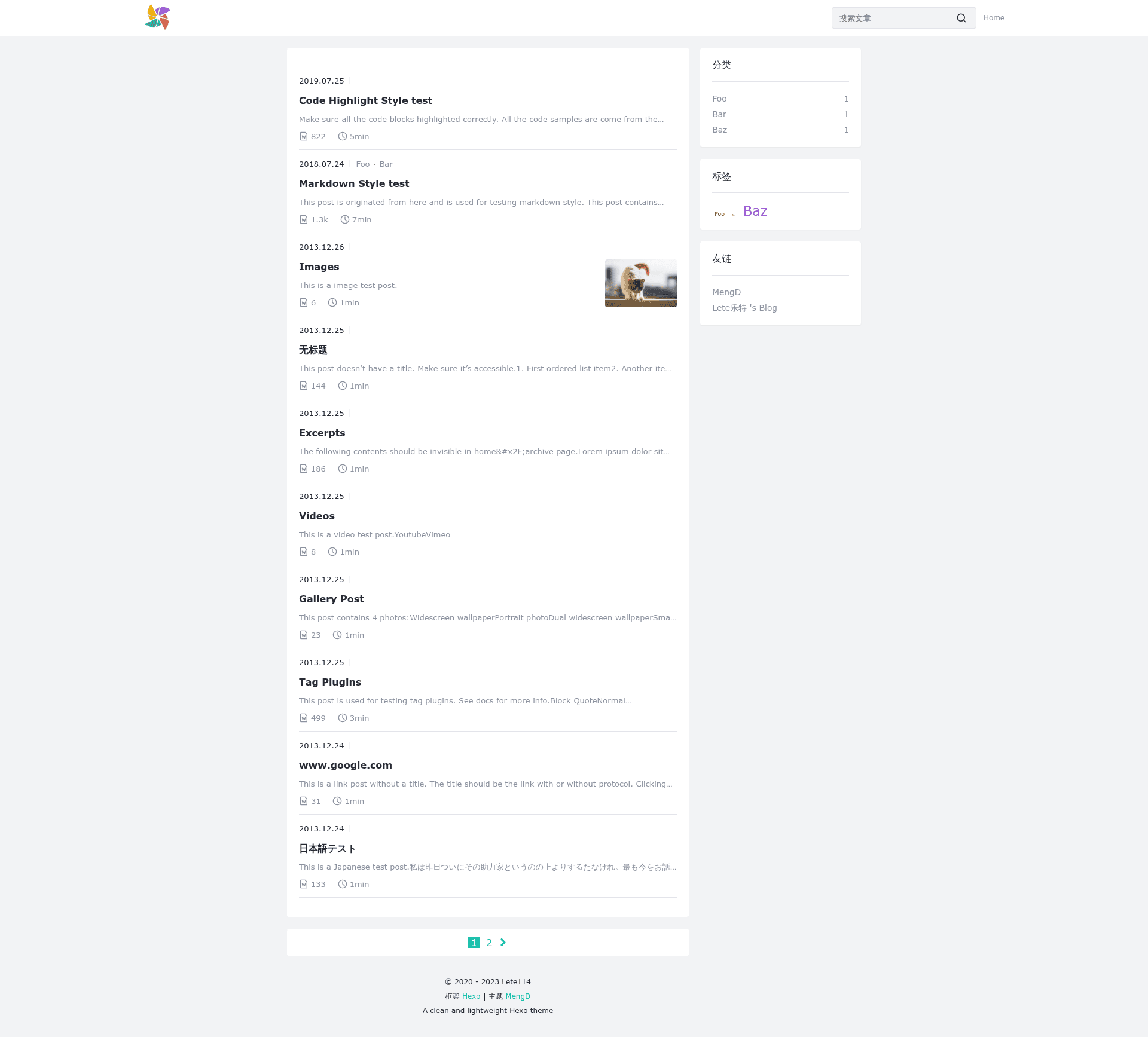
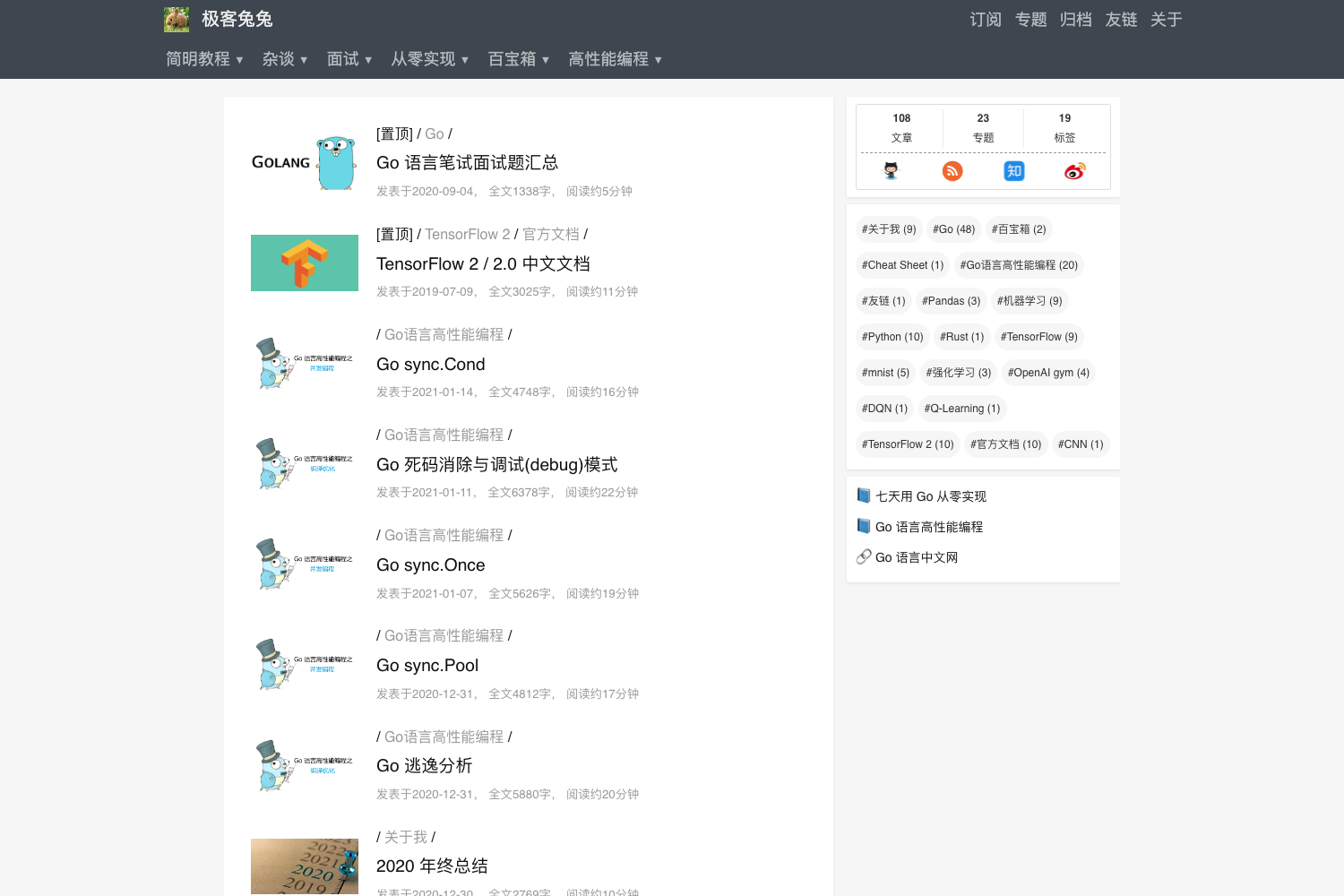
A simple, lightweight Hexo theme with PJAX and comment system integrations.
About this template
Hexo Theme MengD is a clean, lightweight theme for the Hexo static site generator that converts Markdown posts into a fast, minimal blog with PJAX navigation and pluggable comment systems.
What is Hexo Theme MengD?
Hexo Theme MengD is a free, open-source blog theme designed for Hexo, the Node.js-based static site generator. It takes Markdown source files and generates a static HTML website with a minimal, clean layout. The theme is developed by Lete114 and distributed via both npm (hexo-theme-mengd) and GitHub, with a live preview at https://mengd.js.org/. It is built on Stylus for styling, so customizing the look means editing Stylus files rather than CSS.
Key Features
- Lightweight and fast — The theme is described as simple and lightweight, with no heavy JavaScript frameworks, and it ships with PJAX support for smooth, instant page transitions.
- Multiple comment systems — Integrates Twikoo, Valine, and Waline out of the box, so you can pick a comment backend without writing custom code.
- Search integration — Works with hexo-generator-search to add a search feature; you need to install that plugin along with hexo-wordcount for word-count display.
- Simple installation — Installable with one npm command (
npm install hexo-theme-mengd) or by cloning the GitHub repository into your theme folder. - Straightforward configuration — All theme settings live in a dedicated
_config.hexo-theme-mengd.ymlfile placed in your Hexo root, separate from the global Hexo config. - Easy updates — Update via
npm install hexo-theme-mengd@latestorgit pullin the theme directory. - Active community — The project maintains a QQ Group (812028613) for user support, and the repository has around 100 stars, indicating a small but engaged user base.
Who is it for?
- Hexo bloggers who want a minimal, no-frills theme that loads quickly and focuses on content rather than decoration.
- Developers who like styling freedom — Because the theme uses Stylus, users comfortable with preprocessors can easily adjust variables and components to match their brand.
- Self-hosted comment users — People who prefer self-hosted comment systems like Waline or Valine over third-party services like Disqus will find the built-in support convenient.
Use cases
- Personal tech blogs: publish Markdown articles with code highlighting and word counts, and add a client-side search box powered by hexo-generator-search.
- Portfolio or project journals: use the clean layout to present write-ups and progress logs with a lightweight comment section for feedback.
- Minimal documentation sites: while originally a blog theme, its simplicity can serve small docs or knowledge bases where only essential navigation and search are needed.
How does Hexo Theme MengD work?
Set up is a three-step process: first install the theme via npm or git clone, then change the theme field in _config.yml to hexo-theme-mengd, and finally create a _config.hexo-theme-mengd.yml file from the default config found in the repository. You also need to install hexo-generator-search and hexo-wordcount to enable search and reading-time features. After that, Hexo builds your Markdown into static pages using this theme.
Pricing
Hexo Theme MengD is free and open source. There are no paid tiers or premium features, and the full source code is available on GitHub under the repository linked in the README.
Alternatives
- Hexo NexT — a popular, more feature-rich Hexo theme with a variety of layout styles and built-in widgets.
- Hexo Butterfly — another widely used Hexo theme that offers more visual customization options and richer card-style designs.
FAQ
Is Hexo Theme MengD free?
Yes, it is completely free and open source. You can install it locally, modify it, and use it for any project without paying a license fee.
What comment systems does it support?
The theme supports Twikoo, Valine, and Waline. You can enable one of these comment backends via the theme configuration file, and each has its own setup instructions in the respective plugin documentation.
Do I need extra plugins for search and word count?
Yes. To use the built-in search feature, install hexo-generator-search; for word-count statistics, install hexo-wordcount. Both are npm packages and are recommended by the theme's quick-start guide.
How do I update the theme?
If you installed via npm, run npm install hexo-theme-mengd@latest in your Hexo directory. If you cloned from GitHub, run git pull inside the theme/hexo-theme-mengd folder to fetch the latest changes.
Does the theme work without JavaScript?
The theme uses PJAX for page transitions, which requires JavaScript. Disabling JavaScript will cause navigation to fall back to normal full-page reloads; the core content still renders because the theme is server-generated static HTML.