Template details
hexo-theme-saas
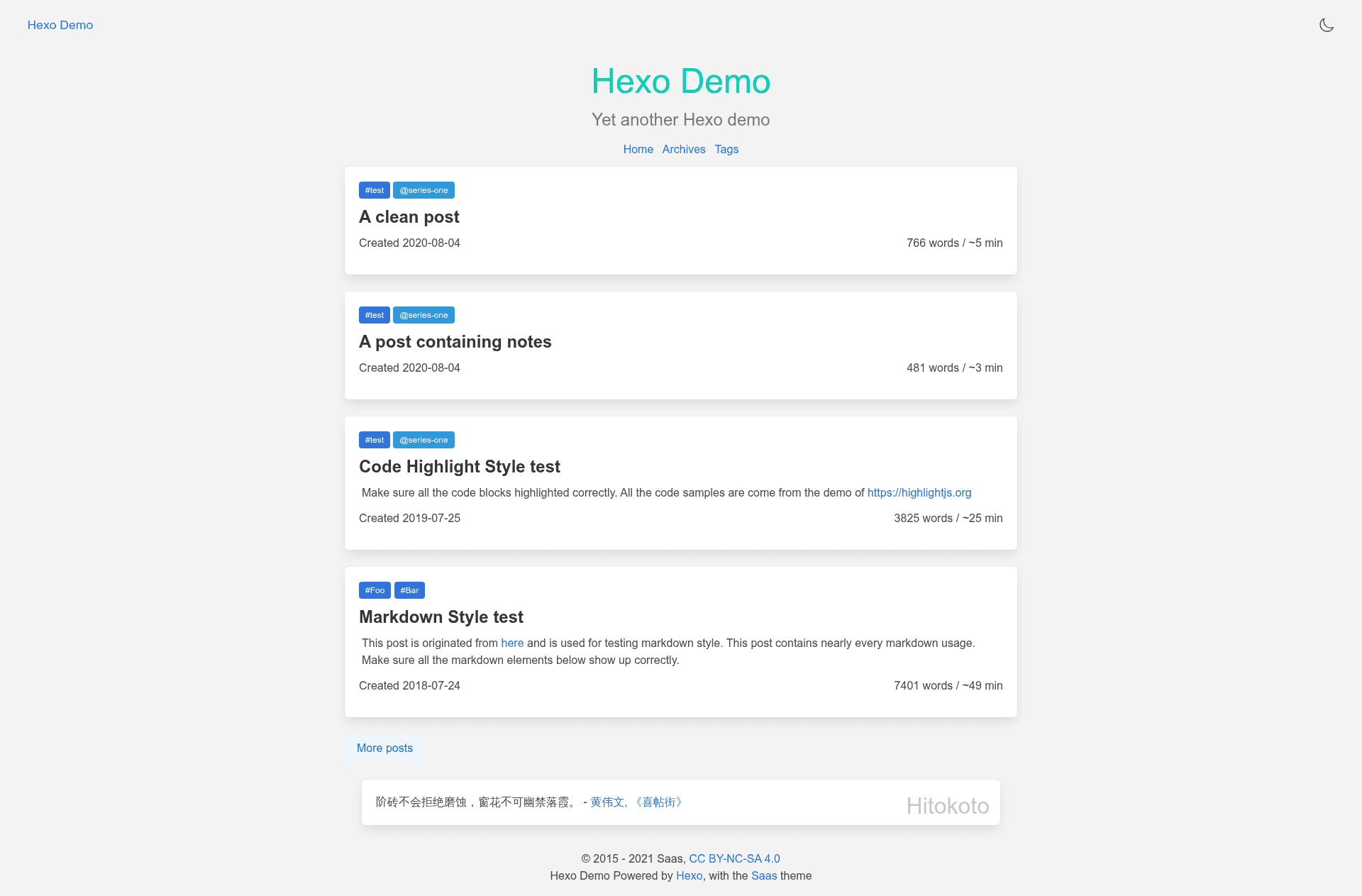
A simple, awakening and sass-based Hexo theme.
About this template
hexo-theme-saas is a simple, Sass-based theme for the Hexo static site generator, built for bloggers who want a lightweight, customizable site with comment and webmention support.
What is hexo-theme-saas?
hexo-theme-saas is an open-source Hexo theme that uses Sass for styling and EJS for templating, producing a static blog from a standard Hexo project. It takes a Hexo site as input and outputs a fully rendered HTML blog. The theme is authored by Outloudvi and released under the MIT license. The project is deprecated by its maintainer, who states they no longer use it personally.
Key Features
- Sass-based styling — The theme's stylesheets are written in Sass, so you must install the
hexo-renderer-sassplugin to compile them. - EJS templating — Layouts use Embedded JavaScript (EJS), and custom components live under
layout/_custom/as.ejsfiles. - Comments support — Enable the feature by setting
features.commentstotruein_config.yml, then editlayout/_custom/comments.ejsto insert your own comment box. - Webmention and pingback — Configure
features.linkbackPostOnly,features.webmention, andfeatures.pingbackto connect webmention.io endpoints; a sample submission logic is provided inlayout/_custom/webmention.ejs. - Flexible installation — For Hexo 5.0.0+, install via
npm install hexo-theme-saas hexo-renderer-sassoryarn add; all Hexo versions can usegit clone https://github.com/outloudvi/hexo-theme-saas.git themes/saas. - Independent pagination — The theme does not use
hexo-generator-index'sindex_generatorsettings, so pagination is handled by the theme itself. - MIT licensed — Free to use, modify, and distribute under the MIT License.
Who is it for?
- Hexo bloggers seeking a minimal design — Install the theme and set
theme: saasin_config.ymlto get a lightweight Sass-based blog layout. - Developers who want custom comment integration — Use the provided
comments.ejsstub to embed any comment system by editing the template. - IndieWeb enthusiasts — The built-in webmention and pingback templates make it straightforward to add webmention.io endpoints to a personal blog.
What can you do with hexo-theme-saas?
- Launch a blog quickly — Run the npm or git install command, set the theme in
_config.yml, and start writing posts with the Sass-based layout. - Integrate a custom comment box — Enable
features.commentsand editlayout/_custom/comments.ejsto embed your preferred comment service. - Enable webmention and pingback — Set the feature flags and edit
layout/_custom/webmention.ejsto display incoming webmentions, with sample submission logic included.
How does hexo-theme-saas work?
Installation requires a Hexo site and the hexo-renderer-sass plugin; then you activate the theme by setting theme: saas. The theme reads the site's _config.yml for feature flags, compiles its Sass files, and renders EJS layouts, producing static HTML. Custom components are edited in layout/_custom/ and feature toggles control whether comments and linkback features appear.
FAQ
Is hexo-theme-saas still maintained?
No, the project is deprecated. The author explicitly states they don't use it anymore, so it's not actively developed. You can still install and use it, but there won't be updates.
Can hexo-theme-saas be used for a SaaS website?
No. Despite the name, the theme is not for Software as a Service. The README clarifies it's a simple blog theme for Hexo.
Does hexo-theme-saas support categories?
No, the theme currently does not support categories. This is stated as a known limitation in the README.
How do I add comments to a hexo-theme-saas blog?
Set features.comments to true in your _config.yml, then edit layout/_custom/comments.ejs to insert your own comment box markup. The theme doesn't ship with a built-in comment system.
How do I install hexo-theme-saas on Hexo 5.0.0+?
Use npm install hexo-theme-saas hexo-renderer-sass (or yarn add), then set theme: saas in _config.yml. For other Hexo versions, clone the repository into themes/saas and install hexo-renderer-sass separately.
The theme's live demo is available at Demo.