Template details
Kiera Theme for Hugo
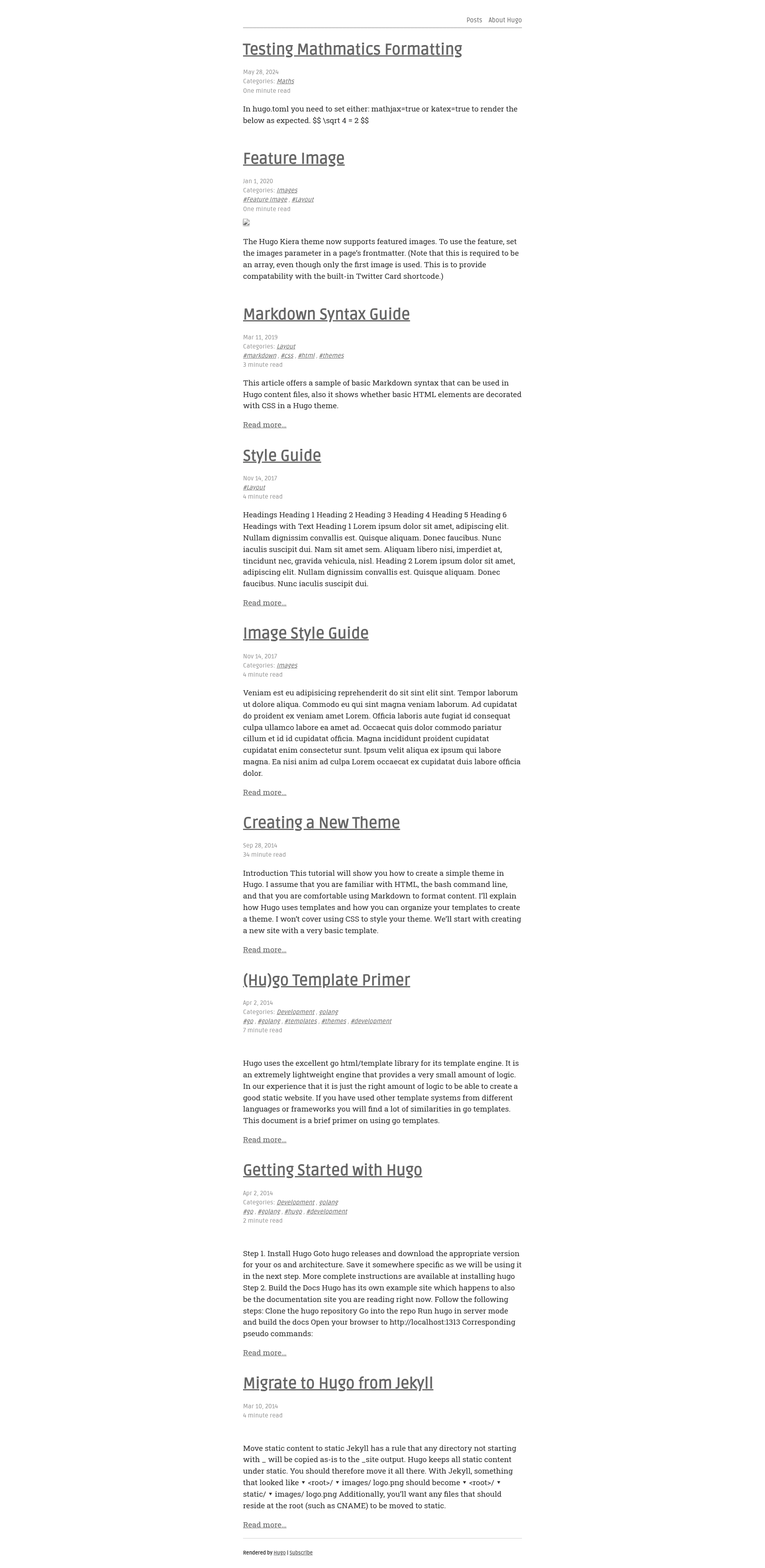
A minimal Hugo theme for long-form writing and technical articles, featuring Chroma code highlighting and optional MathJax support.
About this template
Kiera is a Hugo theme built specifically for long-form writing and technical articles, offering a minimal reading layout with Chroma code highlighting and optional MathJax support.
What is Kiera Theme for Hugo?
Kiera is a free, open-source Hugo theme designed for presenting long essays and technical writing. It takes Markdown content and front-matter as input and generates a static website with a clean, single-column layout. The theme was originally developed by b. avianto and is now maintained by funkydan2 on GitHub, where it has 78 stars and is published under the topics 'hugo' and 'hugo-theme'. It runs on any Hugo site and is deployable to services like Netlify using git submodules.
What makes Kiera stand out?
- Minimal layout — Uses a simple, no-nonsense styling approach that centers content and strips away sidebars and distractions.
- Four image placements — Supports
#full,#mid,#float, and#float-rightplacements for both standard Markdown images and Hugofigureshortcodes, with a recommended minimum width of 600 pixels. - Chroma code highlighting — Highlights fenced code blocks using Hugo's built-in Chroma engine, so no extra JavaScript is required.
- Font Awesome icons — Includes Font Awesome for icons in menus and social links.
- On-demand comments — Loads Disqus comments only after clicking the View Comments button, or displays Utterances (a Git-based system) by default; both can be disabled per page with
disableComments = true. - MathJax integration — Enables LaTeX math rendering by setting
Params.mathjaxto true, with optional overrides instatic/js/mathjax-config.js. - Flexible theming — Uses Google Fonts Ruda (serif) and Roboto Slab (sans-serif), supports custom CSS, and includes a dark-mode stylesheet that can be disabled.
- Configurable menus — Provides
mainandfootermenus, plus aweightoption to control ordering of the posts listing page.
Who should use Kiera?
- Technical writers — Publish tutorials, API references, and code-heavy articles with reliable code highlighting and a clean reading experience.
- Essay bloggers — Share long-form personal writing in a layout that keeps the focus on text rather than on widgets or sidebars.
- Hugo beginners — Use the simple installation via git submodule and the exampleSite configuration as a starting point for a lightweight site.
What can you do with Kiera?
- Launch a blog — Create a posts listing page with
_index.mdin the content folder, set menu weight, and organize entries by categories and tags. - Run a portfolio — Add non-post pages like About to the navigation using
menu = "main"in front matter, and show featured images at the top of posts. - Write mathematical content — Turn on MathJax to embed LaTeX equations between dollar signs in your Markdown.
- Customize the header — Add a site logo in
config.tomlviasite_logo, or usesite_logo_classes = "full-image"to make it full width, with per-post overrides usingreplace_site_logo.
How does Kiera work?
Kiera is installed by cloning the repository into the Hugo themes directory, with git submodule recommended for easier updates via git submodule update --rebase --remote. Configuration happens in config.toml, where you set author profiles, menus, tagline, and feature toggles. Content pages are written in Markdown with front matter controlling meta display, image placement, and comment loading.
Pricing
Kiera is open source and free to use. The full theme source is available on GitHub, and you can clone or submodule it directly into any Hugo project.
FAQ
Is Kiera free?
Yes, Kiera is an open-source theme distributed through GitHub, so you can use it in personal and commercial projects without cost.
How do I install Kiera?
Copy the repository into your project's themes directory with git clone https://github.com/funkydan2/hugo-kiera.git hugo-kiera, or add it as a git submodule to simplify future updates.
Does Kiera support comments?
Kiera supports both Disqus and Utterances. Disqus loads on demand via a View Comments button, while Utterances loads by default. You can disable comments for a single page by setting disableComments = true in the front matter.
Does Kiera support math?
Yes, set Params.mathjax to true to enable MathJax rendering. Write math in LaTeX surrounded by dollar signs, and adjust settings through static/js/mathjax-config.js.