Template details
Ruby
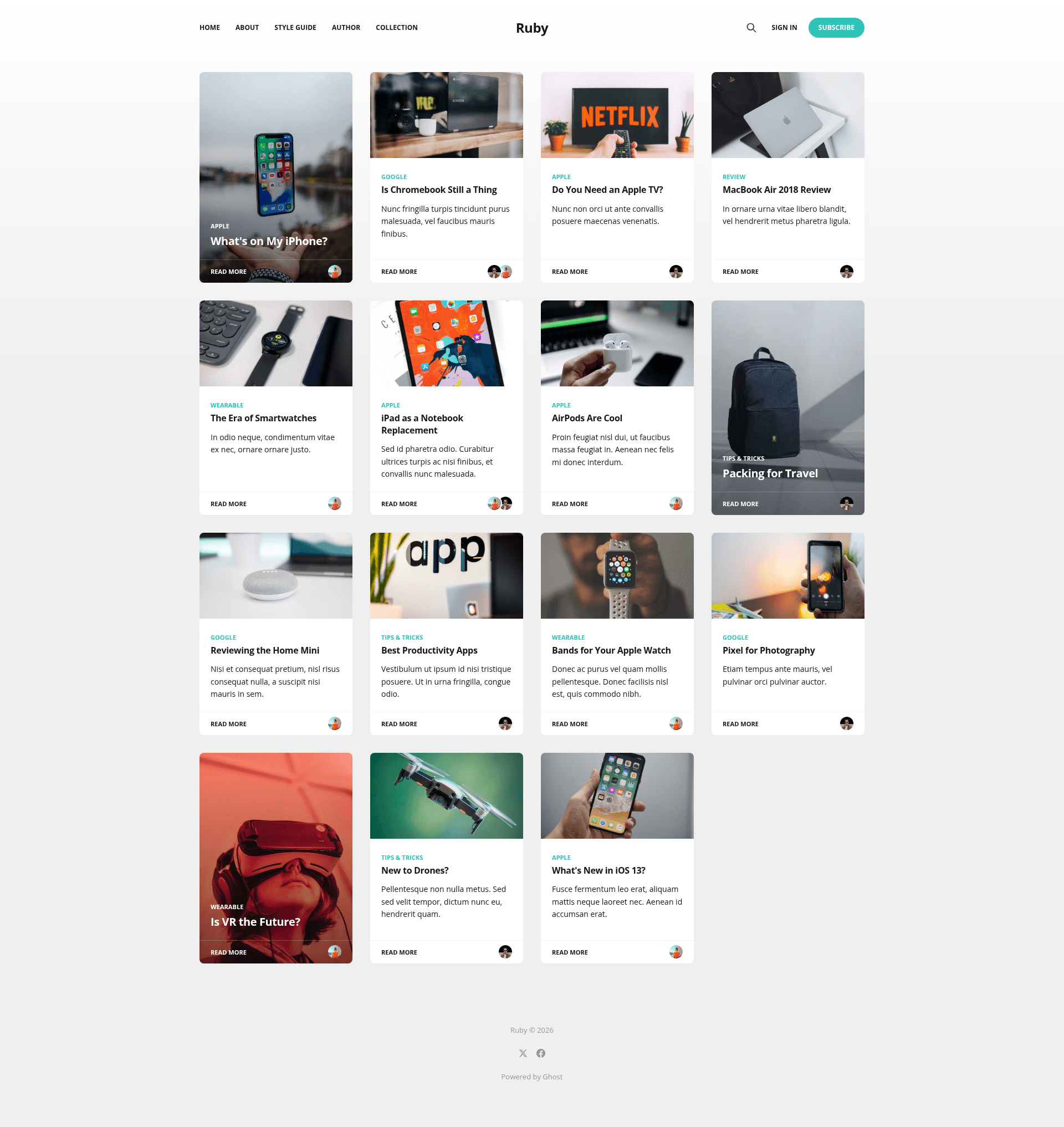
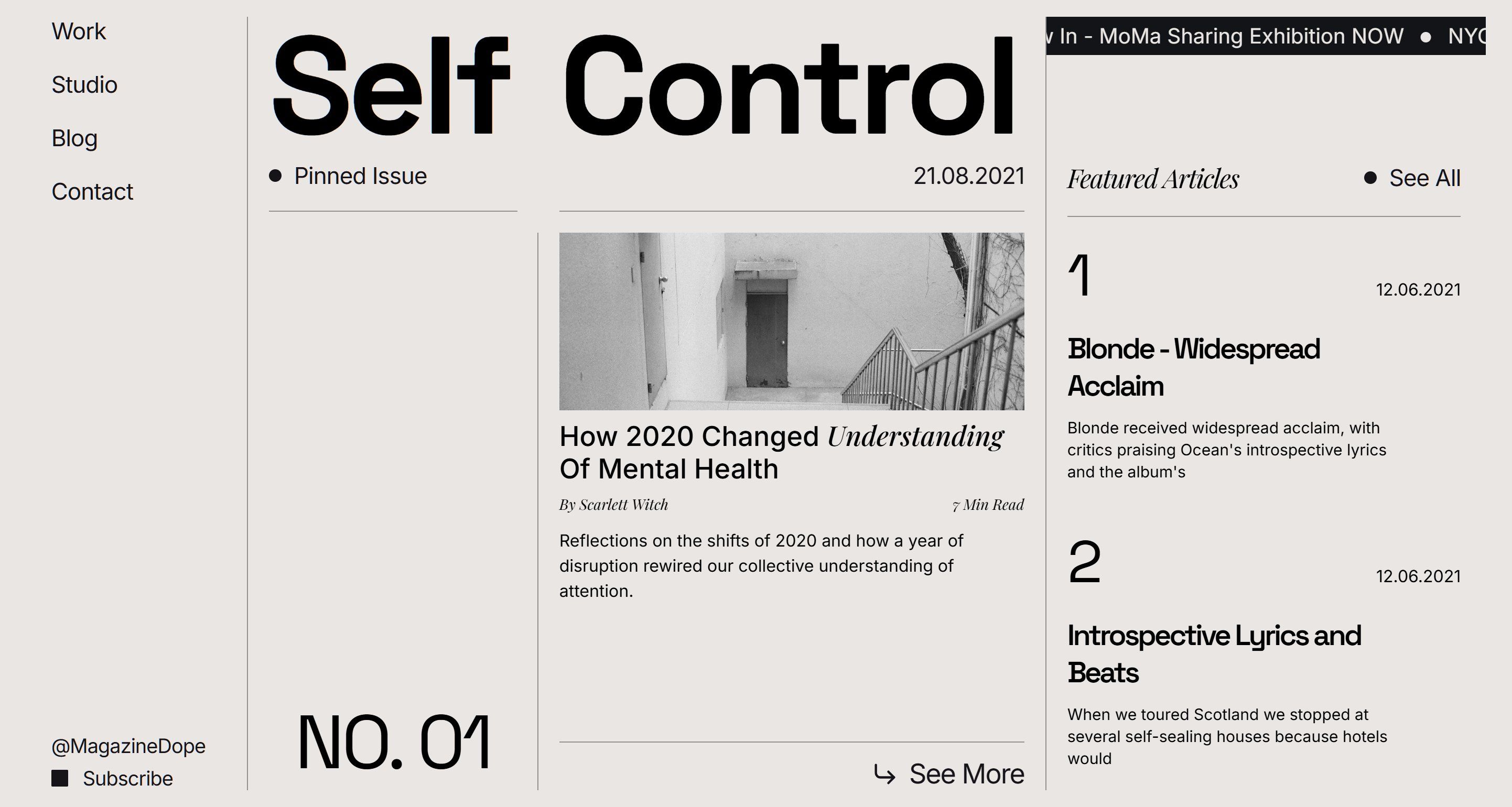
A multi-column theme with a unique card layout for Ghost
About this template
Ruby is a free, open-source multi-column Ghost theme built by the Ghost Foundation that organizes publications into a card-based magazine layout.
What is Ruby?
Ruby is a multi-column theme for the Ghost publishing platform, designed to display content as a unique card layout with widgets. It takes your Ghost publication's posts and pages and renders them into an organized magazine-style home page. Ruby is developed by the Ghost Foundation (TryGhost) and is released under the MIT license. A live demo is available at ruby.ghost.io, and the theme can be downloaded as a zip and uploaded via Ghost's Design settings.
Key Features
- Multi-column card layout — Organizes your content into visual cards across multiple columns, giving publication pages a magazine-like grid.
- Widgets support — The theme includes widget areas so you can add sidebars, social feeds, or custom HTML to make the publication more organized.
- Built with Gulp/PostCSS — Styles are compiled from future CSS spec using Gulp and PostCSS, so theme developers can write modern CSS that gets polyfilled for older browsers.
- Easy installation — Download the zip from the repository and upload it in Ghost's Design settings; no code changes required.
- Active development workflow — Requires Node.js, pnpm, and Gulp globally; the
pnpm devcommand watches and compiles/assets/css/into/assets/built/. - Packaging task — The
pnpm zipcommand packages the whole theme into adist/ruby.zipfile ready for upload. - Theme translations — Internationalization is supported; contribution instructions live in the TryGhost/Themes monorepo.
Who should use Ruby?
Ruby is for Ghost users who want a structured, magazine-style presentation for their publication. Bloggers running a multi-topic site can group articles into card grids, media companies can showcase many stories per view, and developers can use it as a clean base to customize using modern CSS with the Gulp build pipeline. It's also useful for anyone who prefers the official themes maintained by the Ghost Foundation over third-party options.
What can you do with Ruby?
- Content publishers — Turn a standard Ghost blog into a card-based multi-column layout that displays more stories above the fold.
- Magazine editors — Use the widget areas to add newsletters signups, featured posts, or social media blocks alongside the card grid.
- Theme developers — Extend the theme by editing the
/assets/css/source files and runningpnpm devto auto-compile the built stylesheet.
How does Ruby work?
Ruby works like any standard Ghost theme: you download the zip, upload it under Design settings in Ghost, and activate it. If you want to modify the styles, clone the repository, install dependencies with pnpm, then edit CSS files in /assets/css/ while pnpm dev compiles them to /assets/built/. Finally, pnpm zip creates a distributable zip from the theme files.
Pricing
Ruby is free and open source, released under the MIT license. There are no paid tiers or premium features; you can use it on any Ghost site, including self-hosted Ghost.
FAQ
Is Ruby free?
Yes, Ruby is free. It is an official Ghost theme released by the Ghost Foundation under the MIT license, so you can use, modify, and redistribute it without payment.
How do I install Ruby in Ghost?
Download the theme's zip file from the GitHub repository, then in your Ghost admin go to Design settings and upload the zip. The theme becomes active immediately and you can customize it in the Ghost editor.
What tools do I need to develop Ruby?
To work on the theme's CSS, you need Node.js, pnpm, and Gulp installed globally. Run pnpm install, then pnpm dev to build and watch for changes; the compiled files appear in /assets/built/.
Does Ruby support translations?
Yes, Ruby supports theme translations. The translation files and contribution guidelines are maintained in the TryGhost/Themes monorepo, so you can edit or contribute translations following that repository's README.
Can I use Ruby with self-hosted Ghost?
Yes. Since it's an open-source theme, you can install it on any Ghost setup, whether hosted at ghost.io or self-hosted, by uploading the zip through the Design settings.