Template details
Remix Blog Stack
Remix stack for a static MDX blog that is quick to set up and customize
About this template
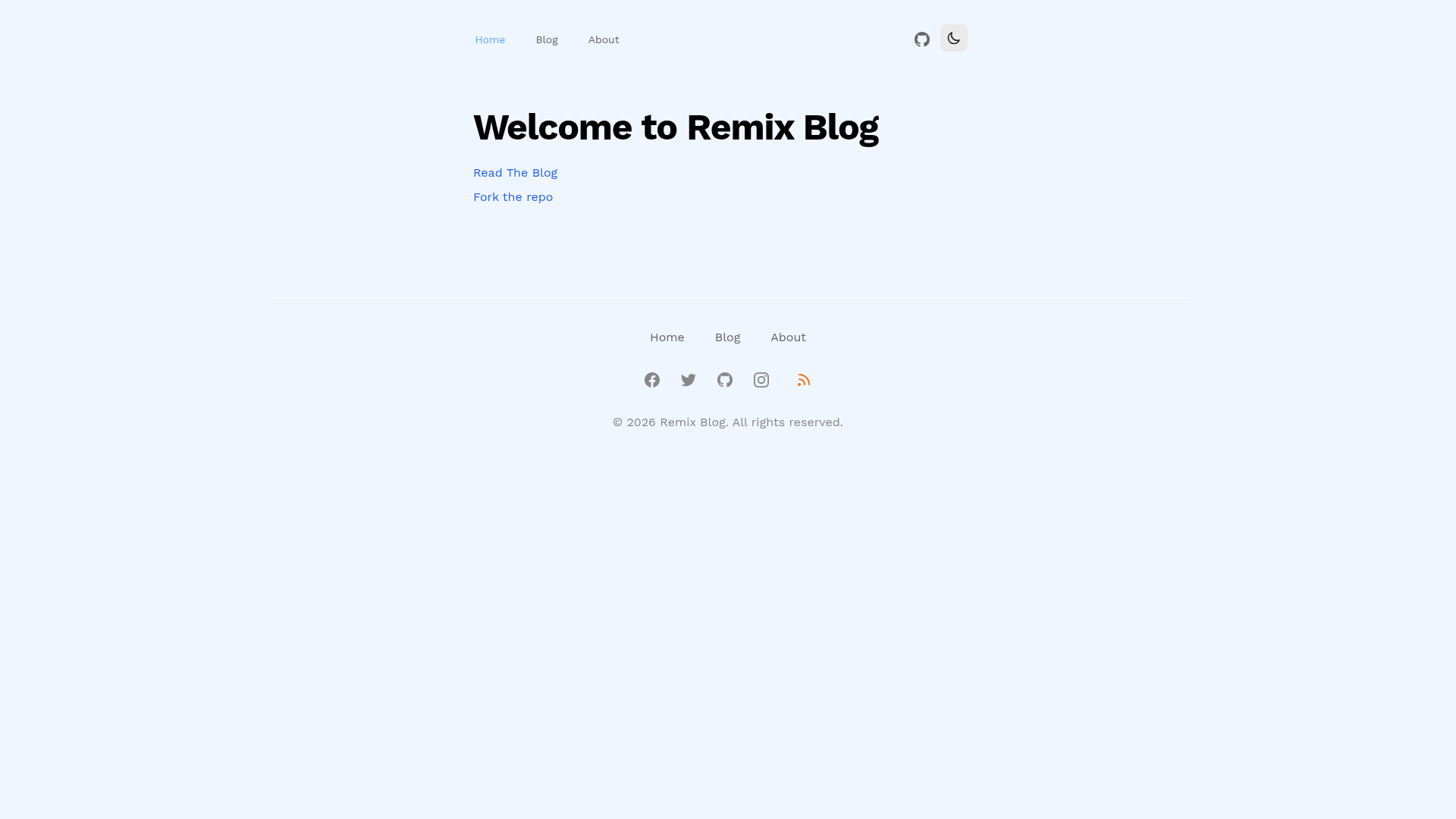
Remix Blog Stack is a Remix-based starter template for building a static MDX blog with Tailwind CSS, generating cached JSON indexes and deploying to Vercel.
What is Remix Blog Stack?
Remix Blog Stack is an open-source Remix stack created by freekrai that turns Markdown/MDX files into a blog with an index, RSS feed, sitemap, and dark-mode support. It takes posts stored as content/posts/SLUG/index.mdx and pages as content/pages/SLUG/index.mdx, reads frontmatter for metadata, and on build produces blog-cache.json and page-cache.json so the runtime never has to traverse the file system. The default setup targets Vercel, but changing one environment variable lets content be loaded from a GitHub repository instead.
Key Features
- File-based MDX content — posts and pages live in
content/postsandcontent/pagesasSLUG/index.mdx; the folder name becomes the URL slug, and nested folders create nested paths like/2022/test. - Cached JSON indexes — the build script generates
blog-cache.jsonandpage-cache.jsonin the content folder, which the blog index, RSS feed, and sitemap use instead of filesystem reads. - Filesystem or GitHub source — set
USE_FILESYSTEM_OR_GITHUBtofs(default) for local files orghto read MDX from a GitHub repo usingGITHUB_TOKEN,GITHUB_OWNER, andGITHUB_REPO. - Frontmatter metadata — MDX frontmatter supports
meta.title,meta.description,date,excerpt, andheaders(e.g.,Cache-Control) so each post can control its HTTP caching. - Tailwind CSS included — the dev script runs the Tailwind CLI in watch mode alongside the Remix watcher; the build script compiles Remix, Tailwind, and the content cache together.
- Vercel deployment ready — swap the server to the
@remix-run/vercelrequest handler and setserverBuildTarget: "vercel"inremix.config.js; then connect a Git repository or usevercelfrom the CLI to deploy. - Session support for dark mode —
SESSION_SECRETin.envenables sessions such as persisting the dark-mode preference.
Who is it for?
- Developers who want a blog they can author in MDX using a folder-per-post structure instead of a CMS.
- Remix users who want a pre-configured boilerplate with RSS, sitemap, and content caching already wired up.
- Teams deploying to Vercel who want automatic deploys from a Git repository, since Vercel rebuilds on each push.
- Developers on hosts without a writable filesystem (like Cloudflare Pages) who can set
USE_FILESYSTEM_OR_GITHUB=ghto serve content from GitHub.
What can you do with it?
- Start a personal blog: drop an
index.mdxinto a new folder undercontent/postsand it becomes a post at that slug. - Add static pages: place pages in
content/pagesand they render as routes alongside your posts. - Organize by year or topic: use nested folders, for example
content/posts/2022/test/index.mdxbecomes/2022/test, without extra routing config. - Deploy with Git: connect the repository to Vercel so future commits deploy automatically, or run
vercellocally to push the directory.
How does it work?
Copy .env.example to .env, set SESSION_SECRET, and decide between fs or gh for USE_FILESYSTEM_OR_GITHUB. Run npm install then npm run dev to start the Remix watcher, Tailwind CLI, and blog cache watcher on http://localhost:3000. When you run npm run build, content is read from the MDX folders and written into the cached JSON files that power the public site.
FAQ
How do I add a new blog post?
Create a new folder under content/posts whose name is the desired slug, then add an index.mdx file. Fill in the frontmatter fields (meta.title, meta.description, date, excerpt) and the post will appear in the blog index on the next build.
Can I deploy Remix Blog Stack to Cloudflare Pages?
Not yet. The README lists Cloudflare Pages and Netlify as "Coming Soon" — only Vercel has step-by-step instructions. However, you can set USE_FILESYSTEM_OR_GITHUB=gh to source content from GitHub, which is the workaround suggested for hosts without file system access.
What does the GitHub mode do?
Set USE_FILESYSTEM_OR_GITHUB=gh and provide GITHUB_TOKEN, GITHUB_OWNER, and GITHUB_REPO. The template will then read MDX files from that GitHub repository instead of the local filesystem, which is useful on platforms like Cloudflare that cannot access local files.
What is SESSION_SECRET used for?
It is the secret for sessions, and the README specifically mentions sessions such as dark mode. Keep it a long random string and add it to your .env file; on Vercel you would set it as an environment variable in the project settings.