Template details
Hexo Theme Snail
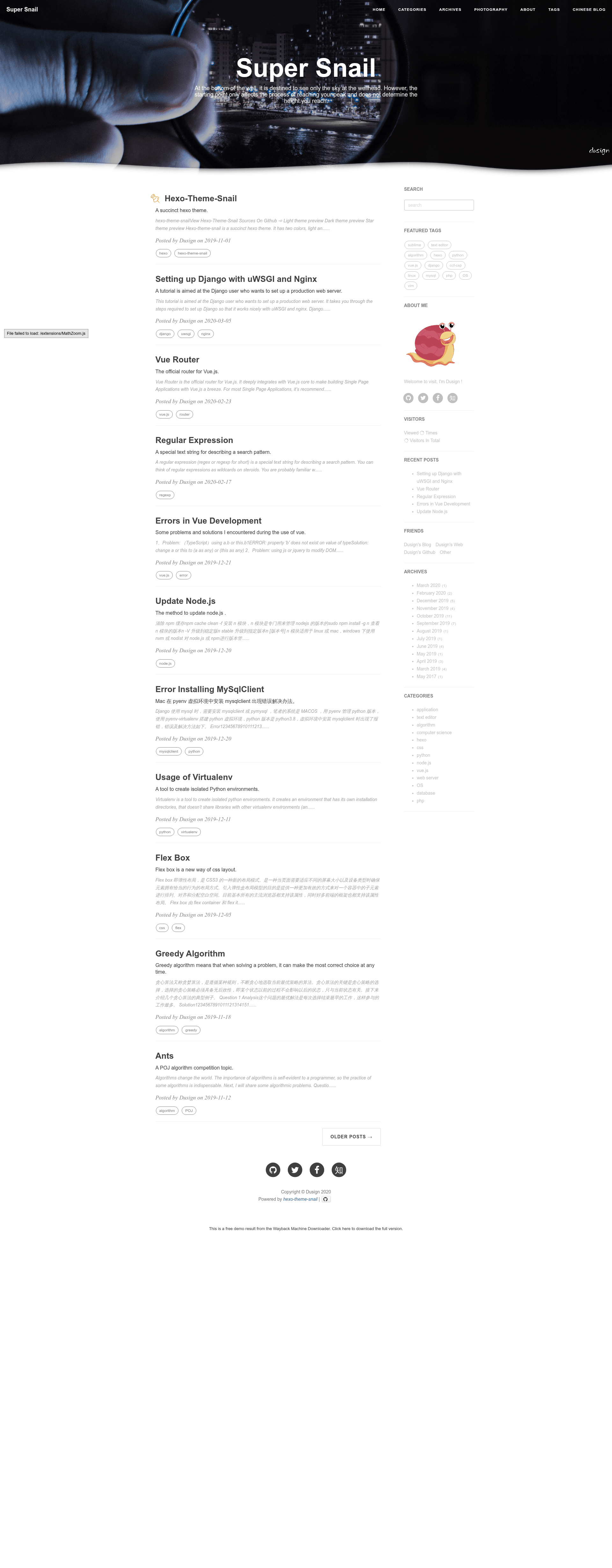
A succinct Hexo blog theme with light, dark, and star themes, plus comments, search, and background effects.
About this template
hexo-theme-snail is an open-source Hexo blog theme that renders Markdown posts into a static site with switchable light, dark, and star color palettes, built-in comment integrations, and animated background effects.
What is hexo-theme-snail?
hexo-theme-snail is a theme for the Hexo static site generator. It takes standard Hexo posts written in Markdown and generates a blog with a sidebar, tags, archives, categories, search, and comment sections. The theme is authored by Dusign and released under the Apache License 2.0; it is derived from hexo-theme-beantech. A live preview is available at the Dusign blog.
Key Features
- Light, dark, and star color themes — Switch via the
color_themesetting; dark and star themes require settinghighlight_themetonightin the theme config. - Multiple comment systems — Enable gitment, livere, or Disqus individually through config flags; gitment needs owner, repo, client_id, and client_secret.
- Background effects — Options for a line animation, mouse-click particles, and a wave effect; the README warns these consume significant CPU resources.
- Site search — Works with the
hexo-generator-searchplugin to produce an XML or JSON search index covering posts, pages, or all content. - Sticky posts — Add
top: trueto a post's front matter to pin it to the top of the article list. - Music player — Configurable player that pulls from NetEase or QQ Music libraries using a song URL.
- Visitor statistics widget — Displays visitor counts when enabled in the sidebar settings.
- SNS sidebar links — Configure GitHub, Twitter, Facebook, and Zhihu usernames to show social icons.
Who is it for?
- Hexo bloggers who want a clean, minimal theme with multiple color schemes and built-in comments.
- Developers who want an Apache-licensed theme they can modify and extend; the code is hosted on GitHub.
- Technical writers who need typical blog features like search, tags, archives, and sticky posts without heavy setup.
What can you do with hexo-theme-snail?
- Personal bloggers: publish Markdown posts and have them rendered into a static blog with sidebar widgets, archives, and category pages.
- Writers needing comments: enable one of the three supported comment systems to let readers leave feedback on each post.
- Readers: use the search widget to find posts by title, content, or metadata.
How does hexo-theme-snail work?
Install Hexo, clone this theme into your project's themes directory, then set theme: snail in the main _config.yml. Customize site settings, SNS links, sidebar widgets, and background effects through the config file, then run hexo generate and hexo server to preview locally. Deployment uses standard Hexo methods such as hexo deploy.
FAQ
Is hexo-theme-snail free?
Yes, it is released under the Apache License 2.0, so it is free to use, modify, and distribute.
What color themes does hexo-theme-snail support?
It supports light, dark, and star themes. Set color_theme: light, dark, or star in _config.yml. For dark and star themes, also set highlight_theme to night in the theme's own config file.
Which comment systems can I use?
The theme supports gitment, livere, and Disqus. Each has an enable flag in the config; gitment also requires your GitHub owner, repository, client ID, and client secret.
Does hexo-theme-snail have any limitations?
The README notes that background effects can consume a lot of CPU resources, and the share and photography features are listed as under development.