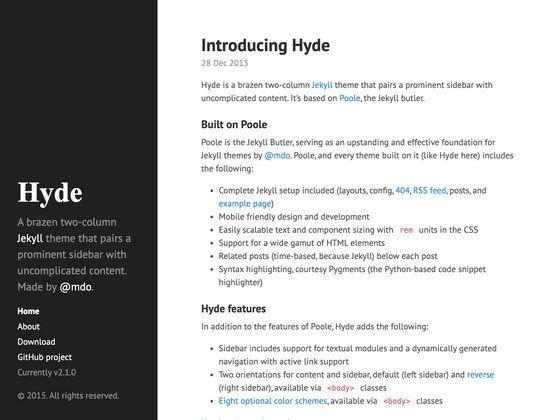
Template details
Kagami
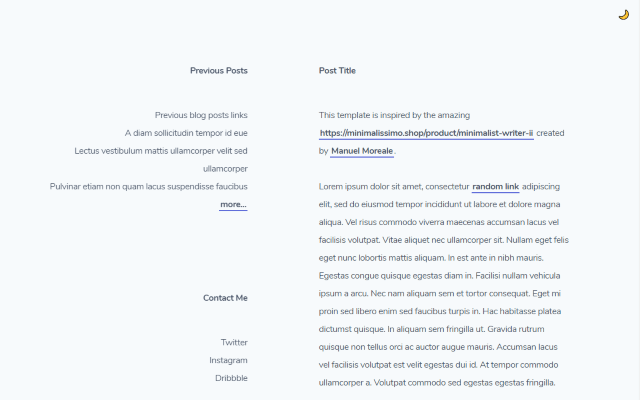
Kagami is a simple and clean Jekyll theme for GitHub Pages with support for comments, MathJax, Mermaid, and custom navigation.
About this template
Kagami is a simple and clean Jekyll theme for building static blogs and personal websites, distributed as a Ruby gem and compatible with GitHub Pages.
What is Kagami?
Kagami is an open-source Jekyll theme created by kamikat, designed to be minimal and readable for personal sites and blogs. It takes Jekyll site content—Markdown posts and pages plus _config.yml settings—and produces a static HTML site with optional JavaScript enhancements like MathJax, Mermaid diagrams, and comment widgets. The theme is MIT-licensed and installable via the jekyll-theme-kagami gem or directly from the GitHub repository.
Key Features
Kagami offers a set of Jekyll integrations that cover commenting, syntax highlighting, math, diagrams, navigation, and image handling.
- Jekyll and GitHub Pages compatible — Works as a standard theme gem, with a documented unpack method for GitHub Pages hosting that doesn't support theme gems.
- Flexible comment services — Supports both Disqus (via
disqus_shortname) and Gitalk (with client ID, secret, repo, and owner options), enabled per post or globally. - Syntax highlighting with color schemes — Integrates
jekyll-pygments-themesand lets you choose a scheme such asgithubby settingcolor_schemein_config.yml. - MathJax and Mermaid support — Enable math rendering with
mathjax: trueand diagram generation withmermaid: truein site or post front matter. - Navigation bar customization — Pages and posts can be added to the navbar with
navbar_titleand ordered with apositioninteger. - Tag and category filtering — Create filtered post-list pages using the
post-listlayout and afilter:front matter field that supportsby_tag,by_category, and a custom Liquidby_expression. - Sidenotes and high-resolution images — Use kramdown block IAL classes such as
{.side-note}and{.retina2x}to style pull notes and scale retina images to half their pixel size. - Social links and Google Analytics — Configure
github_username,twitter_username,instagram_username, and agoogle_analyticstracking ID for production only.
Who is it for?
Kagami is best suited for Jekyll users who want a clean, lightweight theme and need built-in support for math, diagrams, and comments. It also fits GitHub Pages users who prefer to unpack and customize their theme locally, and writers who value a minimal reading experience with optional interactive widgets.
What can you do with Kagami?
Bloggers can publish Markdown posts and organize them with tag/category filtered index pages using the post-list layout.
Technical writers can enable MathJax and Mermaid in individual posts to render equations and diagrams without building custom integrations.
Portfolio owners can customize the navbar and add pages to create a simple one-person site with social links and analytics.
Theme developers can fork the GitHub repo and run bundle exec jekyll serve -s example to test modifications, since the theme is structured like a normal Jekyll site.
How does Kagami work?
Kagami installs like any Jekyll theme gem: add gem "jekyll-theme-kagami" to your Gemfile, set theme: jekyll-theme-kagami in _config.yml, then run bundle. For GitHub Pages sites that don't support theme gems, the readme describes a workaround: download the gem file, run gem unpack into the project folder, and remove the theme line. After setup, content is written in standard Jekyll Markdown and optional features are activated via front matter keys.
Pricing
Kagami is free and open source under the MIT License. There are no paid tiers or subscription plans.
FAQ
Is Kagami free?
Yes, the theme is available under the MIT License, meaning you can use, modify, and redistribute it freely as long as the license notice is retained.
Does Kagami work with GitHub Pages?
Yes, it is compatible with GitHub Pages. Because GitHub Pages does not support theme gems directly, the readme describes a manual unpack method: download the gem, run gem unpack to extract it into your project, and delete the theme: line.
Can I use Disqus on my blog?
Yes, set disqus_shortname to your Disqus shortname in _config.yml. Comments are enabled only in production mode (JEKYLL_ENV=production), and you can disable comments on individual posts by adding comments: false to the post's front matter.
How do I add Mermaid diagrams?
Set mermaid: true in either _config.yml or a post's front matter. Then write code blocks with the mermaid language tag; Kagami transforms them into diagrams.