Template details
Minimalist-Blog
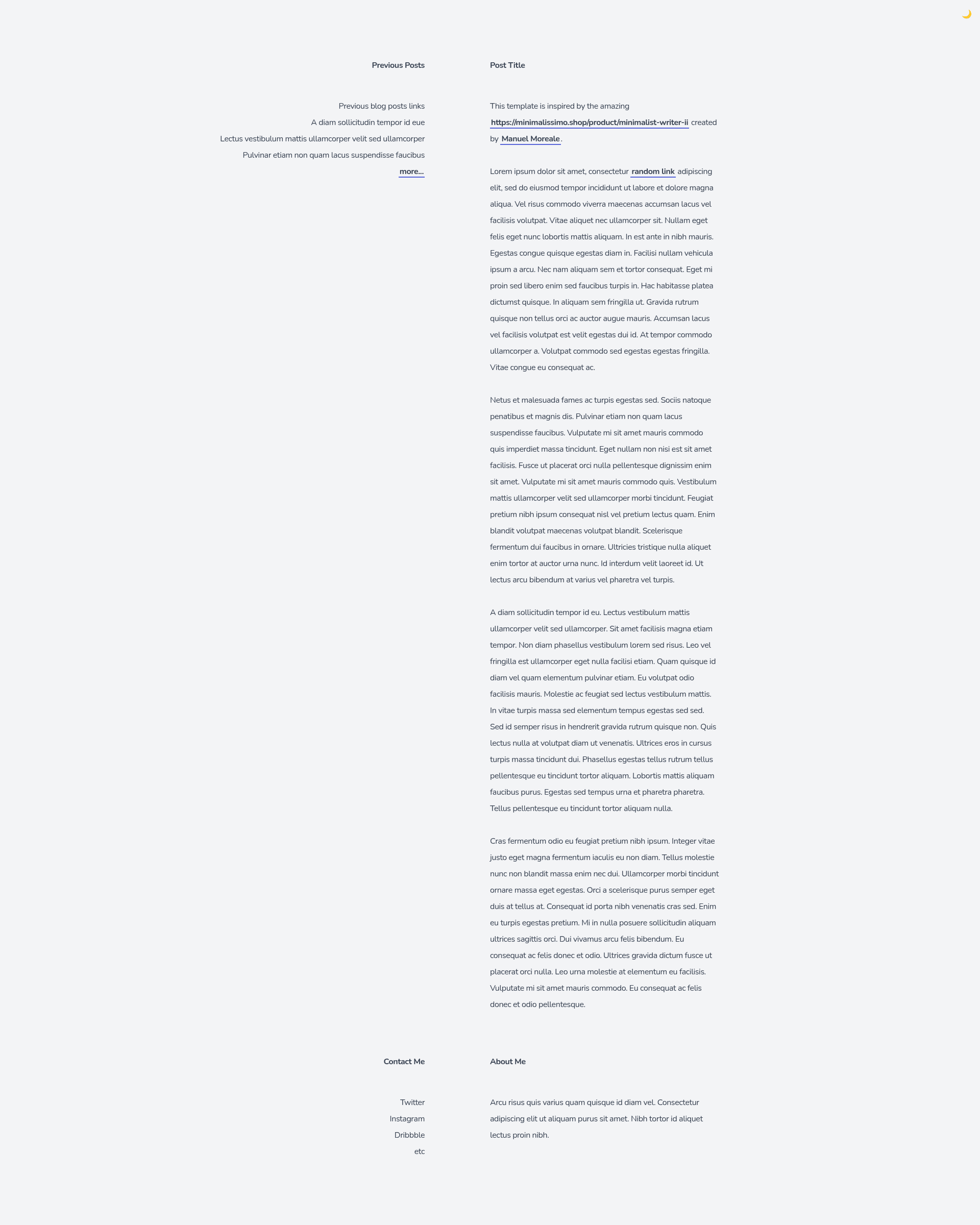
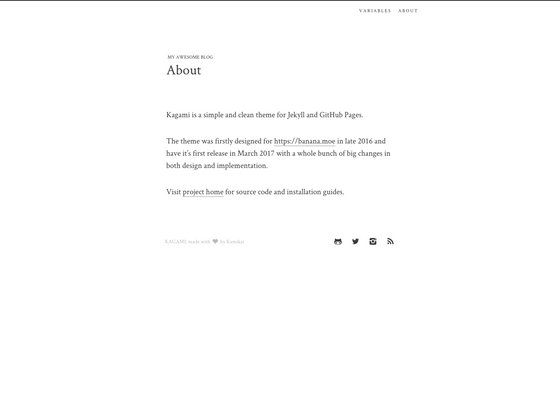
Tailwind CSS starter template for a minimalistic monochrome blog layout in a single HTML file.
About this template
Minimalist-Blog is a free, open-source Tailwind CSS starter template from Tailwind Toolbox that delivers a minimalistic monochrome blog layout in a single HTML file with no build step.
What is Minimalist-Blog?
Minimalist-Blog is a starter template for creating a personal blog with a clean, text-focused monochrome design. It is built on Tailwind CSS and distributed as one static HTML file that loads the framework from a public CDN, so you can run it by simply opening the file in a browser. The template was created by Amrit Nagi under the Tailwind Toolbox brand and is released under the MIT license.
Key Features
- Single-file layout — The entire blog is a single HTML document containing all markup and styles, making it easy to read, edit, or copy into another project.
- Tailwind CSS via CDN — Styles are applied with utility classes from a full CDN-hosted Tailwind CSS build; no npm install or build process is required.
- Monochrome minimalist design — The visual style focuses on black-and-white typography, just like its inspiration, the Minimalist Writer design by Manuel Moreale.
- Open-source license — Released under the MIT license, so you can use, modify, and redistribute it freely, including for commercial projects.
- GitHub hosting — The source is available on GitHub, where you can fork the repository, clone it, or download the latest release as a ZIP file.
- Small footprint — With no JavaScript frameworks or external assets beyond the Tailwind CDN, the page loads quickly and is easy to deploy anywhere static files are served.
Who is it for?
- Writers and bloggers — who want a distraction-free, text-first layout for their personal blog without spending time on front-end tooling.
- Front-end beginners — who are learning Tailwind CSS and want a clean starter file to practice customizing utility classes and layouts.
- Rapid prototypers — who need a basic blog or article page mockup and prefer a single HTML file they can drop into a static host or preview locally.
Use cases
- Personal blog launch: Publish a minimalist blog by editing the headings and paragraphs directly in the HTML, then uploading the file to Netlify, GitHub Pages, or any static host.
- Portfolio article page: Reuse the layout to display an 'About' or 'Writing' page on a personal site with a consistent monochrome look.
- Tailwind CSS learning: Use the single-file HTML as a sandbox to experiment by changing Tailwind grid, spacing, and type utilities and instantly seeing the results in a browser.
How does it work?
Download or clone the repository, open the HTML file in a browser, and edit the markup directly to add your own posts. Because it relies on the Tailwind CDN, an internet connection is required to render the utility classes. To customize beyond the preset styles, Tailwind Toolbox recommends following their setup guide for a local Tailwind build.
Pros and cons
- Pros: No build setup, no npm dependencies, fully open-source, and easy to deploy as static HTML.
- Cons: The template is a single static page, so posting new articles requires editing the HTML file rather than using a CMS. It also depends on the Tailwind CDN, so the styling won't load offline.
FAQ
Is Minimalist-Blog free?
Yes. The template is released under the MIT license, which permits free use, modification, and redistribution, including in commercial projects.
What do I need to use Minimalist-Blog?
You only need a web browser and an internet connection, because the HTML file links to Tailwind CSS through a public CDN. No Node.js, package manager, or build step is required.
Can I customize the template?
Absolutely. Because it is plain HTML with Tailwind utility classes, you can change the text, add new sections, or modify the color and spacing utilities directly in the markup. For deeper customization, Tailwind Toolbox provides a setup guide for their recommended workflow.
Does it require a static site generator?
No. It is a standalone HTML file. You can use it as-is or integrate it into a static site generator, but no generator is required.