Template details
Leonids Gatsby starter
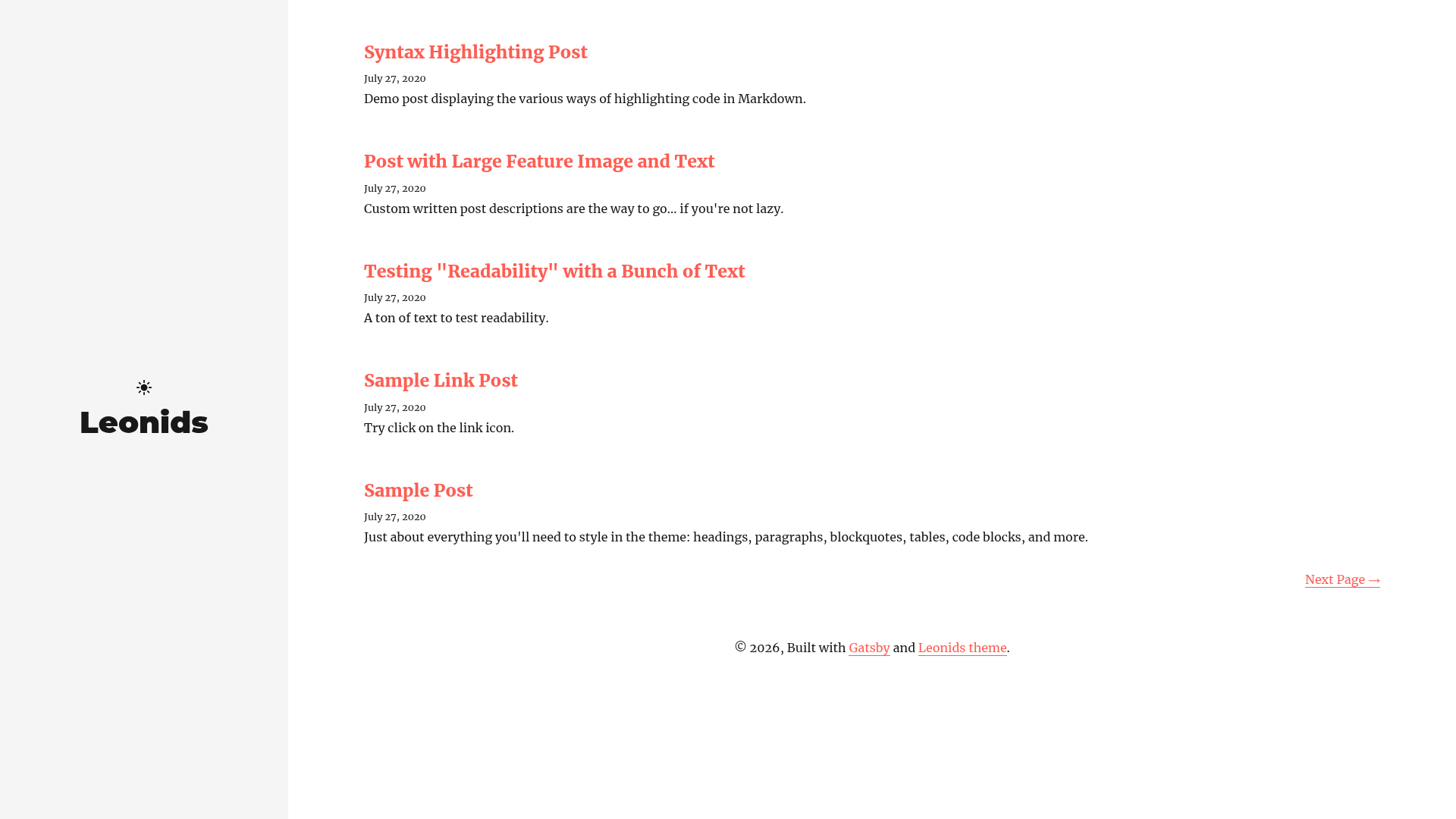
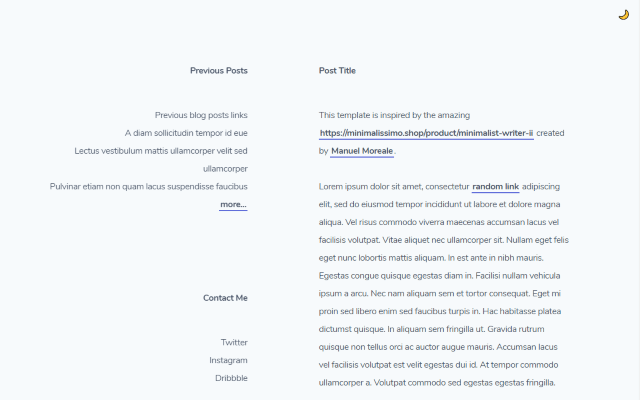
A fixed-sidebar, two-column Gatsby.js blog starter with dark mode and one-click Vercel/Netlify deployment.
About this template
Leonids is a Gatsby.js blog starter with a fixed sidebar, tailored for GitHub-hosted blogs and featuring one-click deployment to Vercel and Netlify CMS.
What is the Leonids Gatsby starter?
Leonids is a Gatsby.js blog starter that generates a static, responsive two-column blog with a fixed sidebar. It takes a fresh Gatsby project scaffolded from the Leonids repository and produces a blog layout with light/dark mode and a sidebar that stays visible during reading. The theme is created by renyuanz and is designed to run on GitHub Pages, Netlify, or Vercel. A live demo is hosted at renyuanz.github.io/leonids.
Key Features
- Fixed sidebar two-column layout — The sidebar remains fixed while reading, and the content occupies the second column, as described in the repository's metadata.
- Responsive templates — The layout adapts to any viewport, from mobile phones to widescreen monitors.
- Light/Dark mode — A toggle lets visitors switch between light and dark color schemes.
- One-click deploy to Vercel — A deploy button on the repository creates a live Vercel instance directly from the GitHub URL.
- Netlify CMS deploy button — A separate button deploys the starter to Netlify with the CMS stack preconfigured.
- Gatsby.js powered — Built on Gatsby, the site is pre-rendered as static HTML for fast loading, and the theme is inspired by the comet Tempel-Tuttle meteor shower.
- Legacy Jekyll branch — A previous Jekyll version lives in the archived
leonids-jekyllbranch and is no longer maintained.
Who is it for?
- Developers who want a minimal personal blog — Use Leonids to scaffold a Gatsby blog with a fixed sidebar and start writing in Markdown immediately.
- GitHub Pages users — The starter is explicitly described as perfect for GitHub-hosted blogs, so publishing on GitHub Pages requires minimal extra configuration.
- Static site enthusiasts — Those coming from Jekyll can use the Gatsby version to modernize their workflow while keeping a familiar single-sidebar layout.
What can you do with Leonids?
- Launch a personal blog: Scaffold a new Gatsby project, write posts, and deploy the static output to GitHub Pages, Netlify, or Vercel.
- Prototype a blog design: Use the fixed sidebar and dark mode as a starting point for a custom blog without building the layout from scratch.
- Migrate from the legacy Jekyll theme: The archived branch provides the original source for developers who still need the old Jekyll version.
How does Leonids work?
To develop locally, run gatsby new my-blog https://github.com/renyuanz/leonids, then cd my-blog and start the dev server with gatsby develop. For production deployment, the repository includes one-click buttons that link to Vercel and Netlify, so no manual server configuration is required.
Pros and cons
- Pros: Free and open-source, with two one-click deployment options and built-in light/dark mode.
- Cons: The legacy Jekyll branch is archived and unmaintained, which may matter to users who need the older version.
FAQ
Is Leonids free?
The repository is publicly accessible on GitHub and no pricing is stated, so it can be used at no cost. No license details are provided in the content, but the starter is freely available for anyone to clone or deploy.
How do I deploy Leonids to Netlify?
Click the Netlify CMS deploy button on the repository page. It connects your GitHub account, imports the repository, and preconfigures the CMS stack so the blog is live after a few clicks.
Does Leonids support dark mode?
Yes, the starter includes a light/dark mode toggle that works on the responsive layout, allowing visitors to switch between color schemes.
What is the legacy Jekyll theme?
The original Leonids blog theme was built for Jekyll and is archived in the leonids-jekyll branch of the repository. The Gatsby starter is the actively maintained version; the Jekyll branch is no longer updated.