Template details
Typography
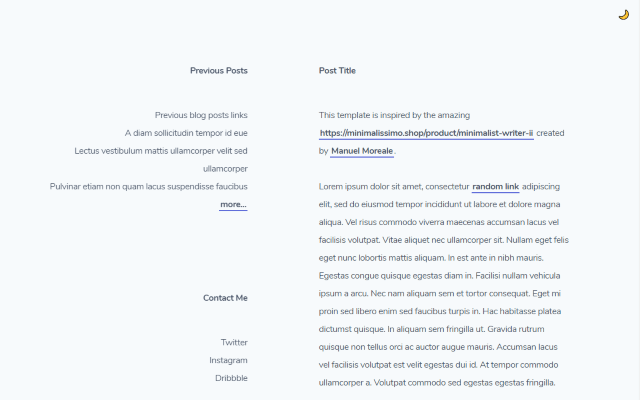
A Hexo theme focused on clean format and elegant reading experience.
About this template
Typography is an open-source Hexo theme built for bloggers who want a tidy, reading-focused layout without heavy customization.
What is Typography?
Typography is a theme for the Hexo static site generator that turns Markdown posts into a clean, minimalist blog. It takes standard Hexo site content as input and outputs a responsive homepage that lists every article, plus individual post pages that can render Mermaid diagrams and MathJax math notation. The theme is maintained on GitHub by Rapiz1 and has a live demo at rapiz.me. It uses EJS as its template engine and Stylus for styling, making it straightforward to tweak for developers who know those tools.
Key Features
- Mermaid Support — Write Mermaid syntax inside your Markdown posts to render flowcharts, sequence diagrams, and other graph types directly in the page.
- MathJax Support — Include LaTeX-style equations in your articles and have them typeset properly for technical and academic content.
- Fanfou Integration — Add a single fanfou_username entry to _config.yml to connect the theme to a Fanfou account, the Chinese microblogging platform.
- SEO Friendly — The theme generates semantic HTML with clean markup, which helps search engines understand and rank your content.
- Self-Adapted Layout — The responsive design adjusts the layout for desktop, tablet, and mobile screens so posts stay readable on any device.
- Random Quotes — Display a randomized quote on the site by editing the quote list in typography/source/js/utils.js.
- All Articles Listed on the Homepage — Instead of paginating, the homepage streams every published post in chronological order, creating a continuous archive.
Who is it for?
- Long-form bloggers — use Typography to present essays and articles in an uncluttered layout that emphasizes the text.
- Technical writers and academics — rely on built-in MathJax and Mermaid support to include equations and diagrams without adding separate plugins.
- Hexo users who want a minimal setup — can install the theme by moving the typography folder into their themes directory and editing one _config.yml file, then start writing posts in Markdown.
What can you do with Typography?
- Publish a personal blog — configure theme: typography in Hexo's _config.yml and write Markdown posts that automatically appear on the homepage feed.
- Show your Fanfou activity — add your Fanfou username to the configuration so visitors can see your latest posts from that platform.
- Customize the reading vibe — replace the default random quote content in utils.js to rotate your own favorite lines or messages across visits.
How does Typography work?
Install it by cloning the repository and moving the typography folder into your Hexo site's themes directory. Then edit _config.yml to set the theme, optionally add fanfou_username, and define navigation tabs under a nav: key using relative paths like Home: / or Links: /links. Finally, run the standard Hexo generate and server commands to build and preview the site.
FAQ
Is Typography free?
Yes, Typography is an open-source theme hosted on GitHub, so you can download and use it without paying anything. The repository includes a license badge; check the repo for the exact license type.
Does Typography support LaTeX math?
Yes, the theme includes MathJax support. You can write mathematical formulas in your posts with standard LaTeX-style delimiters, and they will render correctly in the browser.
Can I customize the navigation bar?
Yes. Add any number of entries under the nav: key in _config.yml, using a display name followed by a relative path. For example, Home: / creates a tab linking to the homepage.
How do I change the random quotes?
Open typography/source/js/utils.js and modify the quote array or file content where quotes are defined. The theme then picks a random quote each time the page loads.